---
title: The Classic, Plain text and HTML editors
description: Write an email like a document, as plain text, or as your own HTML code, and learn every panel, setting and note of the three editors.
url: "https://hiveplugins.com/docs/hive-mail-classic-plain-text-and-html-editors/"
updated: "2026-10-28"
category: Hive Mail
---
# The Classic, Plain text and HTML editors
The Classic editor works like a word processor. The Plain text editor sends words only. The HTML editor is for people who write their own code. The top bar, preview, test send and version history are explained in [Choose an email editor](/docs/hive-mail-choose-an-email-editor/).
## Classic editor
It always makes a single column. The left panel, **Email settings**, holds:
| Setting | What it does | Default and limits |
| --- | --- | --- |
| **Use brand kit** | Applies your saved colours, font, button style and logo | Shows when a brand kit is saved |
| **In the inbox** > **Preview text** | Line shown after the subject | |
| **Layout** | **Boxed** (card on a coloured page), **Centered** (no card), **Letter** (plain, like a personal email) | |
| **Text** | **Font**, **Size (px)**, **Line height**, **Text colour**, **Link colour** | Size 12 to 24, default 16. Line height 1 to 2.5, default 1.6 |
| **Colours** | **Brand colour**, **Page background** (Boxed only), **Card background** (Boxed) or **Background** | |
| **Buttons** | **Button colour**, **Button text colour**, **Corner radius (px)** | Radius 0 to 40, default 6 |
| **Logo** | **Add a logo** / **Replace** / **Remove**, **Width (px)**, **Alternative text** | Width 40 to 600, default 160 |
| **Footer** > **Add a footer** | Your own footer. Off: Hive Mail adds its standard footer to marketing emails | When on: Text, Unsubscribe link text, Preferences link text, colours, Alignment, **Show business name and address**, **Show a link to the preferences page** |
| **More** | **Content width (px)**, **Page title**, **Language code**, **Direction** | Width 320 to 900, default 600 |
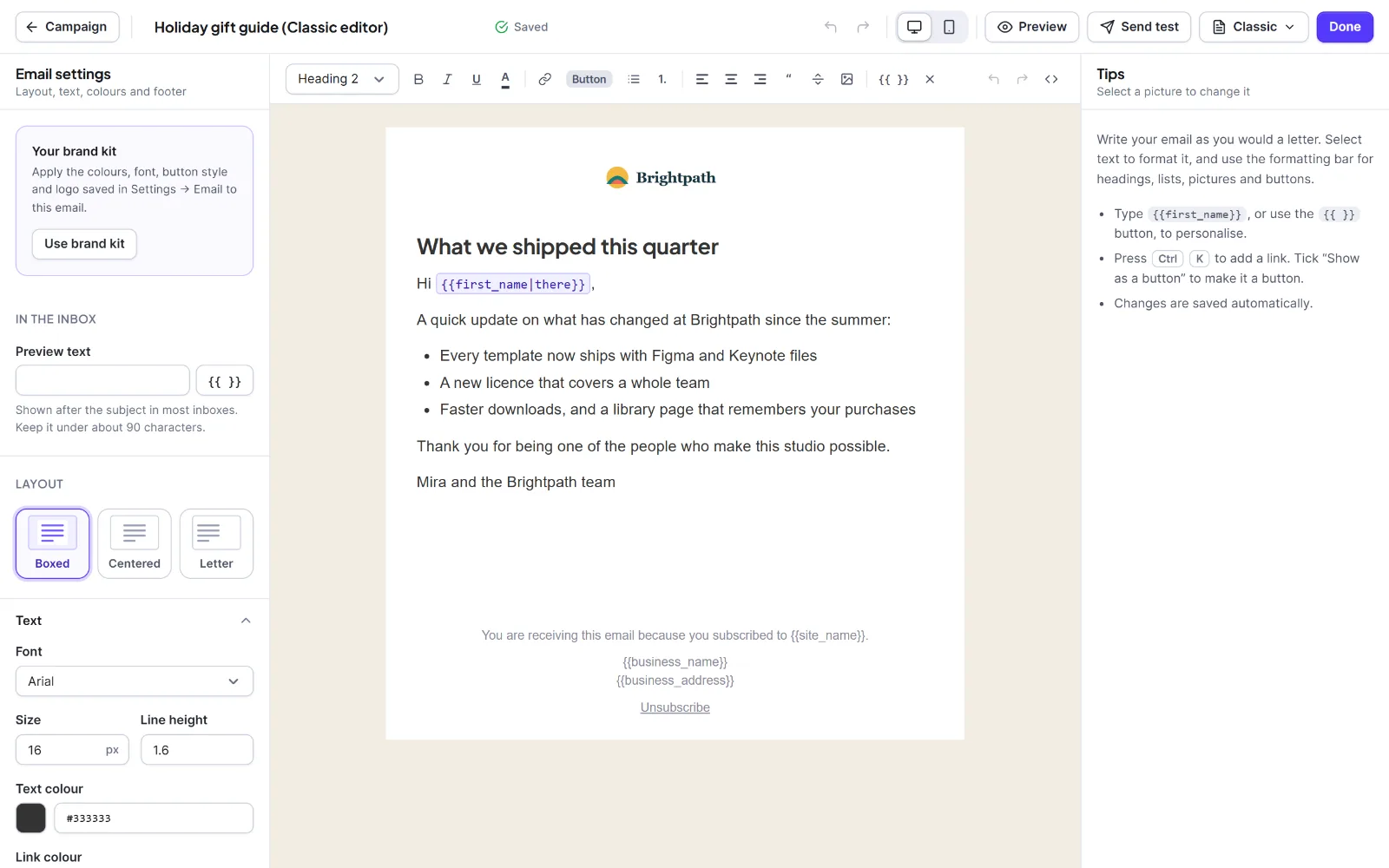
The right panel, **Tips**, shows the "Check before sending" notes. Click a picture and it becomes **Picture**, with **Alternative text** and **Width** (16 to 1200 px, empty is full width).
1. Click where it says "Start writing your email…" and type. The formatting bar has: paragraph and **Heading 1** to **Heading 3**, **Bold**, **Italic**, **Underline**, **Text colour**, **Link**, **Button**, lists, alignment, **Quote**, **Divider**, **Image**, `{{ }}` for [merge tags](/docs/hive-mail-merge-tags-and-fallbacks/), **Clear formatting**, **Undo**, **Redo** and **Edit the HTML source**.
2. For a link, select text, press **Ctrl+K**, type the address and click **Apply**. Allowed: `https://`, `mailto:`, `tel:` or a merge tag such as `{{site_url}}`.
3. For a button, click **Button**: selected text becomes a button, otherwise a centred "Click here" is inserted. Or tick **Show as a button** in the link box.
4. For a picture, click **Image** and choose one from the media library.
5. **Edit the HTML source** shows the code; **Apply** keeps only allowed tags.
Allowed: paragraphs, headings 1 to 3, lists, quotes, dividers, bold, italic, underline, text colour (hex only), links, buttons, pictures and line breaks. Anything else you paste is cleaned away. A Classic email never has columns.
## Plain text editor
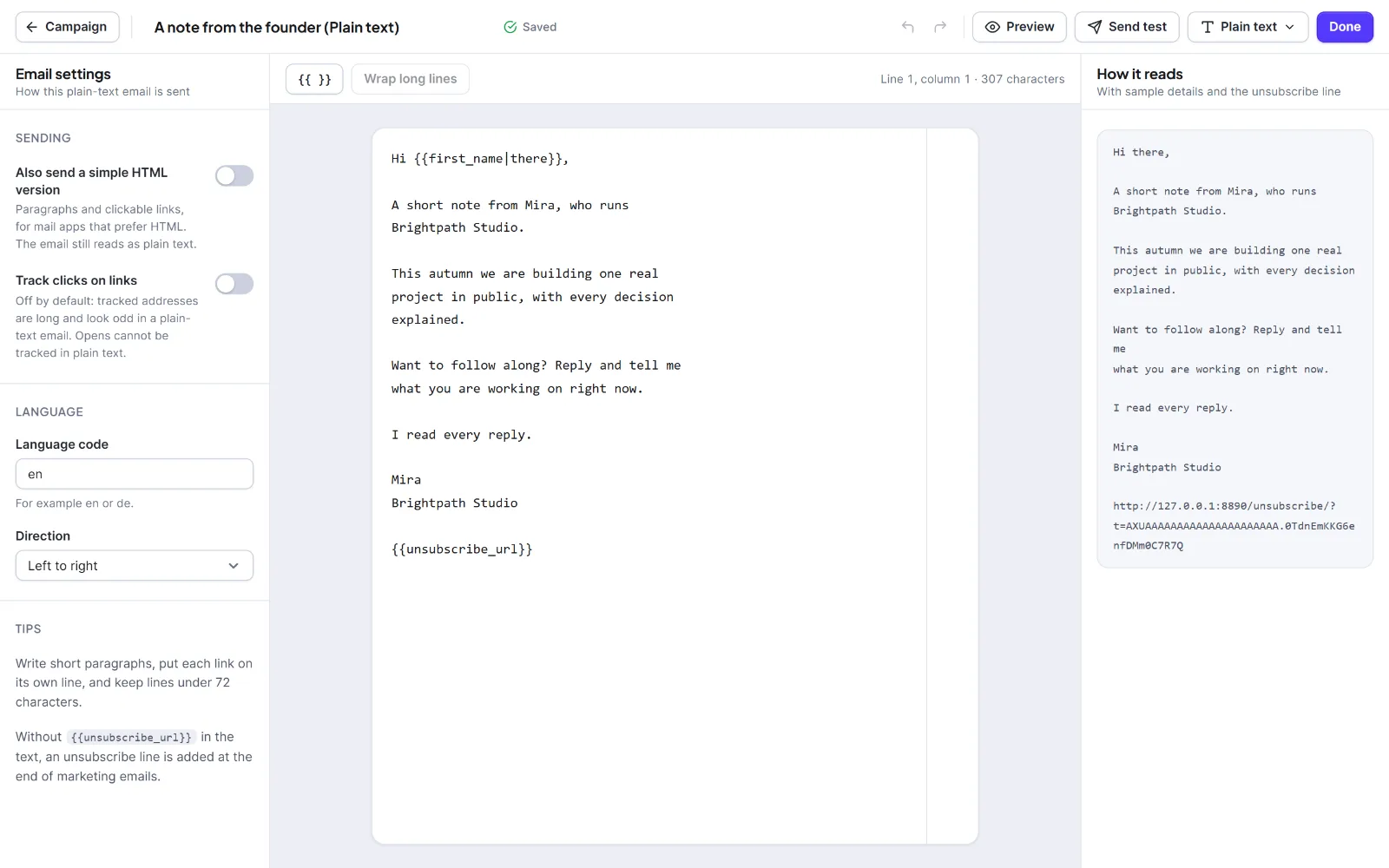
It sends a real `text/plain` email: no design, pictures or buttons. Tabs: **Settings**, **Write**, **How it reads**.
| Setting | What it does | Default |
| --- | --- | --- |
| **Also send a simple HTML version** | Adds paragraphs and clickable links for mail apps that prefer HTML | Off |
| **Track clicks on links** | Replaces links with tracked addresses. Opens cannot be tracked in plain text | Off |
| **Language code** | Language of the email | `en` |
| **Direction** | **Left to right** or **Right to left** | Left to right |
1. Type in the box "Write your email…". A guide line marks 72 characters.
2. Put each link on its own line. Click `{{ }}` for merge tags such as `{{first_name|there}}`.
3. If lines are too long, click **Wrap long lines** (the number in brackets counts them). Words and addresses are never split.
4. Check **How it reads**: your text with sample details and the unsubscribe line.
If you leave out the unsubscribe address, Hive Mail adds an unsubscribe line to marketing emails, with the business name and address, as plain text.
## HTML editor
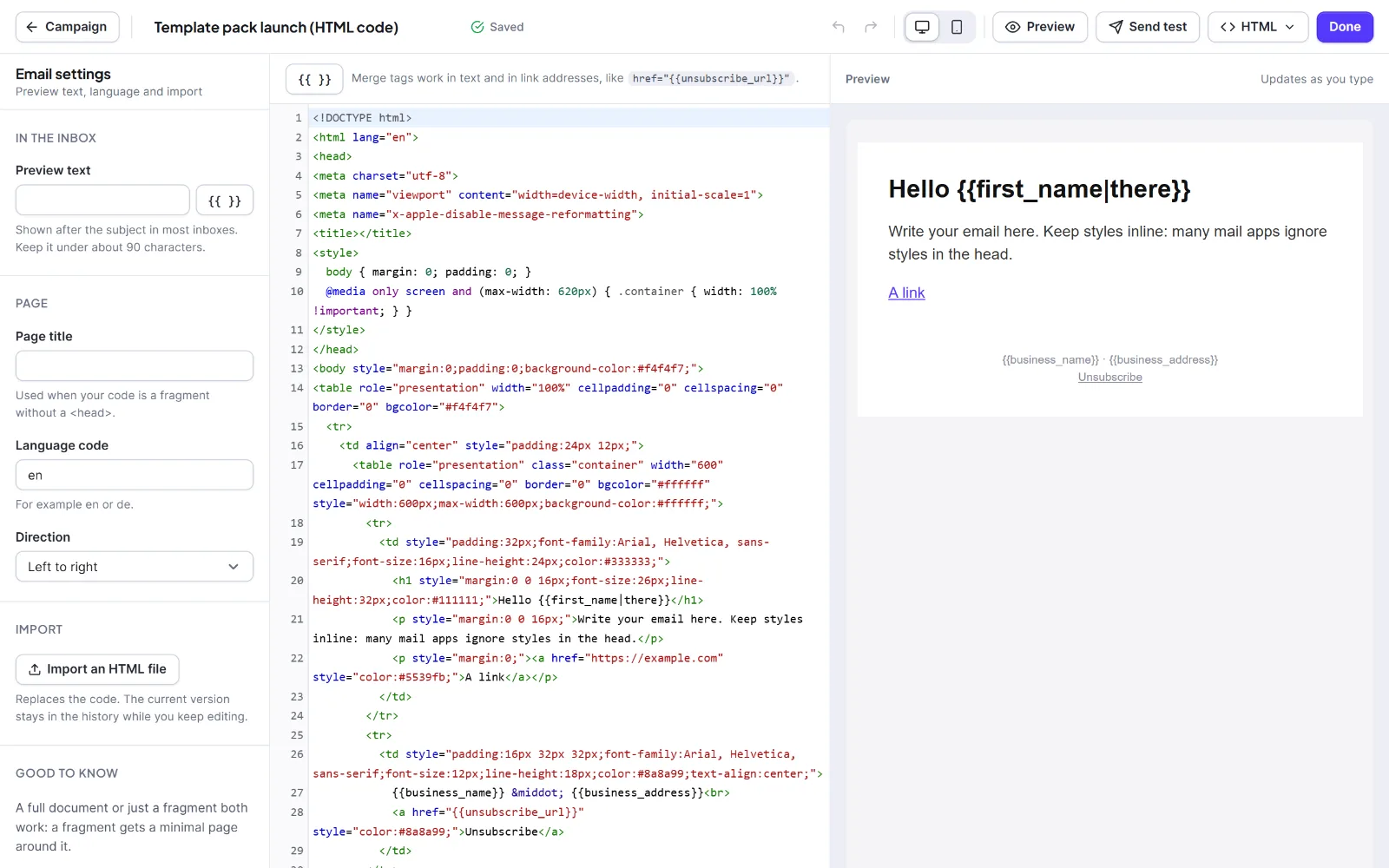
For people who know email HTML (tables, inline styles). Tabs: **Settings**, **Code**, **Preview**. The code box is WordPress's own code editor; the preview updates about a third of a second after you stop typing.
| Setting | What it does | Limit |
| --- | --- | --- |
| **In the inbox** > **Preview text** | A hidden first line in the body | 255 characters |
| **Page** > **Page title** | Title of a fragment | 150 characters |
| **Language code**, **Direction** | `lang` and `dir` of a fragment | `en`, Left to right |
| **Import an HTML file** | Replaces the code with a file | `.html` or `.htm`, 500 KB |
1. Paste or write your HTML. A full document or a fragment works; a fragment gets a minimal page around it. The code can be up to 512,000 characters.
2. Insert merge tags with `{{ }}`. They work in text and in link addresses, like `href="{{unsubscribe_url}}"`.
3. Put `{{unsubscribe_url}}` or `{{unsubscribe_link}}` in your footer, or Hive Mail adds its own.
4. Check **Preview** and use **Send test**.
Hive Mail always removes scripts, iframes, objects, embeds, forms and their fields, buttons, selects, event handlers such as `onclick`, and `javascript:` addresses. The head, `