

Hive Mail has a checklist that tells you whether your email is likely to reach the inbox. Set your Default From email and Business address in Settings > General and choose a sending method first.
- Open Settings > Sending.
- Scroll to Is your site ready to send? It says how many checks are ready.
- Click a row's button to fix it, then Check again.
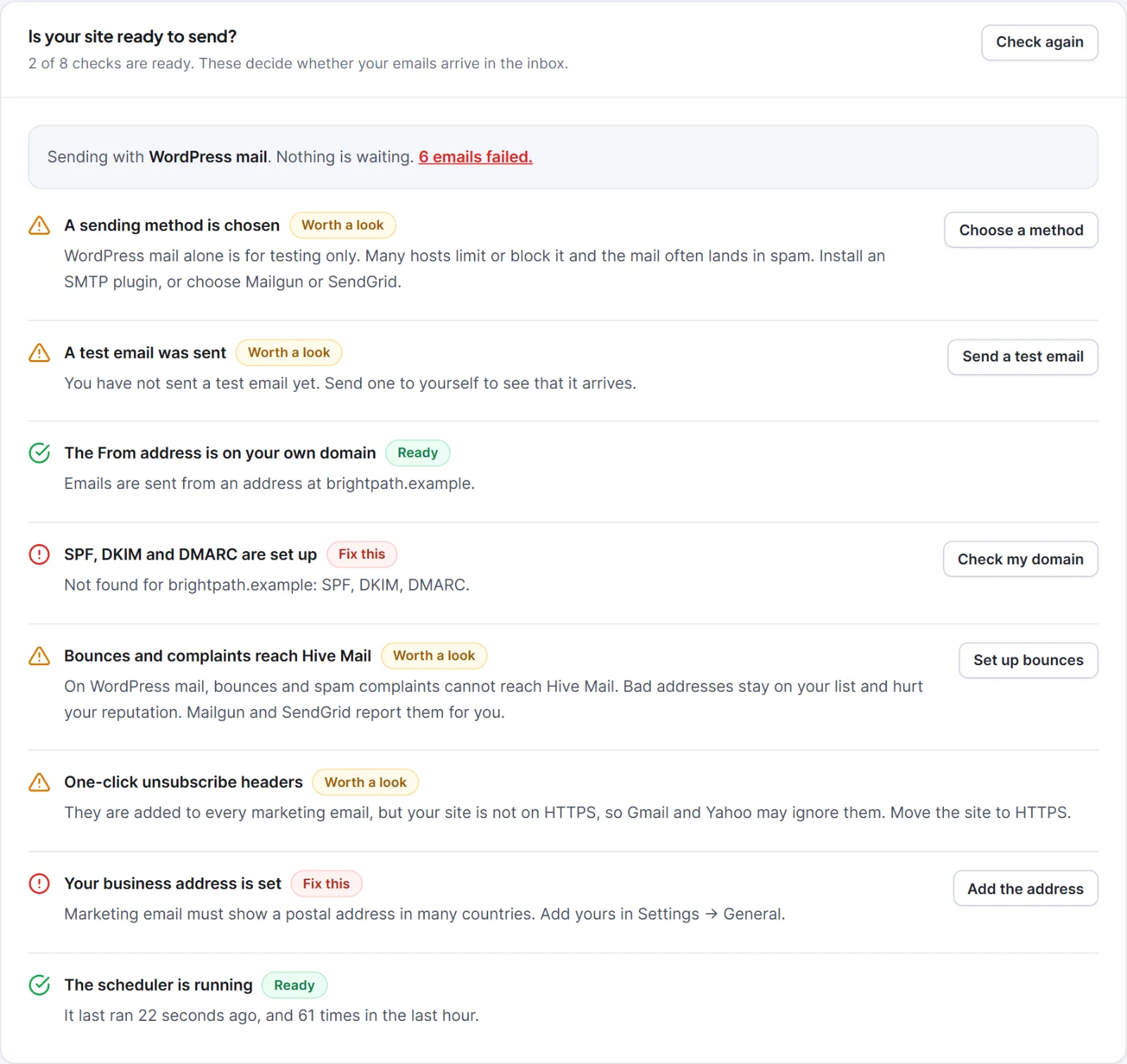
Each row shows Ready, Worth a look (a warning) or Fix this (a problem).
| Check | Ready when | Button |
|---|---|---|
| A sending method is chosen | An SMTP plugin is found, or Mailgun or SendGrid is set up. Plain WordPress mail is Worth a look; a service with no key is Fix this. | Choose a method |
| A test email was sent | A test through the current method succeeded. | Send a test email |
| The From address is on your own domain | It is not a free mail provider such as gmail.com. | Set the From address or Change the From address |
| SPF, DKIM and DMARC are set up | All three records are found. | Check my domain |
| Bounces and complaints reach Hive Mail | A bounce webhook has been called once. Plain WordPress mail is a warning. | Set up bounces |
| One-click unsubscribe headers | Your site uses https. Marketing emails carry the headers automatically. | none |
| Your business address is set | Business address is not empty. | Add the address |
| The scheduler is running | The last tick was within 5 minutes. Late is a warning, stopped is a problem. | Set up the scheduler |
Warning: Gmail, Yahoo and others reject or hide marketing email sent as
@gmail.comfrom another server. Use an address on your own domain.
Check SPF, DKIM and DMARC #
These are three DNS records that prove an email really comes from you. SPF lists the servers allowed to send for your domain (a TXT record starting v=spf1). DKIM signs each email; your sending service gives you the record. DMARC tells receivers what to do with mail that fails the other two (a TXT record named _dmarc starting v=DMARC1).
- Click Check my domain on the SPF, DKIM and DMARC row.
- Wait a few seconds (Hive Mail stops after about 3).
- Read each result: Found, Not found or Could not check, with the record text.
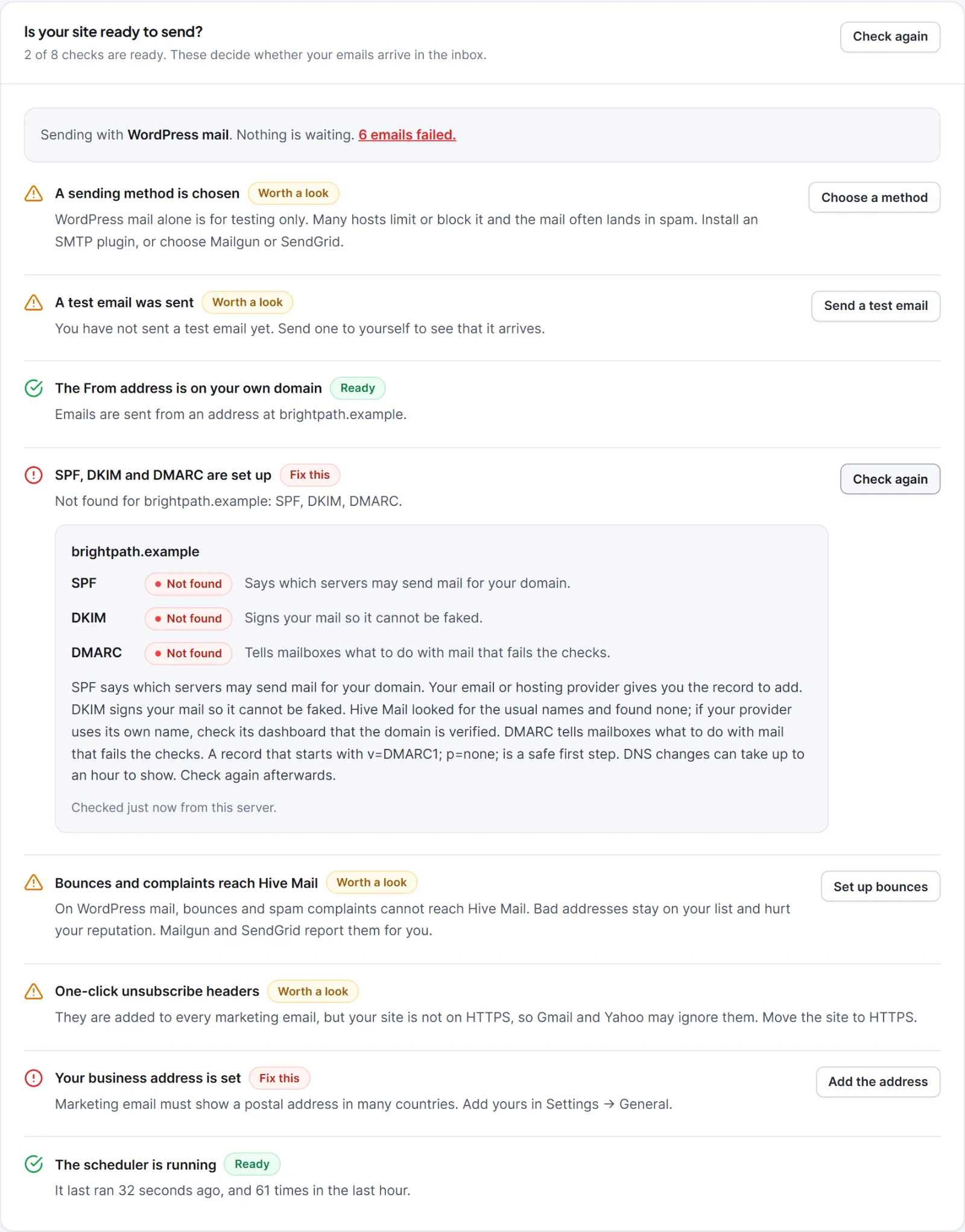
Hive Mail looks for DKIM under the selectors default, google, selector1, selector2, k1, k2, s1, s2, smtp, mail, dkim and krs. A provider with its own selector cannot be seen, so a DKIM "Not found" can be a false alarm; ask your sending service. DNS changes can take up to an hour to show.
A green checklist does not guarantee inbox delivery; it removes the most common causes of spam-folder trouble.
Domain Health goes further than Check my domain: it explains what is wrong with each record, checks your mail servers, lets you type a DKIM selector, and shows your own bounce, complaint and unsubscribe rates against the limits Google and Yahoo publish. See Domain Health.
Next: Settings: Sending, Emails are not sending, Scheduled sending and cron.


