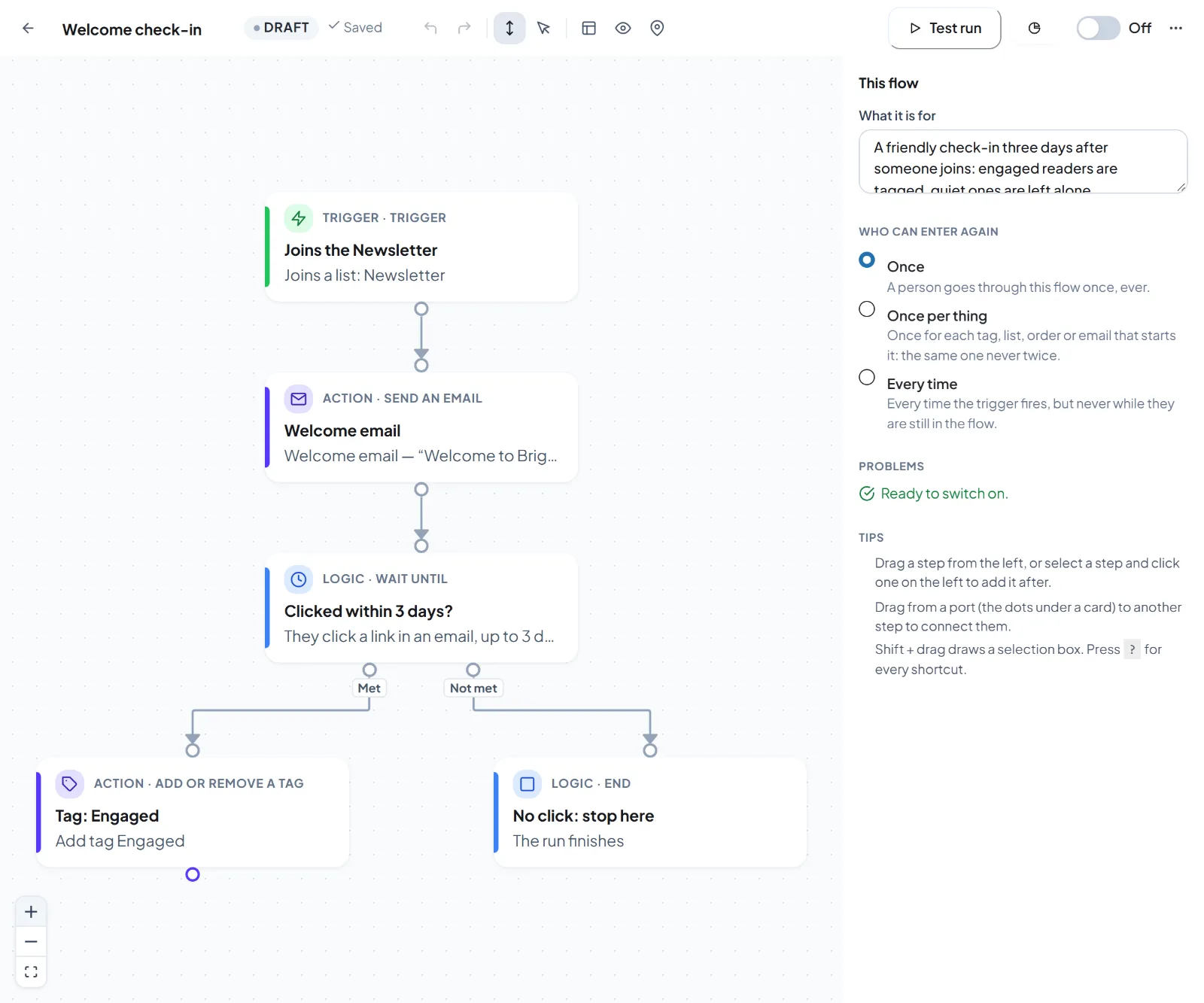


A real automation canvas, not a list of steps.
Draw the journey: triggers, waits, conditions, goals and actions. See exactly what happened to every contact.
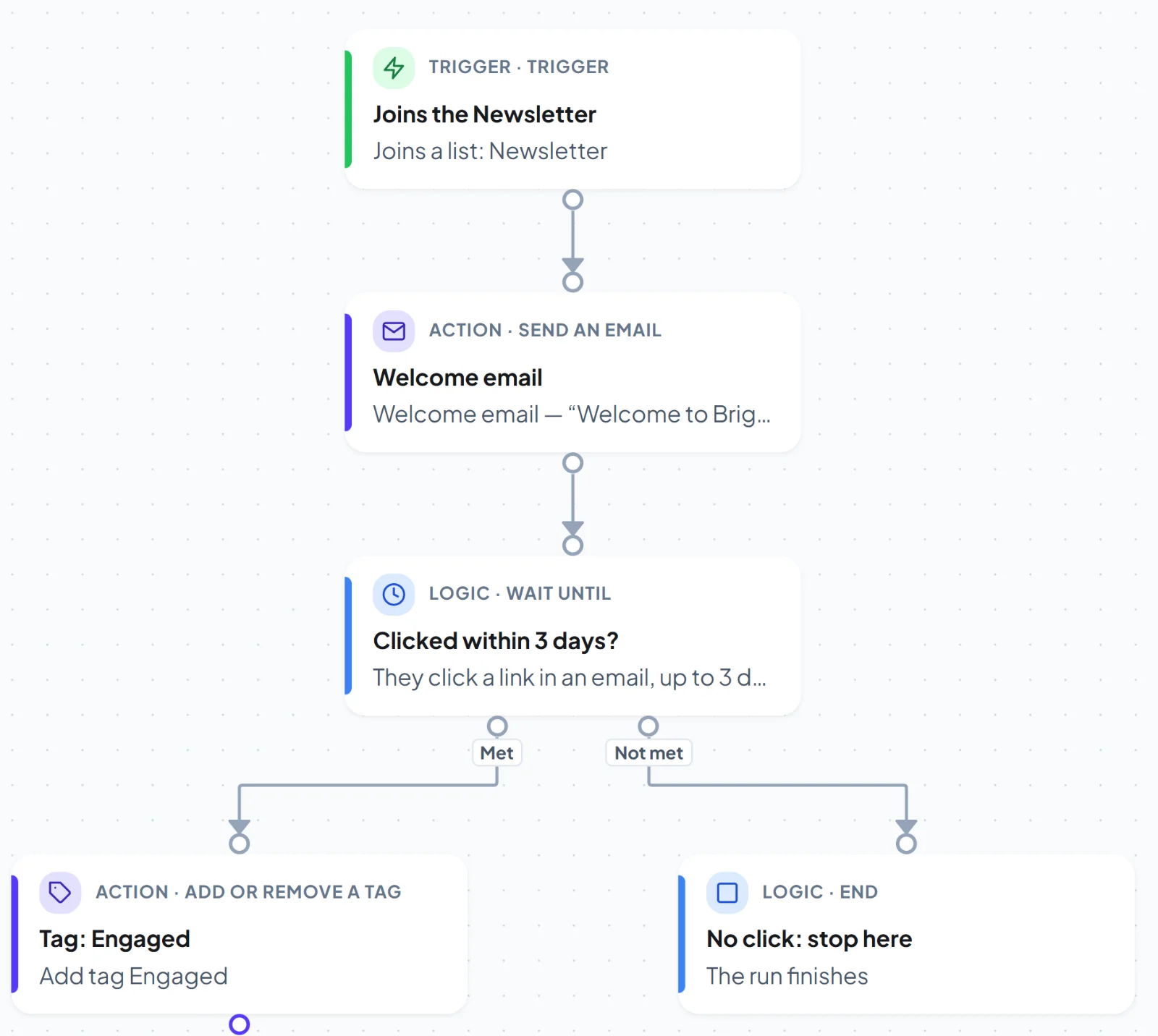
From a signup to a sale, drawn once and left running.
A trigger starts it, waits and conditions steer it, goals end it. Every step is logged for every contact.
- TriggerContact subscribesA new subscriber
- Send an emailWelcome emailRight away
- Send an emailGetting started3 days later
- Send an emailA quick question4 days later
- Add a tagTag: Welcome seriesMarks who finished
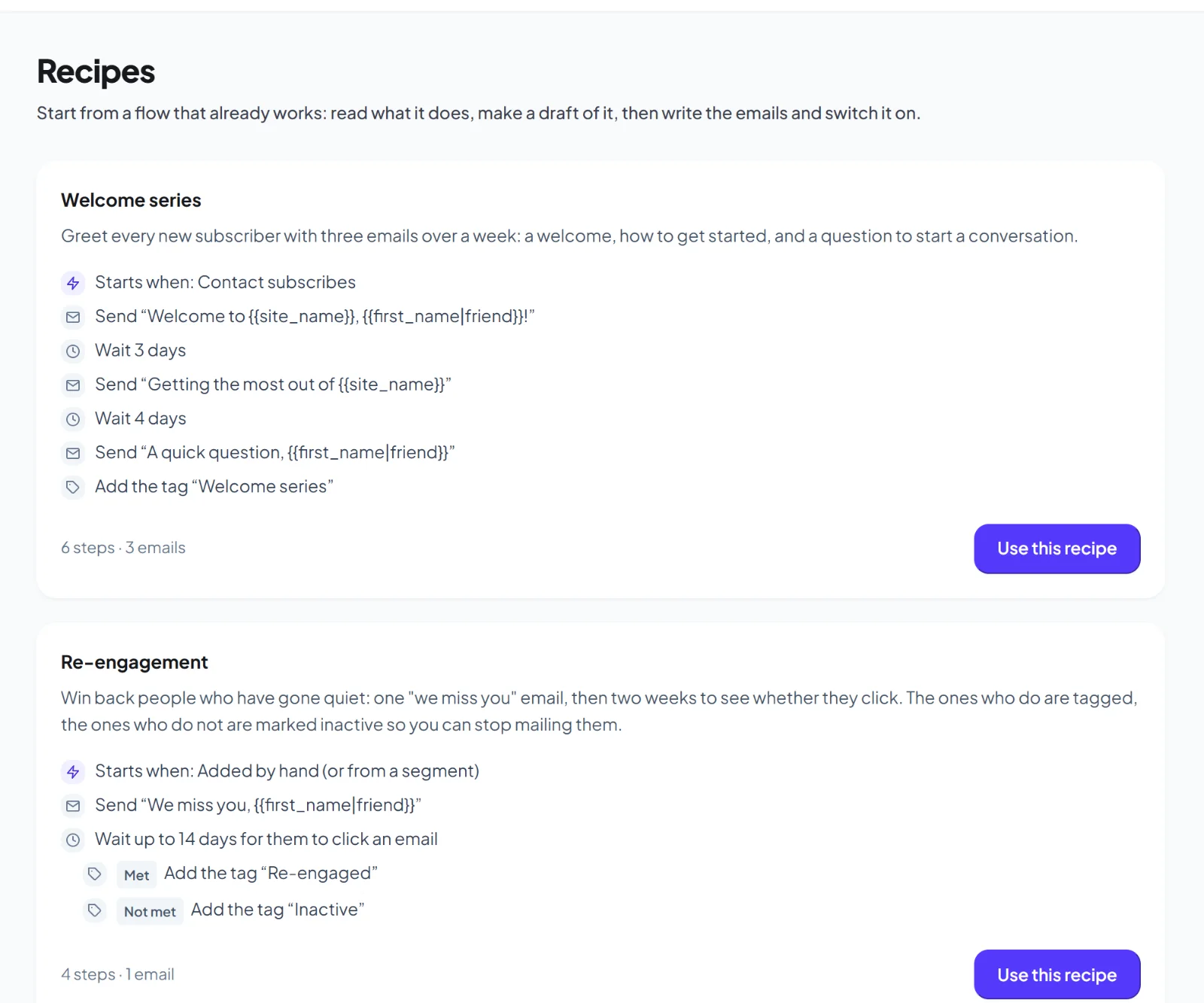
An example flow: the Welcome series recipe Test run before you switch on A run log for every contact
Everything a flow needs.
Fifteen step types and more than twenty triggers, with no limits on how many flows you run.
Graph canvas
Branches, merges and loops of thought, not just a straight line. Snap to grid, minimap, undo and redo.
More than twenty triggers
Contacts, lists, tags, emails, dates, forms, WordPress events and incoming webhooks, plus WooCommerce and Easy Digital Downloads when they are active.
Conditions and goals
Branch on segment rules, and end a flow early when a contact reaches the goal.
Waits that make sense
Wait a time, until a date, until a field date, or until an event, with a timeout.
Send email
Use any template. The email step opens the builder and returns you to the flow.
Update the contact
Add or remove tags and lists, set fields, change status, call a webhook or notify your team.
Test run
Walk a test contact through the flow before you switch it on.
Runs and logs
Every run and every step is logged, with errors, for every contact. Each flow also has a report of its own.
Add a whole segment
Enrol everyone in a segment into a flow as a background job.
Re-entry rules
Choose who can enter again, and what happens when you edit a flow that people are already in.
Connect a form
A four-step guide connects a form you already use and builds the flow for you.
Flow StudioPRO
A second editor for the same flows: colour-coded steps, a + on every line and one search to add a step.
Start a flow from what actually happens.
Flows start from your forms, your shop, your site and your list.
- Fluent Forms, WPForms, Contact Form 7, Gravity Forms and Elementor forms, with a four-step guide to connect one
- WordPress events: user registered, logged in, role changed, post published
- An incoming webhook with its own address and optional signature

45 ready-made automations, seven of them free.
Each automation recipe builds the lists, tags, emails and a draft flow for you, so you only review and activate.
- Free: welcome series, re-engagement, birthday, thank-you, first EDD purchase, abandoned cart and form follow-up
- Pro adds 38 more, including a WooCommerce win-back, online-course welcomes, a lead magnet path and review requests
- Pro: Black Friday, Cyber Monday, Halloween, Christmas, New Year, Valentine's Day and Easter, each with three dated emails

From idea to live flow in three steps.
Pick a trigger
Choose what starts the flow, such as a form, an order or a tag.
Draw the path
Add waits, conditions and emails. Test it with a sample contact.
Switch it on
Activate. Watch the run log fill as contacts move through.
Questions about automation
Related features
Try it on your own site.
Download the free plugin and see it with your own data.