


Migrate
Bring your list home to WordPress.
Import contacts with a CSV, or pull in the customers and subscribers your site already has. Your data ends up in your own database.
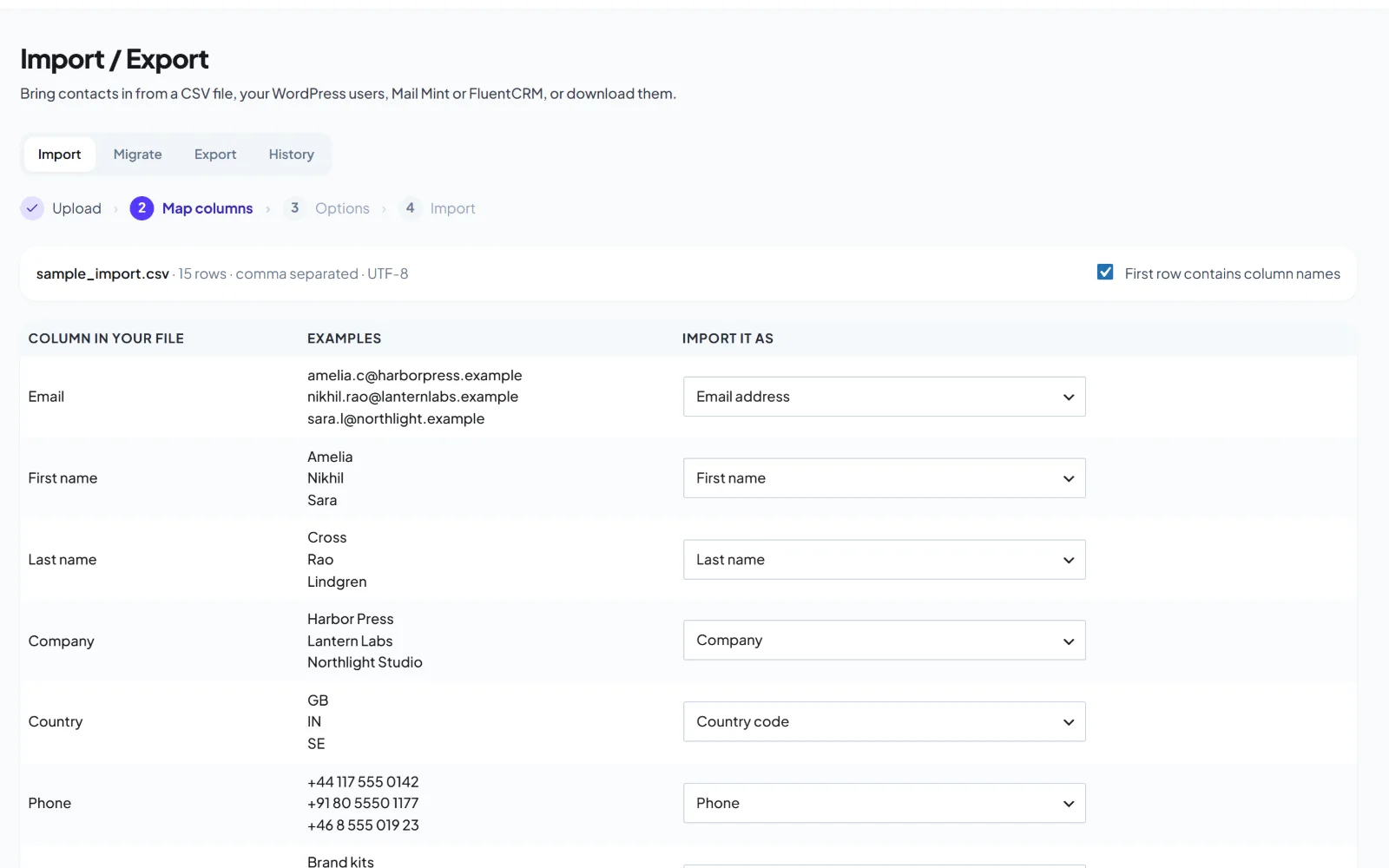
yoursite.com/wp-admin/admin.php?page=hivemail

How it works
Four steps, no downtime.
Export
Download your list as a CSV from your current tool.
Import
Upload it and map columns to contact fields.
Re-confirm
Keep consent records. Send a permission email if you need to.
Switch
Point your forms at HiveMail and rebuild your flows from automation recipes.
Keep consent
Move people over with their history.
Import tags, signup dates and sources so segments keep working. Unsubscribed and bounced addresses stay suppressed.
- Column mapping with a preview
- Tags and custom fields
- Suppression list import
Use caseImport last year's list, tag it Imported, and send a short hello to confirm.
Segments / Loyal customers
Match allOrdered at least 2 times3,214 match
andOpened an email in the last 30 days
andNot tagged VIP
1,092 contacts match
FAQ
Questions about migrating
Yes. Map each column to a contact field and preview before you import.
No. Import them into the suppression list so they are never mailed.
Flows are rebuilt on the canvas, and the ready-made automations cover the common ones.
Early access
Be first to try HiveMail.
Leave your name and email and we will tell you the day it launches. Nothing else.
One email at launch. No spam, unsubscribe any time.