


HiveCRM Black Friday Offer
Up To 50% off
00Days
00Hrs
00Min
00Sec
Get Lifetime Del
Email templates

Start from a template, finish in minutes.

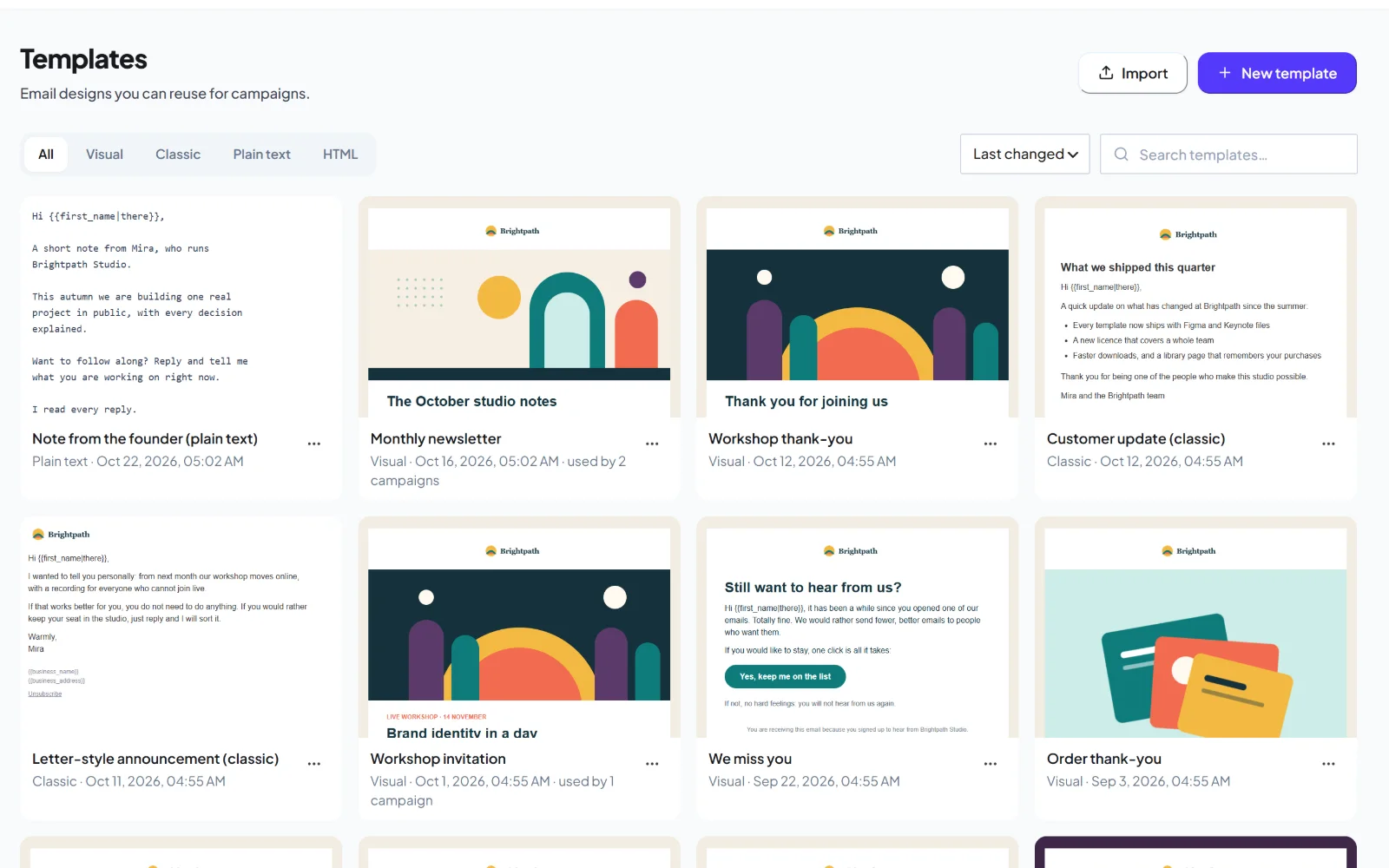
Fourteen starters for the emails you send most, with your logo, colours and footer already in place. Edit in the editor you prefer and save anything as a template for next time.
yoursite.com/wp-admin/admin.php?page=hivemail
The HiveMail template library
Starters14 ready to edit
Brand appliedLogo, colours, footer
What you get

Everything a template needs.

Ready when you need it, yours when you change it.

14 starter templates

Newsletter, announcement, welcome, promotion, receipt, event, update, re-engagement, follow-up, letter, plain note and more.

A brand kit that fills itself in

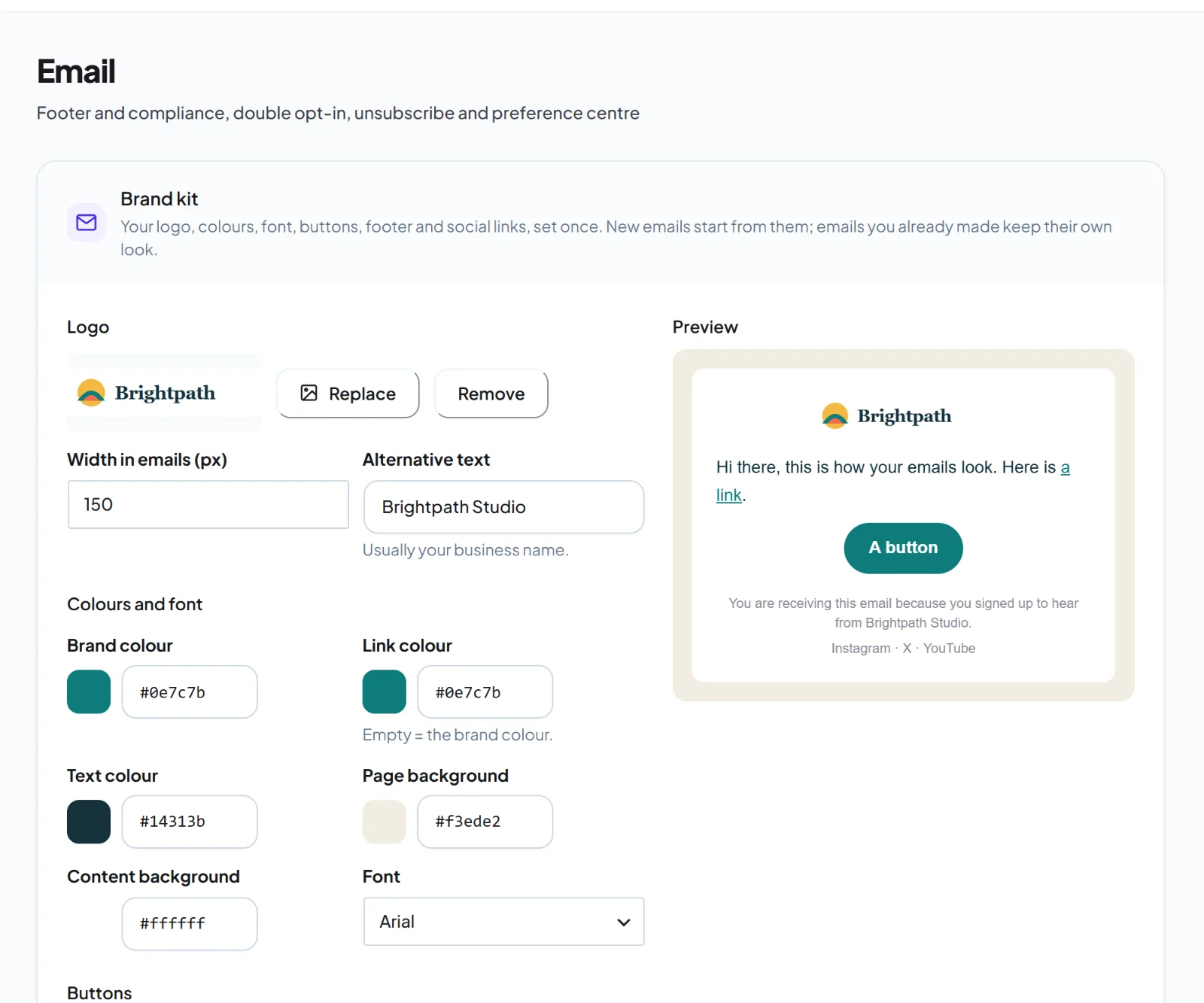
Set your logo, colours, font, button style, footer text and social links once. New emails start with them.

Four editors

Visual, Classic, Plain text and HTML starters, so a note can stay a note.

Merge tags with fallbacks

Write Hi {{first_name|there}} and the fallback is used when a name is missing.

Save, duplicate, reuse

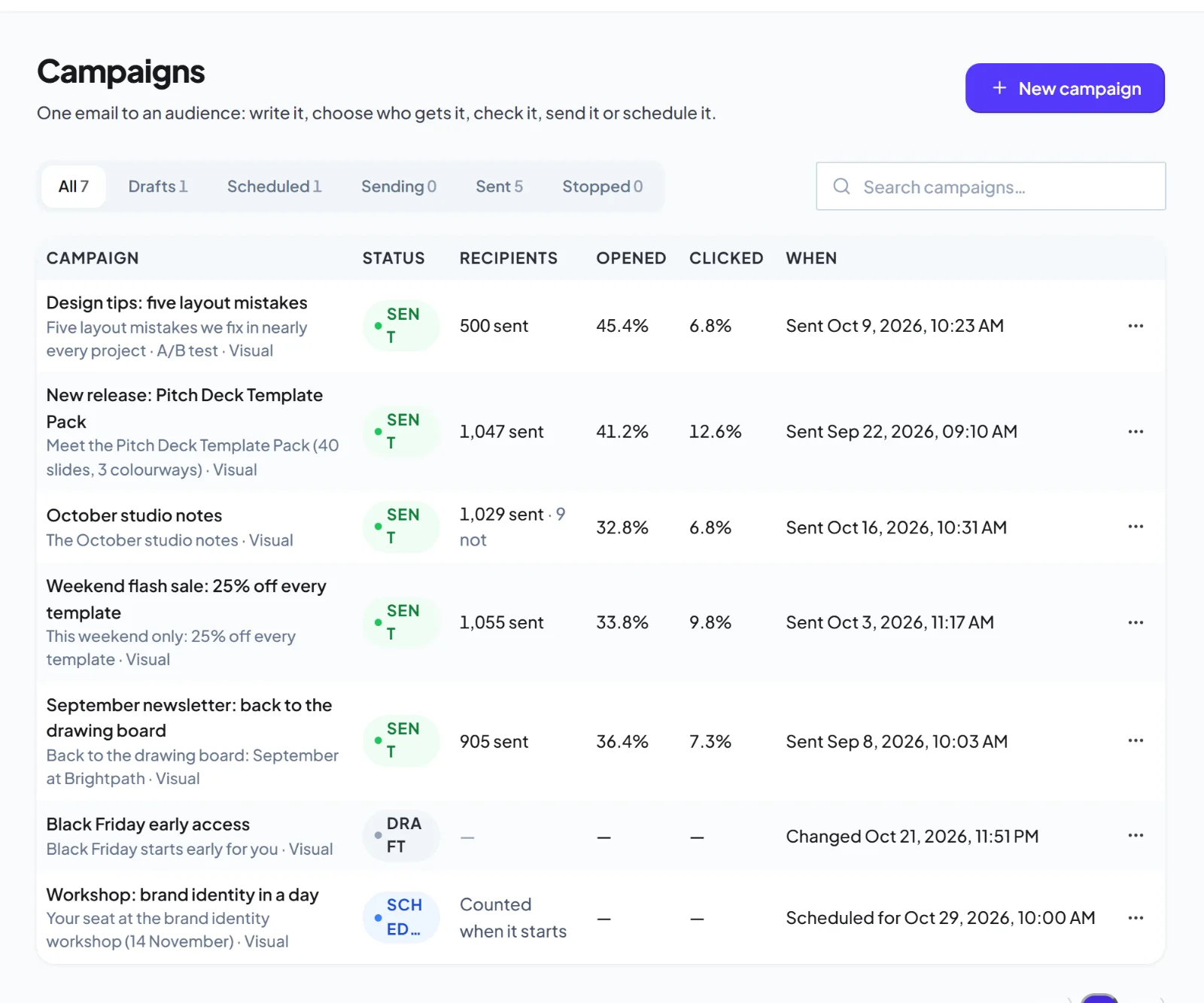
Turn any email into a template, duplicate it, rename it and see how many campaigns use it.

Bring your own design

Import a design you already have, or paste your own HTML and keep it as a template.

Starters

A good first draft for every kind of email.

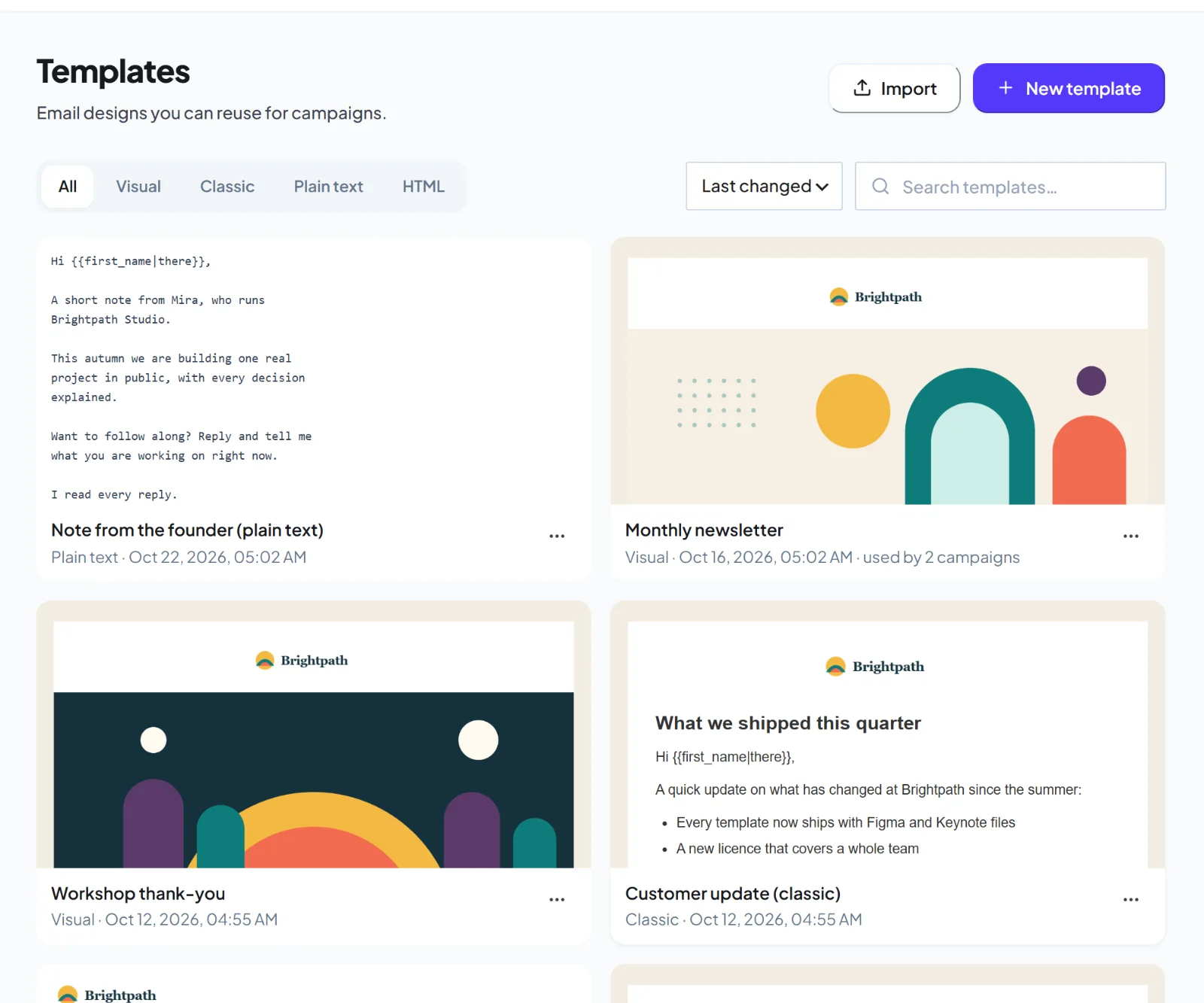
Pick a starter, change the words and send. Each one is built from the same email-safe blocks you can edit.

  • Newsletter, announcement, welcome, promotion, receipt and event
  • Classic letters, updates, re-engagement and follow-up
  • A plain-text note and an HTML skeleton
Use caseOpen the newsletter starter on Monday, swap in this week's story and send before lunch.
yoursite.com/wp-admin/admin.php?page=hivemail
The HiveMail template library
Brand kit

Set your brand once, use it everywhere.

Your logo, colours, font and footer are applied to every new email, so nothing looks off-brand.

  • Logo, brand, link, text and background colours
  • Button style, font and footer text
  • Social links in every footer
Use caseChange your brand colour once and every new template starts with it.
yoursite.com/wp-admin/admin.php?page=hivemail
The HiveMail admin
Reuse

Keep what works.

Save a campaign that performed as a template, or duplicate a template and tweak it for the next send.

  • Filter by editor and search by name
  • Duplicate, rename or delete safely, with a warning if campaigns use it
  • Preview as a chosen contact before sending
Use caseDuplicate last month's best newsletter, update the offer, and you are done.
yoursite.com/wp-admin/admin.php?page=hivemail
The HiveMail campaigns list
Free and Pro

Templates are free. Packs and dynamic blocks are Pro.

In the free plugin

  • 14 starter templates and four editors
  • Brand kit and merge tags
  • Save, duplicate and reuse

Added by Pro PRO

  • Template packs
  • Saved and global blocks
  • Dynamic content blocks that change by segment
FAQ

Questions about email templates

No. Every editor also starts blank, and you can build the layout yourself.
Yes. You can move a design between editors and go back, and the last 20 versions are kept.
In your own WordPress database, with the rest of your HiveMail data.
Yes. Paste it into the HTML editor, see a live preview, and save it as a template.
Keep exploring

Related features

Email builder

Four editors, 14 starters and a brand kit.

Learn more →

Automation

A graph canvas with a run log for every contact.

Learn more →

Reports and revenue

Opens, clicks, revenue and engagement.

Learn more →

Try it on your own site.

Get early access and see it with your own data.

Early access

Be first to try HiveMail.

Leave your name and email and we will tell you the day it launches. Nothing else.

HiveMail Early Access

One email at launch. No spam, unsubscribe any time.