


Black Friday: HiveCRM + Hive Mail
Up to 55% off
See the deals
Online courses

Email your students at the right moment.

Start an automation when a student enrols, finishes a lesson, finishes a course or loses access. It works with Tutor LMS, LifterLMS and LearnDash (beta), and it is part of Hive Mail Pro.

Automation / Course finished
1
A student finishes a course
Any course, or the one you pick
2
Email: well done
{{course_name}}, with a link to {{course_url}}
3
Wait 3 days
4
Email: what to learn next
What you get

Built around your courses.

Hive Mail only shows the course plugins your site has.

A student enrols

Start a flow the moment a student enrols in a course, with a welcome that names the course.

A student finishes a lesson

A short well-done note with the lesson name and a button back to the course.

A student finishes a course

Say well done, then follow up a few days later with what to learn next.

A student loses access

Start a flow when a student is removed from a course or their access ends, with a short note on what happened and how to get help.

One course or all

Pick a single course for a flow, or leave it empty so the flow starts for any course.

Is enrolled in a course

A condition that branches on whether a contact is enrolled in a course, or is not. For Tutor LMS and LifterLMS.

Course and lesson names and links

Use {{course_name}}, {{course_url}}, {{lesson_name}} and {{lesson_url}} in your emails.

12 ready-made automations

Four for each plugin: a course welcome, a lesson finished, a course finished with a what-next email, and access ended. Six emails come with them.

Only what your site has

Course plugins that are not installed do not show in Hive Mail, so there is nothing extra to switch off.

Triggers

Start a flow from what a student does.

Four moments, for Tutor LMS, LifterLMS and LearnDash (beta). Choose one course, or let the flow start for all of them.

  • A student enrols in a course
  • A student finishes a lesson or a whole course
  • A student loses access to a course
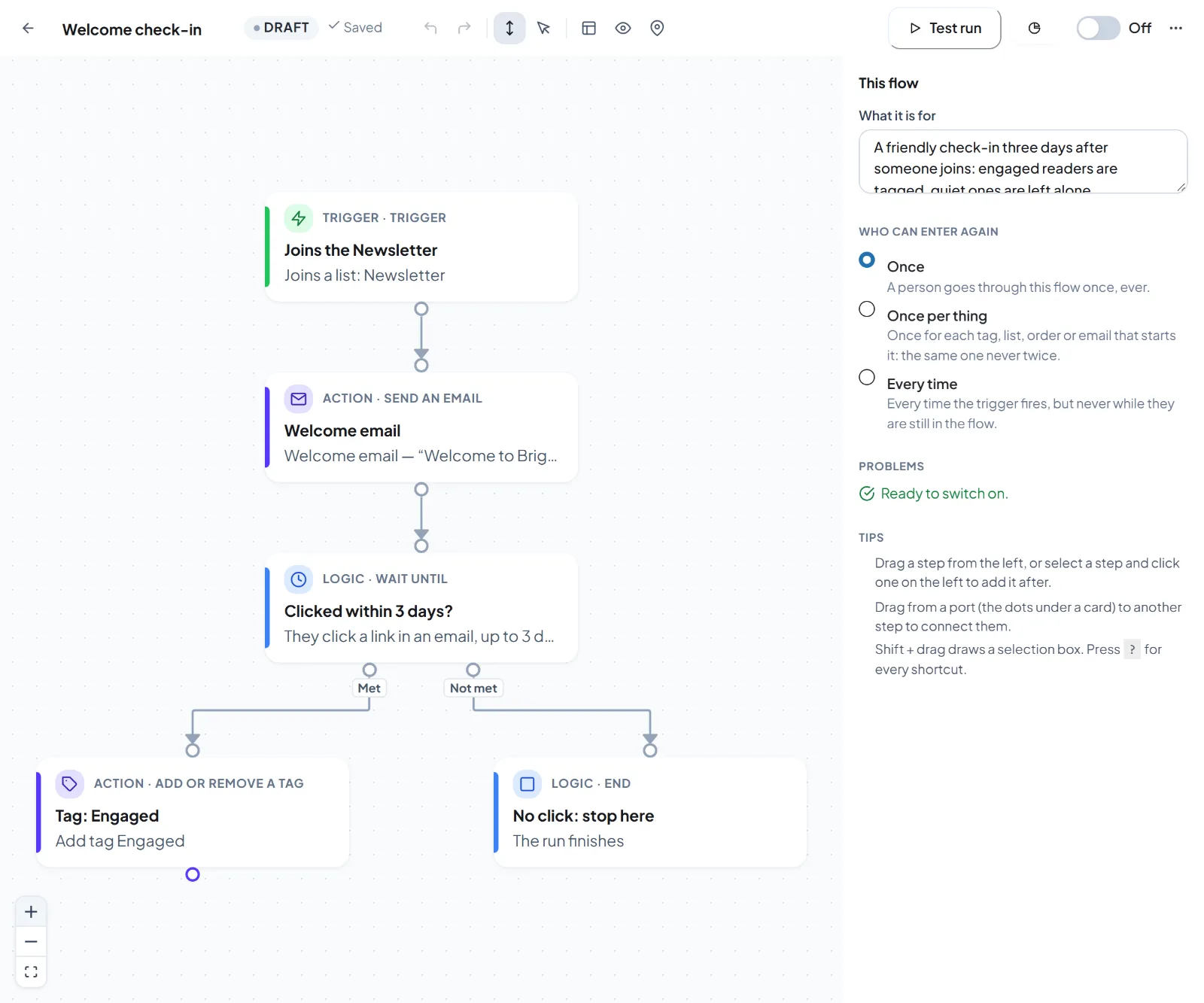
Use caseA student finishes your beginner course. Thank them, then three days later suggest the next course.
yoursite.com/wp-admin/admin.php?page=hivemail
A welcome flow on the Hive Mail automation canvas
Ready-made

Twelve automations, ready to review.

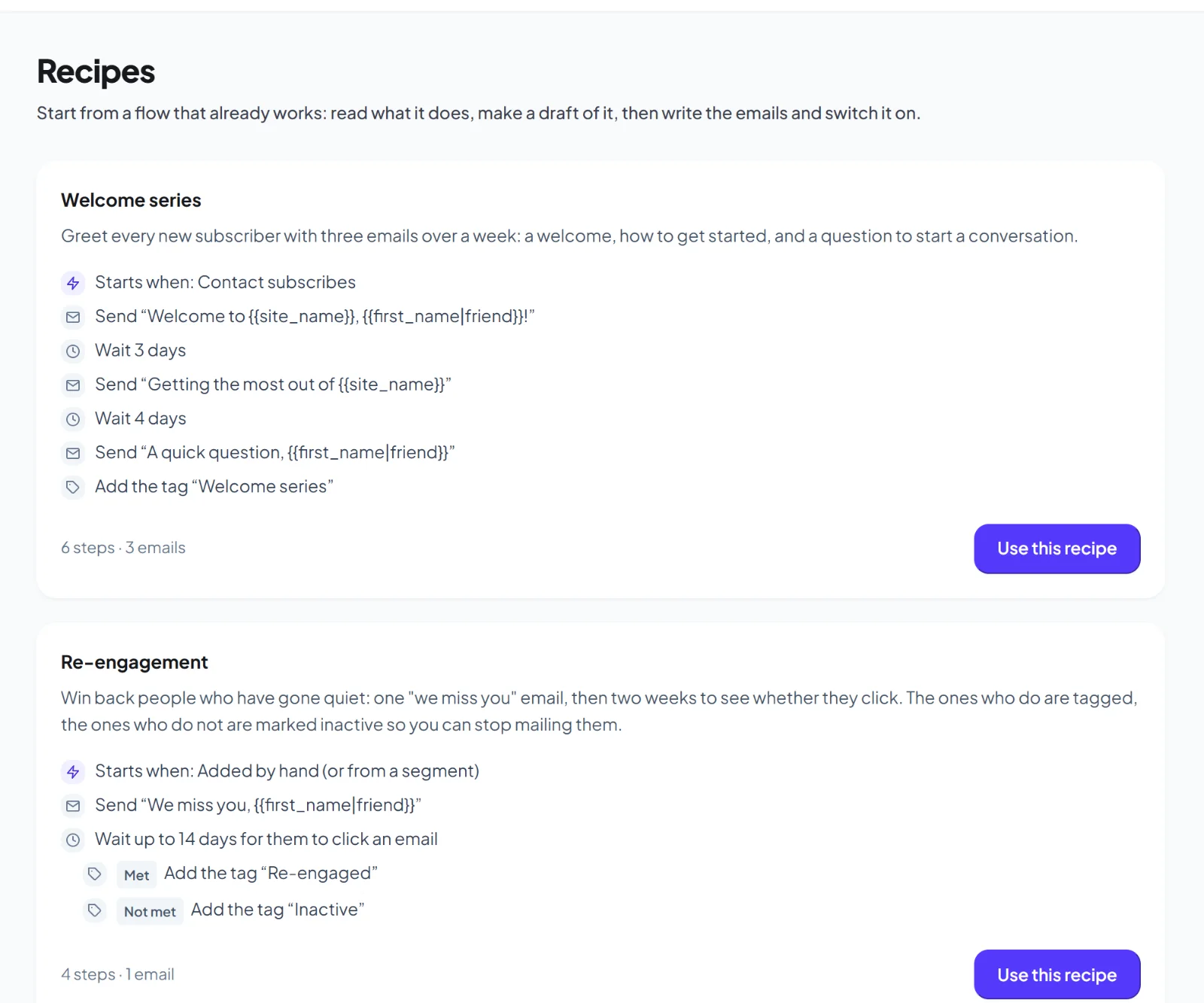
Each one builds its emails and a draft flow for you. Nothing goes live until you switch it on.

  • Course welcome: a short note that names the course, with a button to start
  • Lesson finished, and course finished with a what-next email
  • Access ended: a short, neutral note on what happened and how to get help
Use casePick the welcome automation for your course plugin, read the email, and switch it on.
yoursite.com/wp-admin/admin.php?page=hivemail
Hive Mail automation recipes
How it works

From plugin to first email in three steps.

Pick an automation

Choose the welcome, lesson, course or access automation for your course plugin.

Choose the course

Pick one course, or leave it empty for all of them.

Review and switch on

Read the emails, run a test, then switch the flow on.

Free and Pro

Online courses are part of Pro.

In the free plugin

  • The automation canvas, with triggers, waits and goals
  • Triggers from forms, WordPress, WooCommerce and EDD
  • A run log and a test run for every flow

Added by Pro PRO

  • Triggers for Tutor LMS, LifterLMS and LearnDash (beta)
  • The is enrolled in a course condition (Tutor LMS and LifterLMS)
  • Course and lesson names and links in emails
  • 12 ready-made automations and 6 emails
FAQ

Questions about online courses

Tutor LMS and LifterLMS, and LearnDash (beta). Hive Mail only shows the ones your site has.
LearnDash (beta) support is new. Run the test run on your first automation and check the emails before you switch it on.
Yes. Online courses are part of Hive Mail Pro, which runs on top of the free plugin.
Yes. Pick the course in the first step of the flow, or leave it empty for any course.
Keep exploring

Related features

Automation

A graph canvas with a run log for every contact.

Learn more →

Email templates

14 free starters, 74 with Pro, and a brand kit.

Learn more →

Audience and segments

Contacts, tags and live segments.

Learn more →

Email your students from your own site.

Download the free plugin, then add Hive Mail Pro for online courses.