

A trigger is the first card of a flow. To choose one, select the trigger card (or click a button on What starts this flow?) and open What starts the flow in the right panel. A setting marked "(any when empty)" accepts every event when blank. Changing the trigger clears its settings.
A flow reacts only to events that happen while it is On. To bring in existing people, see Re-entry, existing contacts, and editing a live flow. Form and shop triggers appear only while that plugin is active on your site.
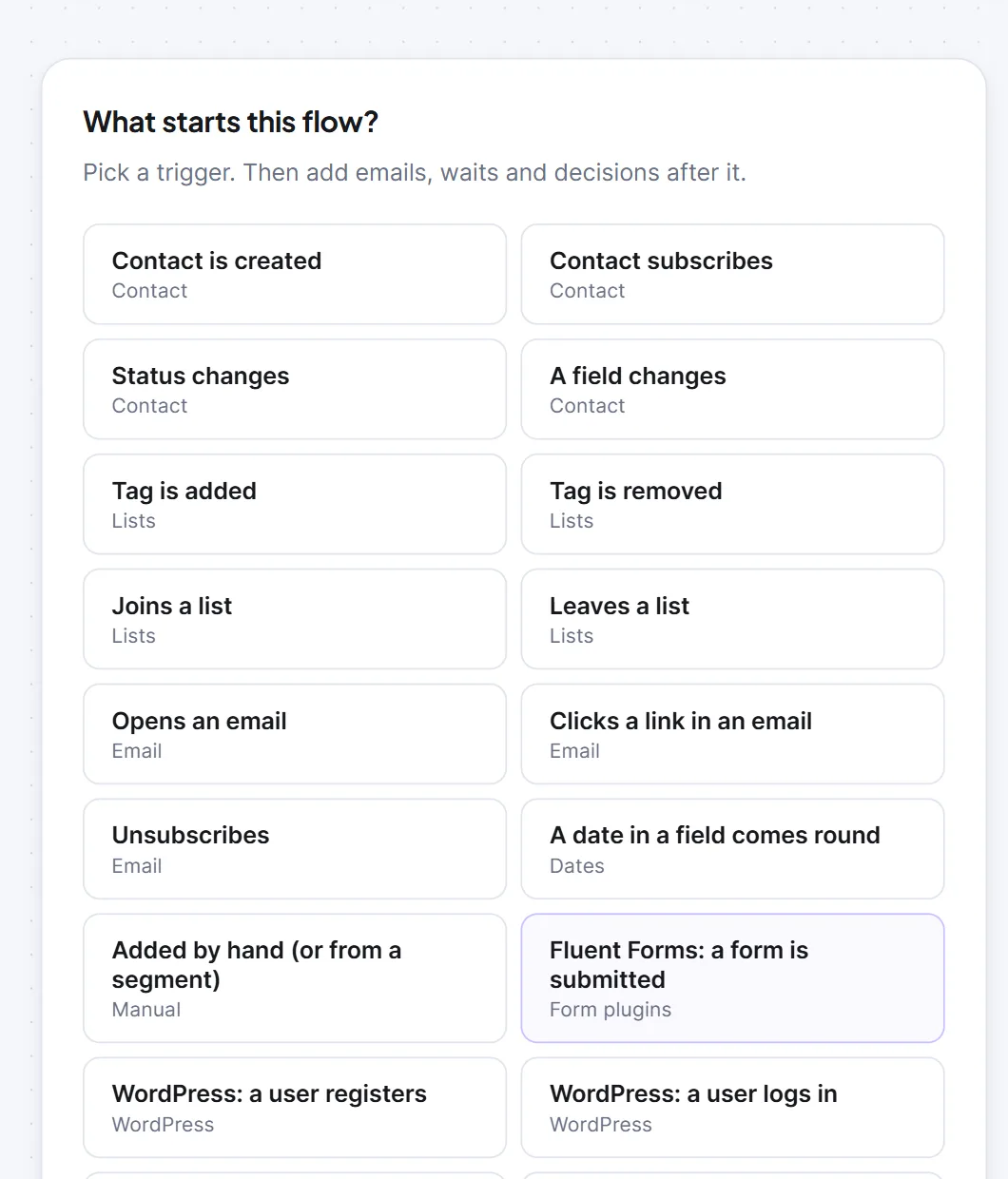
Contact, list, email, date and manual #
| Trigger | Starts when | Settings (default) |
|---|---|---|
| Contact is created | A contact is created by any route. | Only from this source (optional): must match exactly, for example form, import, api, admin. |
| Contact subscribes | A contact becomes subscribed (created subscribed, confirmed or re-subscribed). | None. |
| Status changes | A contact's status changes. | To (any when empty): Subscribed, Pending, Unsubscribed, Transactional, Bounced or Complained. |
| A field changes | A custom field's value changes. | Field (any when empty). |
| Tag is added / Tag is removed | A tag is added or removed. | Tag (any when empty). |
| Joins a list / Leaves a list | A contact is added to or removed from a list. | List (any when empty). |
| Opens an email | A person opens an email (scanners and Apple Mail privacy loads are ignored). | Campaign (any when empty). "Any campaign" also counts your flows' own emails. |
| Clicks a link in an email | A person clicks a link (clicks in the first 3 seconds are ignored). | Campaign (any when empty). |
| Unsubscribes | A person unsubscribes. | None. |
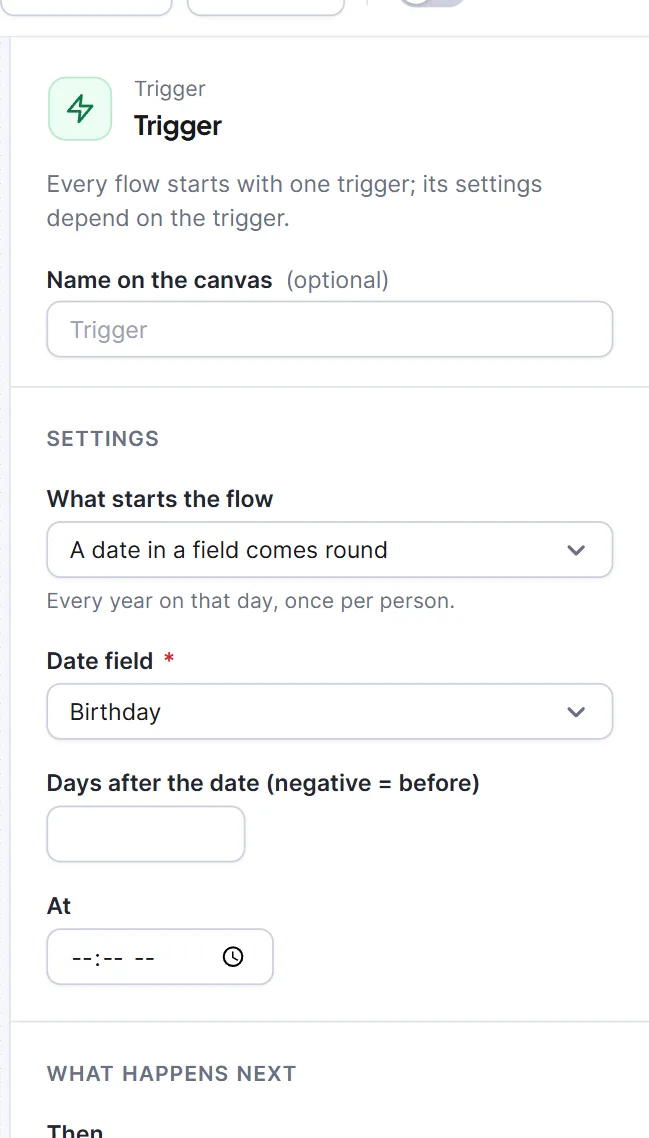
| A date in a field comes round | Every year on the day a date field falls. | Date field (required, date-type fields only); Days after the date (negative = before), -365 to 365 (empty means 0); At, time of day in the site's timezone (empty means 09:00). |
| Added by hand (or from a segment) | Only when someone adds the person. | None. |
- The date trigger is checked hourly and counts month and day only.
- Added by hand: use Add people… on the Flows list, Add to a flow on a contact's profile, or the API. The flow must be On.
- For a welcome series use Contact subscribes, not Contact is created (a contact can stay pending).
WordPress #
| Trigger | Starts when | Settings |
|---|---|---|
| WordPress: a user registers | A user account is created. | Role (Any role), Subscribe new contacts (off) |
| WordPress: a user logs in | Someone logs in. | Role, Subscribe new contacts |
| WordPress: a user gets a role | A role is set or added. | The new role, Subscribe new contacts |
| WordPress: a post is published | A post changes to published (revisions, autosaves and attachments ignored). | Post type (Post), Category (Any category), Tell the people on this list (everyone subscribed when empty) |
- Tick Subscribe new contacts only if your registration form already asked permission to email. Otherwise people stay pending and marketing emails skip them. An existing contact's status is never changed.
- The login trigger starts at most once per person per day under "Once per thing"; choose "Every time" to start at each login.
- The post trigger is not about one person: everyone on the list is added as a background job, one run each. In its emails you can type
{{post_title}},{{post_url}},{{post_excerpt}},{{post_id}}and{{post_type}}(they are not in the merge-tag menu).
Form plugins #
Fluent Forms, WPForms, Contact Form 7 (after its mail is sent), Gravity Forms and Elementor forms each have a trigger, "{plugin}: a form is submitted". For a guided set-up use Connect a form you already use. These settings are shared with the incoming webhook:
| Setting | What it does (default) |
|---|---|
| Form (any form when empty) | The form's ID, as the form plugin shows it. |
| Email field | The field holding the address. Empty means Hive Mail finds it (automatic). |
| Keep these on the contact | Up to 20 rows mapping a field name to First name, Last name, Phone, Company, Country (2 letters) or a custom field. First and last name are found automatically. |
| Permission to email | "Subscribe when a consent box is ticked" (default), "The form itself asks for permission: subscribe everyone who sends it", or "Do not subscribe anyone: keep them pending". |
| Consent box field | The checkbox that proves consent. Required for the first rule. |
| Ask pending contacts to confirm by email (double opt-in) | Follows Settings > Compliance by default. |
| Add them to this list (optional) / Give them this tag (optional) | List to join, tag to add. |
| When they are already a contact | "Fill in only the details they have not got yet" (default) or "Update their details with what they just sent". |
Nobody who unsubscribed, bounced or complained is subscribed again by a form, and nobody on the do-not-email list is added. A submission without a usable email is ignored. Passwords, tokens and card-like fields are never kept. {{form_id}} and {{form_title}} work in the emails.
Incoming webhook #
Webhooks > An incoming webhook arrives starts a flow when another tool (Zapier, Make, a checkout, a form service) posts to the flow's own address. The flow must be On. The Address and secret panel shows the Address (send a POST here), the Secret (to sign requests), Show an example request (a ready curl) and the contact settings above.
- New address and secret replaces both at once. The old address stops working immediately.
- Refuse requests that are not signed (off): sign the body with HMAC-SHA256 and send
X-HiveMail-Signature: sha256=<signature>. - Post JSON such as
{"email":"jane@example.com","first_name":"Jane"}. The reply isok: truewithstatus: enrolledornot_enrolled. A wrong address answers 404. Limits: 64 KB body, 300 requests a minute per flow, the same body for the same person within an hour is ignored.
Full contract: Webhooks and API keys.
WooCommerce #
| Trigger | Starts when |
|---|---|
| WooCommerce: an order is placed | A customer places an order, paid or not. |
| WooCommerce: an order is processing | An order is paid and waiting to be fulfilled. |
| WooCommerce: an order is completed | An order is completed. |
| WooCommerce: an order is refunded | An order becomes fully refunded. |
| WooCommerce: an order is cancelled | An order is cancelled. |
| WooCommerce: a customer's first order | A customer's first order is paid. |
| WooCommerce: a product or category is bought | A paid order contains this product (or variation) or a category item. Fill in Product (any when empty) or Category (any when empty); with both empty the flow shows "Choose the product or the category this flow is about." and cannot be switched on. |
| WooCommerce: a customer account is created | Someone creates an account. No settings. |
| WooCommerce: a cart is abandoned | A cart with an email sees no order for the waiting time. Setting: Only carts worth at least (0 = any). See Abandoned cart recovery. |
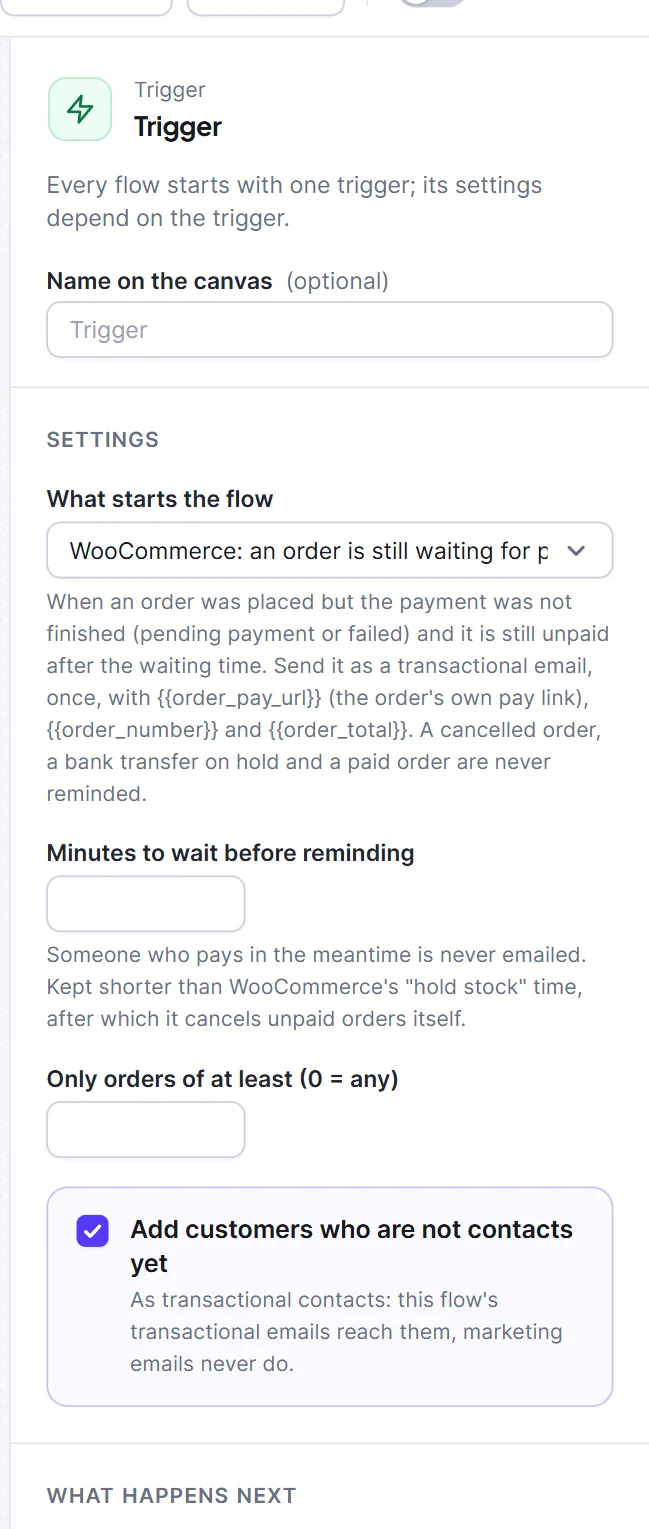
| WooCommerce: an order is still waiting for payment | An order is pending payment or failed and still unpaid after the waiting time. |
The order triggers (all but the account and cart ones) share Only orders of at least (0 = any), in the shop's currency, and Add buyers who are not contacts yet (on). Those buyers become transactional contacts: they get the flow's transactional emails, never marketing. In emails use {{order_number}}, {{order_total}} and {{order_date}}.
The payment-waiting trigger has Minutes to wait before reminding (5 to 720, default 30). Anyone who pays meanwhile is never emailed; one reminder goes out per order and flow, as a transactional email. Use {{order_pay_url}} for the pay link.
Easy Digital Downloads #
| Trigger | Starts when | Extra setting |
|---|---|---|
| Easy Digital Downloads: a purchase is complete | A purchase is marked complete. | None |
| Easy Digital Downloads: a customer's first purchase | A customer's first purchase is complete. | None |
| Easy Digital Downloads: a purchase is refunded | A purchase is refunded. | Only when the whole purchase is refunded (on) |
| Easy Digital Downloads: a download is bought | A complete purchase has this download or category item. | Download (any when empty) or Download category (any when empty); fill in one |
All four have Only purchases of at least (0 = any) and Add buyers who are not contacts yet. A free download counts as a purchase of 0; enter 1 to leave those out. {{download_name}} also works in emails. EDD has no abandoned-cart triggers.
What "Once per thing" means #
For the flow's Who can enter again setting, see Re-entry, existing contacts, and editing a live flow. "Once per thing" means once per tag, list, email message, form submission, post, or order or cart. For Status changes, Tag is removed, Leaves a list, A field changes, Unsubscribes and role changes every event is new.
Warning: Do not use Change status to subscribe people who never asked for email.
Next: Steps, Automation integrations.


