

When a person asks what data you hold or asks you to delete it, use the privacy tools that come with WordPress; Hive Mail adds its data to them. You need the person's email address and a role that can use the tools (normally an administrator). WordPress's privacy requests let the person confirm by email.
What the tools include #
| Item | Export includes | Erase does |
|---|---|---|
| Hive Mail contact | Profile, lists and tags, custom field values, permission on record, timeline, every email sent to them (subject and time), 500 entries a page | Deletes the contact for good (a trashed one too), anonymises sent messages (the row stays so campaign counts stay right; content, error text and provider ID are removed), skips waiting messages, deletes automation runs and logs, abandoned and recovered carts, the shop customer row, orders credited to an email, and the contact's visits |
| Hive Mail site visits | Devices recognised on this site, Visits to this site, Pages, events and purchases on this site, Recognised on this site, Engagement points from site visits (plain text, never working links) | Removes those visitors with their visits and steps, those timeline lines and the points record. The contact is kept; use "Hive Mail contact" to delete it |
If the person had unsubscribed, bounced or complained, Hive Mail keeps a one-way fingerprint of the address, not the address, so a later import cannot email them again; the eraser says so. Visitors counted in Anonymous mode are linked to nobody and cannot be found by email.
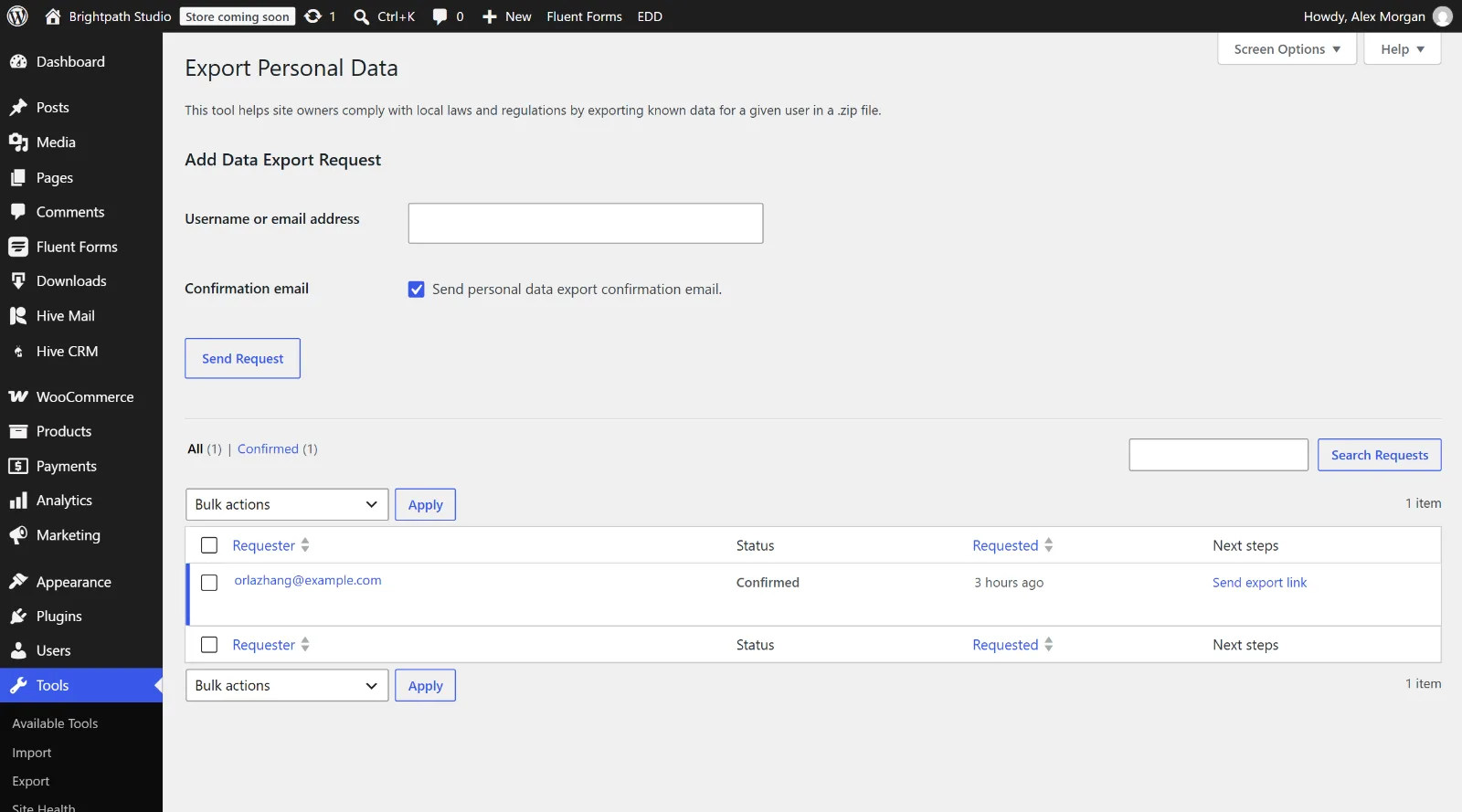
Export a person's data #
- Go to Tools > Export Personal Data and click Add Data Export Request.
- Enter the email address and send the request; WordPress emails the person to confirm.
- When they confirm, click Download Personal Data (or send it by email).
Erase a person's data #
- Go to Tools > Erase Personal Data and click Add Data Erasure Request.
- Enter the email address and send the request.
- When the person has confirmed, click Erase Personal Data and read the messages.
Warning: Erasing cannot be undone, and Hive Mail erases only what is in Hive Mail, not your mail provider's logs, SMTP plugin, form plugin or backups.
You can also delete a contact in Audience > Contacts: it goes to the trash for 30 days, then is removed for good together with its visits (Contacts).
The AI assistant #
The AI assistant stores each person's own chats, plans and notes. WordPress's export and erase tools do not include them; each person deletes their own AI data in the assistant's settings (Settings: AI assistant). If someone asks you to erase their data, check there as well. This is information, not legal advice.
Suggested privacy-policy text #
Go to Settings > Privacy > Policy Guide and copy what applies. The text appears only when the feature is on.
| Section | Appears when | Covers |
|---|---|---|
| Hive Mail visitor tracking | Visitor tracking is on | What is recorded; the hm_vid cookie for 13 months (Full) or the daily code (Anonymous); linking to contacts; consent wording; the banner's local-storage answer; Do Not Track; "The details of your visits are deleted after {n} days." |
| Hive Mail signup forms | An active form exists | What a form keeps, no IP address, no cookie, and the CAPTCHA service with its policy link |
| Hive Mail | WooCommerce or Easy Digital Downloads is active | The checkout sign-up box, carts kept up to 90 days (WooCommerce), the order summary |
Adapt the text to how you really use Hive Mail. With the WP Consent API plugin, Hive Mail also describes hm_vid to it as a 13-month statistics cookie.
Next: What data Hive Mail stores and where, Bounces and suppressions.
This is information, not legal advice.


