

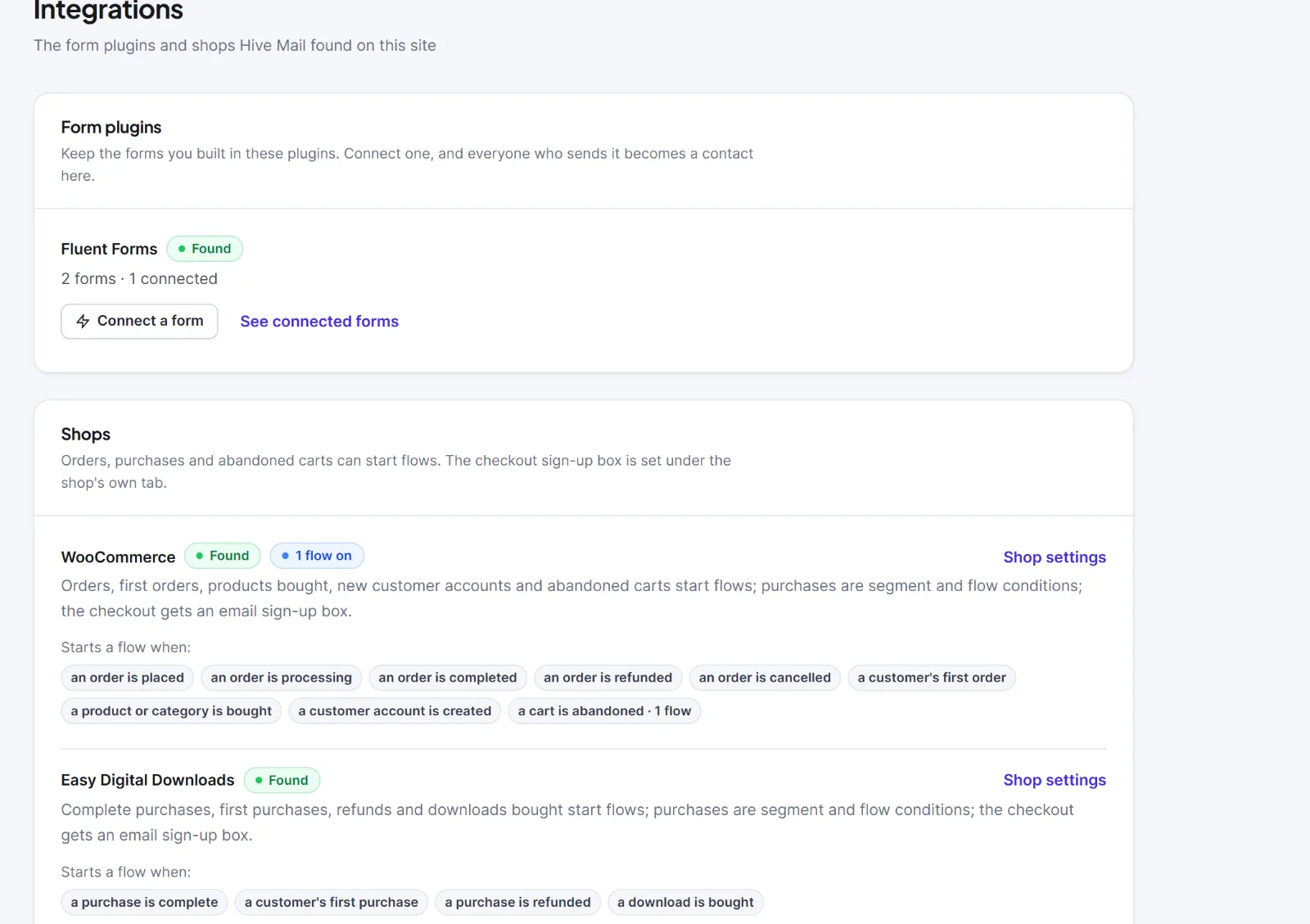
Hive Mail > Settings > Integrations is a status page: it shows which form plugins and shops Hive Mail found and what each can start. Plugins are found by themselves once active; there is nothing to switch on and no save bar. Only active plugins are listed.
Form plugins #
Hive Mail knows Fluent Forms, WPForms, Contact Form 7, Gravity Forms and Elementor forms. Each row shows:
| Part of the row | Meaning |
|---|---|
| Name and badge Found | The plugin is active |
| "(number) forms · (number) connected" | Forms in the plugin and how many are connected ("none connected yet" if none). Elementor forms show "You type the name of the form when you connect it" |
| Connect a form | Opens the guide: Connect a form you already use |
| See connected forms | Opens Manage connected forms |
Each plugin adds the flow trigger "(Plugin): a form is submitted" and a form-submitted event for conversion goals. Nothing is created from a form until a flow or connection using it is switched on.
Shops #
Each active shop shows the badge Found, a badge such as "2 flows on", a Shop settings link (WooCommerce or Easy Digital Downloads) and chips under "Starts a flow when:".
| Shop | Starting points |
|---|---|
| WooCommerce | an order is placed; processing; completed; refunded; cancelled; a customer's first order; a product or category is bought; a customer account is created; a cart is abandoned |
| Easy Digital Downloads | a purchase is complete; a customer's first purchase; a purchase is refunded; a download is bought |
With no shop or form plugin the tab says "No shop or form plugin was found on this site." WordPress events (registrations, logins, new posts) and incoming webhooks need no plugin and have no card; pick them in the flow editor. The sidebar screen Automation > Integrations shows the same plugins from the automation side (Automation integrations).


