

With double opt-in, a new subscriber must press a button in an email to confirm the address is theirs. Until then they stay Pending and get no campaigns. Hive Mail must be able to send email with a valid From address: see Is my site ready to send email?.
Set the defaults #
Go to Settings > Compliance, card Double opt-in.
| Setting | What it does | Default |
|---|---|---|
| Ask new subscribers to confirm by email | The default for forms and automations that do not decide for themselves. A signup form can choose its own answer. | On |
| The confirmation link works for (days) | After this many days since the latest confirmation email, the link offers a new email instead. | 30 (1 to 365) |
| Remove people who never confirmed after (days) | A daily job moves Pending contacts who were asked and did not confirm to the trash (restorable for 30 days). People nobody asked yet are never touched. | 0 = keep everyone (or 7 to 365) |
Press Save changes.
Write the confirmation email #
- In the card Confirmation email, edit the Subject (default "Please confirm your subscription to {{site_name}}"; merge tags such as
{{site_name}},{{business_name}}and{{first_name|there}}work), the optional Preview text, and the plain-text Message. A blank line starts a new paragraph. - Press Insert the button to put
{{confirm_button}}at your cursor. If you remove it, Hive Mail adds it at the end when you save. - Check the live preview (a sample person, Jane Smith). To send a real test, type an address in Send a test to and press Send a test. The test's button only opens your home page.
- Press Save changes.
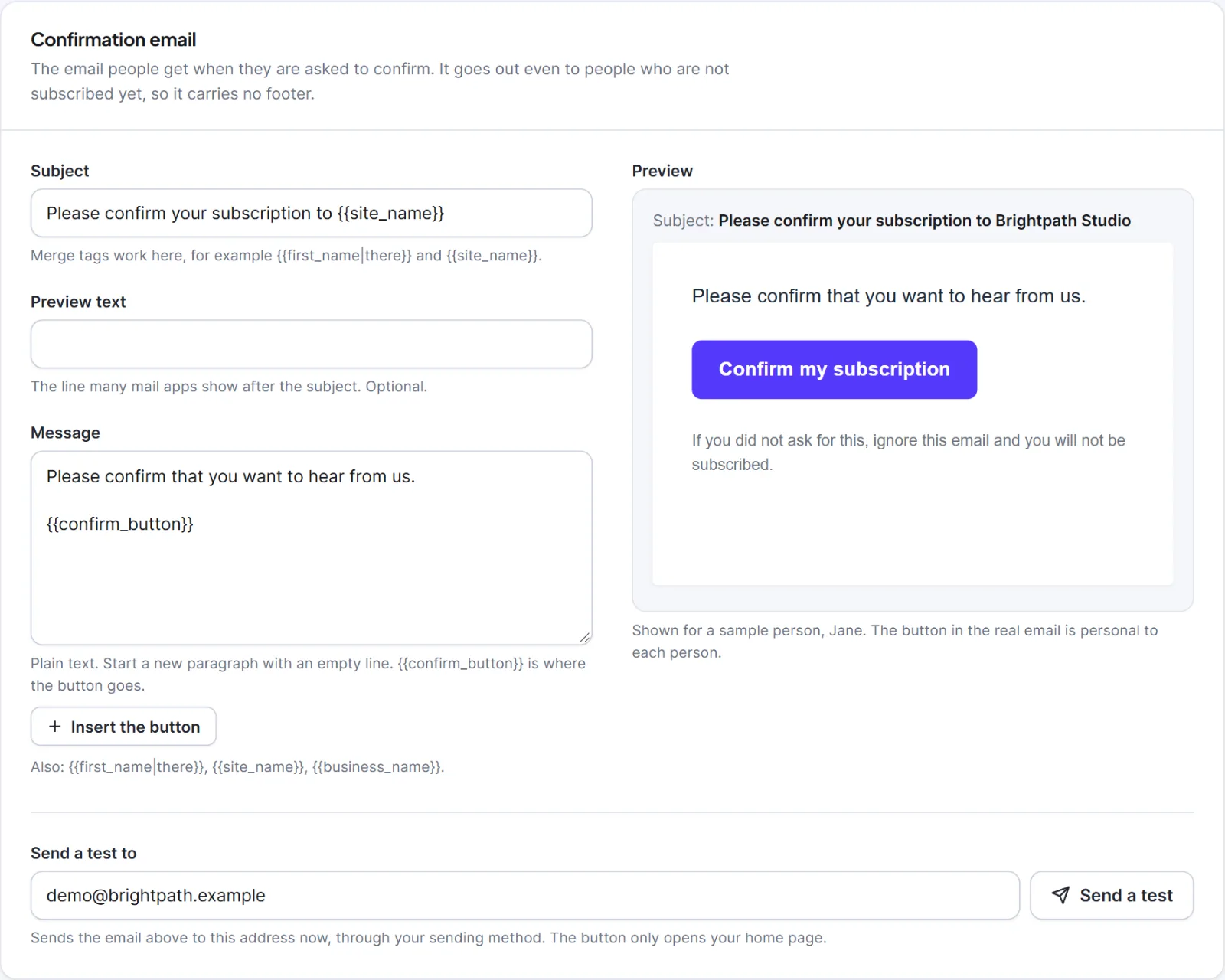
The email has a Confirm my subscription button and a closing line telling anyone who did not ask to ignore it. It has no footer, because it goes to people who are not subscribed yet.
Choose what happens after they confirm #
In the card After confirming, pick Then:
| Setting | What it does | Default |
|---|---|---|
| Show a message | Shows a Heading and Message on the page. | "Subscription confirmed" / "Thank you. You are subscribed." |
| Go to another page | Sends the person to Go to this address (full http or https address). | Empty (shows the message) |
The page texts accept {{site_name}}, {{business_name}} and {{current_year}}.
Ask Pending contacts to confirm #
An import or a hand-made Pending contact is not emailed automatically.
- One person: open their profile and press Send confirmation email.
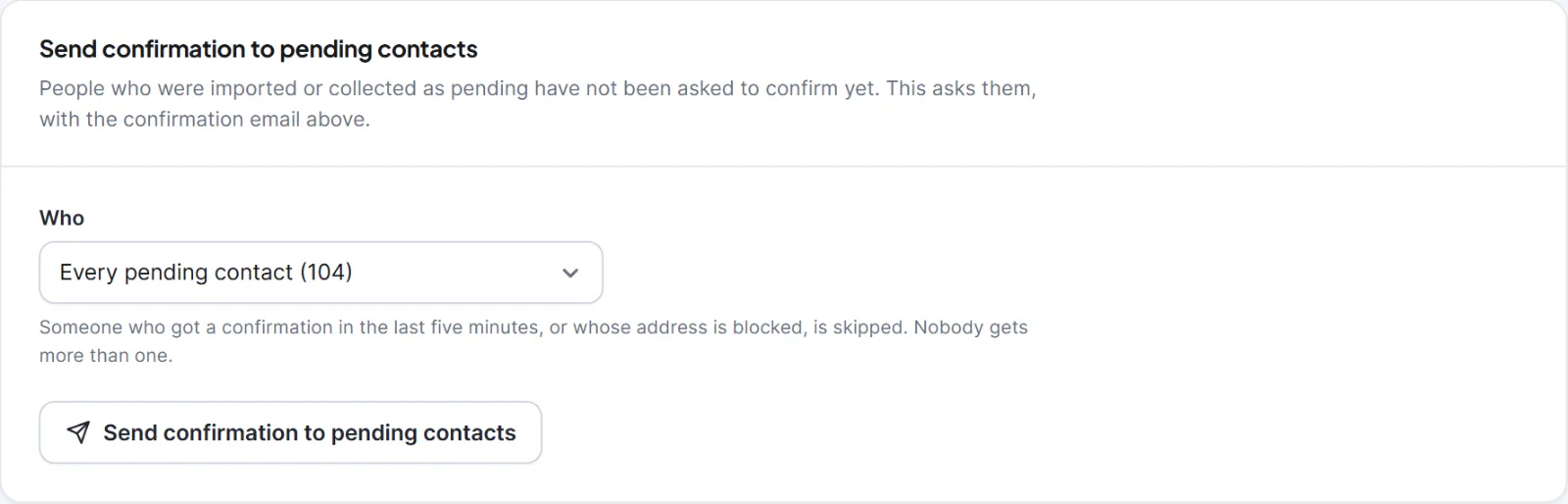
- Everyone: in Settings > Compliance, use Send confirmation to pending contacts. Choose Who (every pending contact, or the pending members of one list), press the button and confirm Send confirmation emails?. Save other changes first; the button is off while the screen has unsaved changes.
The result reads "N confirmation emails queued, M contacts skipped." No email goes to suppressed addresses, to contacts who are not Pending or Transactional, or if one was sent in the last 5 minutes.
What the person sees #
The link opens Confirm your subscription with a Confirm my subscription button. Opening the link changes nothing, so mail scanners cannot confirm anyone. Pressing the button sets the contact to Subscribed, saves the time and the source double_optin as proof, and adds them to the list named in the email (a signup form's first list). The timeline says "Confirmed their subscription by email". For a signup form, it also adds the form's other lists and tags and counts under Confirmed.
Other pages: "You are already confirmed"; "This link has expired" with Send me a new email; "We could not confirm you"; "This link does not work".

Warning: A Pending contact who never confirms is never sent your campaigns. That is what protects you. A person who unsubscribed can only be confirmed again if they join through a signup form afterwards; an old link never reverses an unsubscribe.
This is information, not legal advice.
Next: The confirmation email does not arrive, Settings: Compliance, Contact statuses.


