

Intelligence > Visitors & Journeys lists the people who visited your site and the path each took. A contact's Journey tab shows the same story next to their emails, orders and forms. You need See visitor reports; the Journey tab also needs See the audience. Visitors can be recognised as contacts only in Full mode (Turn on visitor tracking).
How a visitor is recognised #
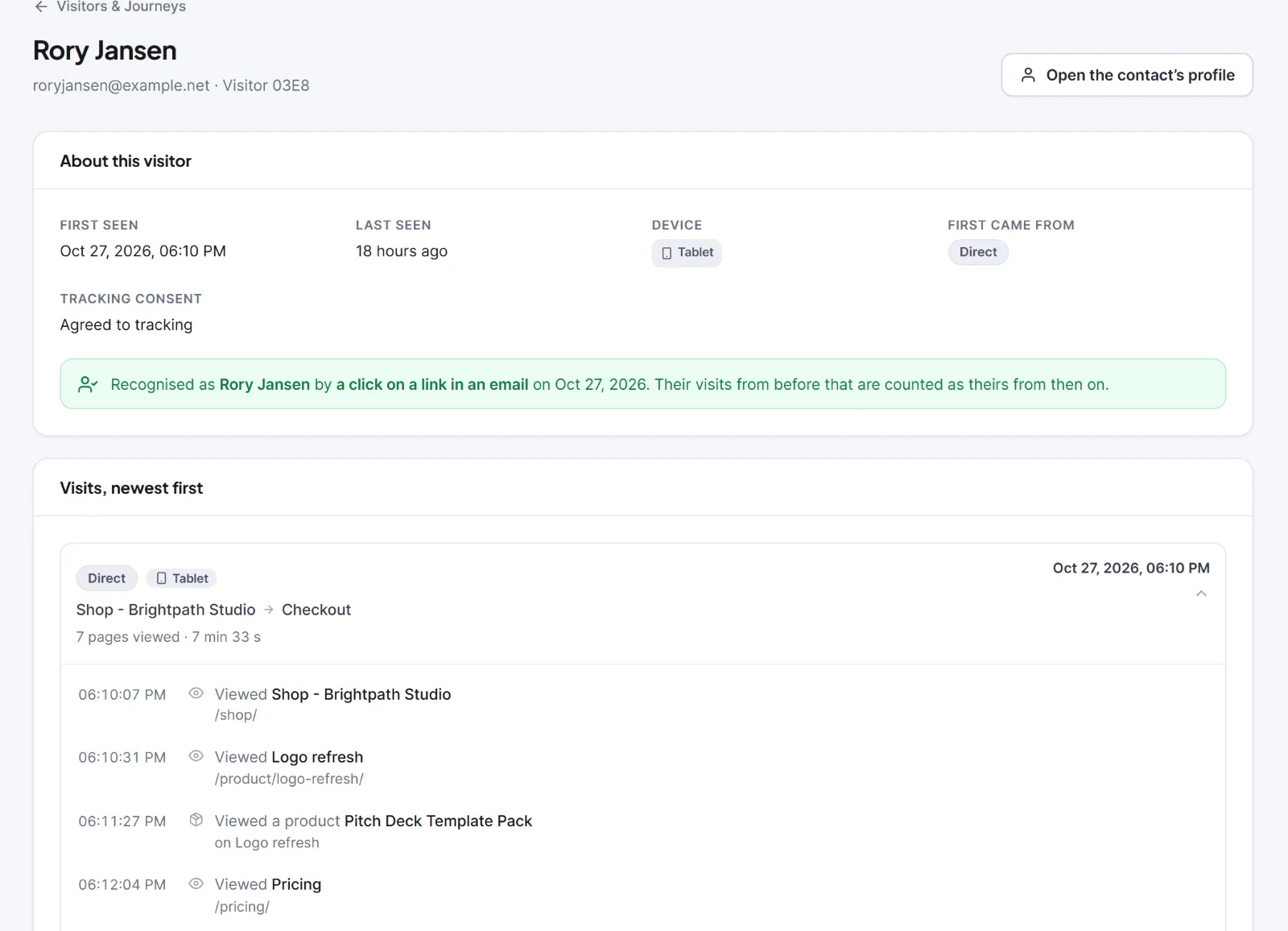
In Full mode a browser is linked to a contact by one of four signals: a click on a tracked link in your email that leads to your own site, a supported form sent with that email address, a login, or an order. For a click, Hive Mail adds a short signed code (#hm=, valid 30 minutes) to the address; a tiny script removes it from the address bar at once. Keep Click tracking on Track clicks per contact in Settings > Tracking & Privacy.
- Only a login moves a browser from one contact to another.
- Visits made earlier in that browser (still stored) then belong to the contact, and a line is written on the contact's timeline.
The visitors list #
- Pick a Period and, under Show, All, Identified or Not identified.
- To find a person, type in Search by contact name or email… (it finds only linked visitors).
- Click a row or See visits.
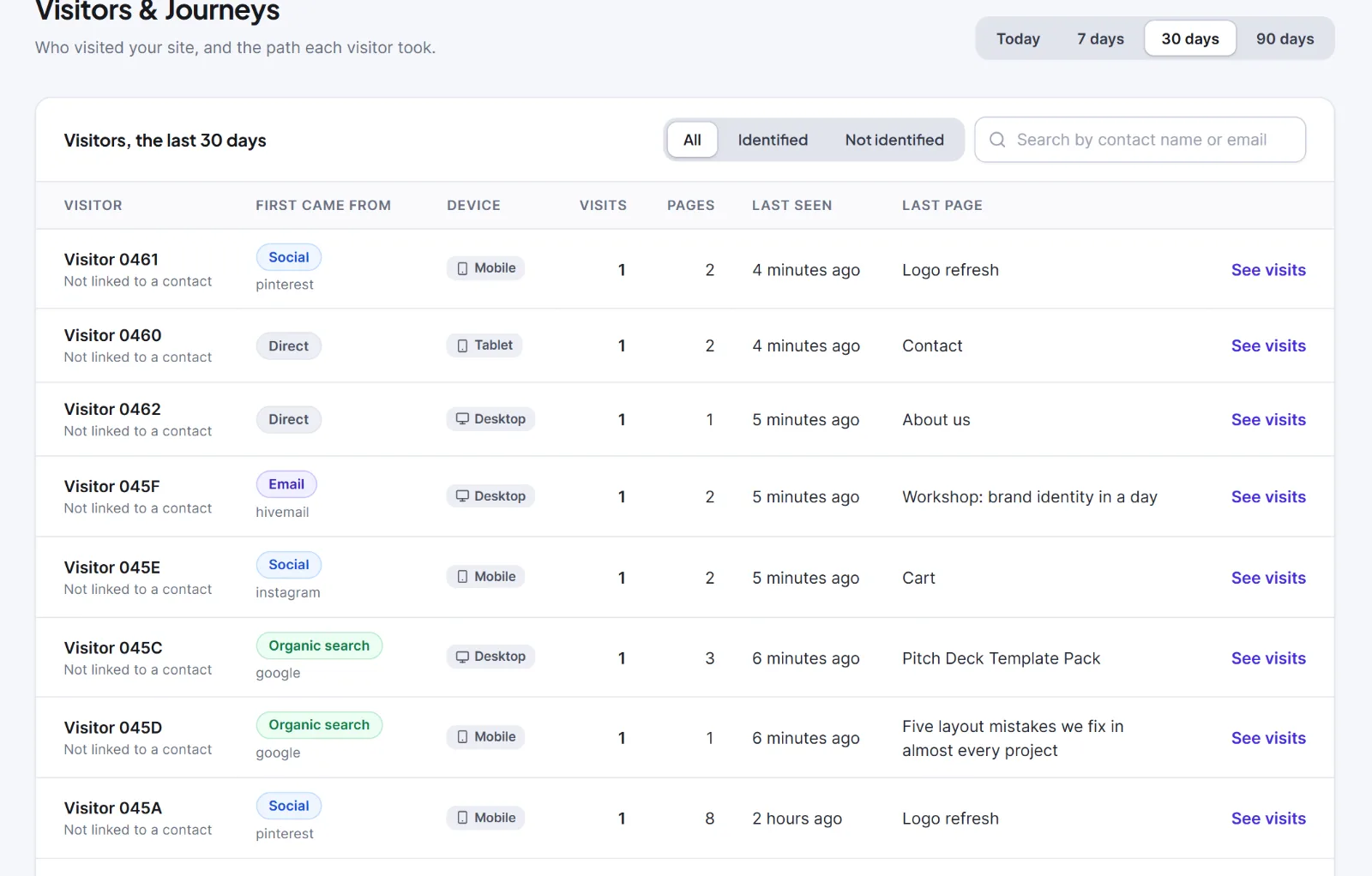
Columns: Visitor (a contact's name and email, or a code like "Visitor 4F2A" that identifies nobody, or "Anonymous visitor (one day)"), First came from, Device, Visits, Pages, Last seen, Last page.
A visitor's page shows About this visitor (including Tracking consent) and Visits, newest first. Click a visit's header to open its steps ("Viewed {page}", "Added to cart", "Bought {total}", and so on). The first 10 steps show; click {n} more steps for the rest. Load more visits shows older ones.
The Journey tab #
Open Audience > Contacts, open a contact and click Journey next to Activity. It shows Visits, Pages viewed, First seen, Last seen, the box Recognised on the site, and one time-ordered list mixing visits with emails, orders, forms and automation steps. With no visits you see No visits yet or No visits linked to this person.

Warning: Deleting a contact for good (by hand, or when the 30-day trash is emptied) also deletes their linked visitors, visits and steps.
The engagement score #
The number on the contact's Details card, row Engagement score. It is automatic and never goes down or above 100,000.
| What happens | Points |
|---|---|
| A person opens a marketing email (real people only; needs Track opens per contact) | +1 |
| A person clicks a link in a marketing email (not a scanner; needs Track clicks per contact) | +3 |
| A recognised visitor has any activity on a day | +1, once a day |
| A recognised visitor views a product or download page of a detected shop | +1, once a day |
A recognised visitor views a page in Pages that show buying interest (default /pricing) |
+1, once a day |
| A recognised visitor's order is paid | +10, once per order |
Every counted open or click adds its points again. Site points start when a visitor is recognised; Anonymous visitors earn nothing.
Warning: Recognising visitors links browsing to a named person. Tell visitors and ask first where the law requires it. See Consent and the law.
Next: Email tracking: opens and clicks, The contact profile.
This is information, not legal advice.


