

An A/B test sends two subject lines in one campaign. Each person gets one of them, and the report shows which was opened and clicked more. Only the subject changes; the email is the same for everyone. You need a draft campaign: see How to create and send a campaign.
Set up the test #
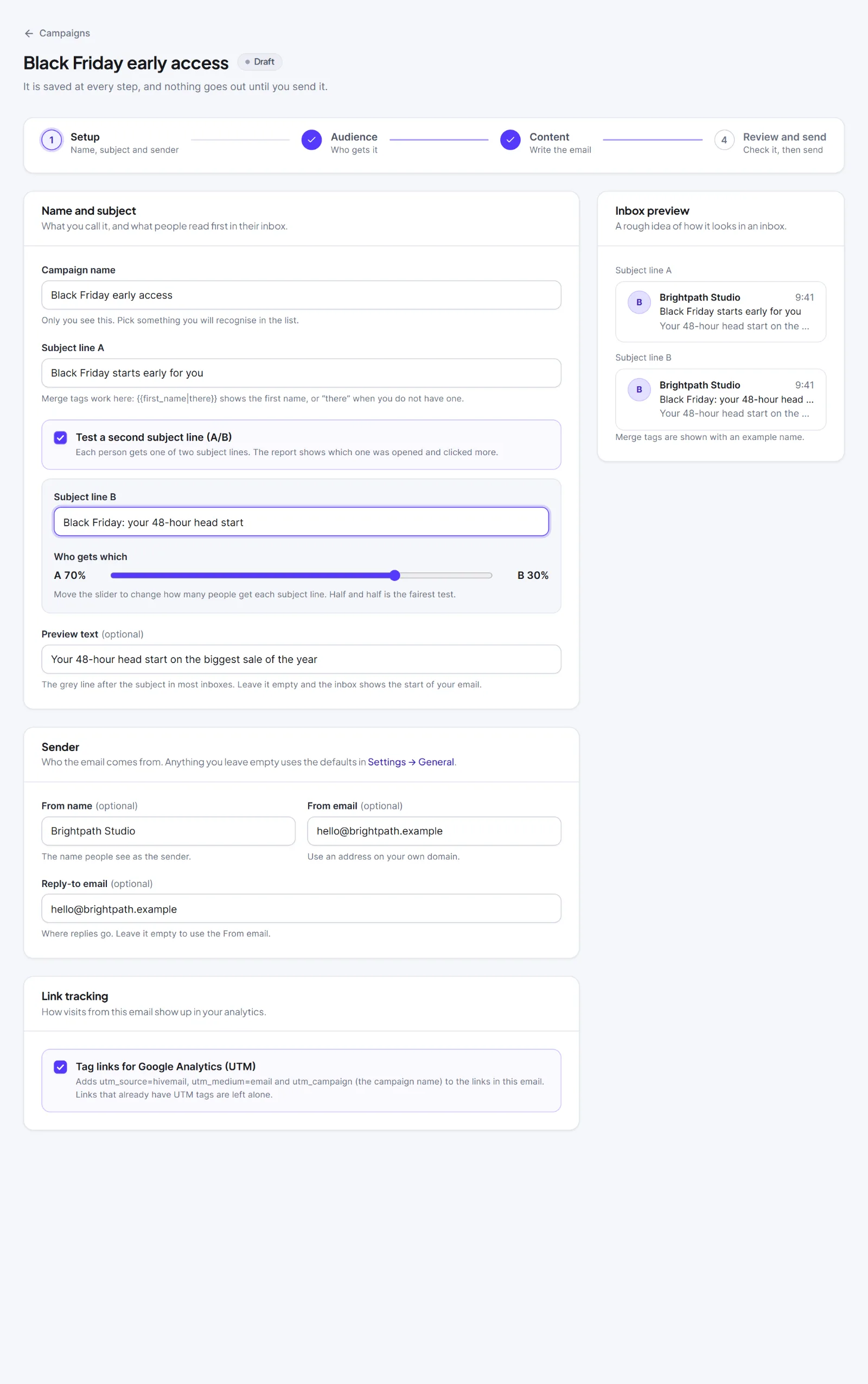
- On the Setup step, type the first subject in Subject line A (the label is Subject line until you turn the test on).
- Tick Test a second subject line (A/B).
- Type Subject line B.
- Move the slider under Who gets which ("A 50%" / "B 50%"). It goes from 10 to 90 percent in steps of 5.
- Check the Inbox preview card, which now shows both subjects, then click Continue to audience.
To preview or test both, use the Subject A / Subject B switch on the card The email in Review and send, and choose the Subject line in Send a test.
Each person gets exactly one subject, chosen by a fixed rule from the campaign and the contact, so a person always gets the same one. The split applies to the whole audience at once. Hive Mail does not pick a winner or send the better subject to the rest later.
Checklist lines #
| Level | Text |
|---|---|
| Red | "Write the second subject line for the A/B test, or switch the test off." |
| Orange | "Both subject lines are the same, so the test cannot tell them apart." |
| Green | "A/B test: {a}% get subject A, {b}% subject B." |
A split outside 10 to 90 shows "The split must be between 10 and 90 percent."
Read the result #
After sending, the card A/B subject lines has one row per subject:
| Column | Meaning |
|---|---|
| Subject | The letter and the subject line |
| Sent | How many people got this version |
| Opened | Open rate, with the number of people |
| Clicked | Click rate |
A green Best badge marks the highest open rate, only with two subjects and a rate above 0. The card People has a Subject column showing A or B. See How to read a campaign report.

Tip: Open rates are a guide: Apple Mail privacy protection and security scanners affect them, and small lists give weak answers. Use clicks as a second signal. See Email tracking.
Next: How to read a campaign report, Merge tags and fallbacks.


