

These screens show who is on your site now, which pages are viewed and where visitors come from. Turn on visitor tracking first. You need the permission See visitor reports.
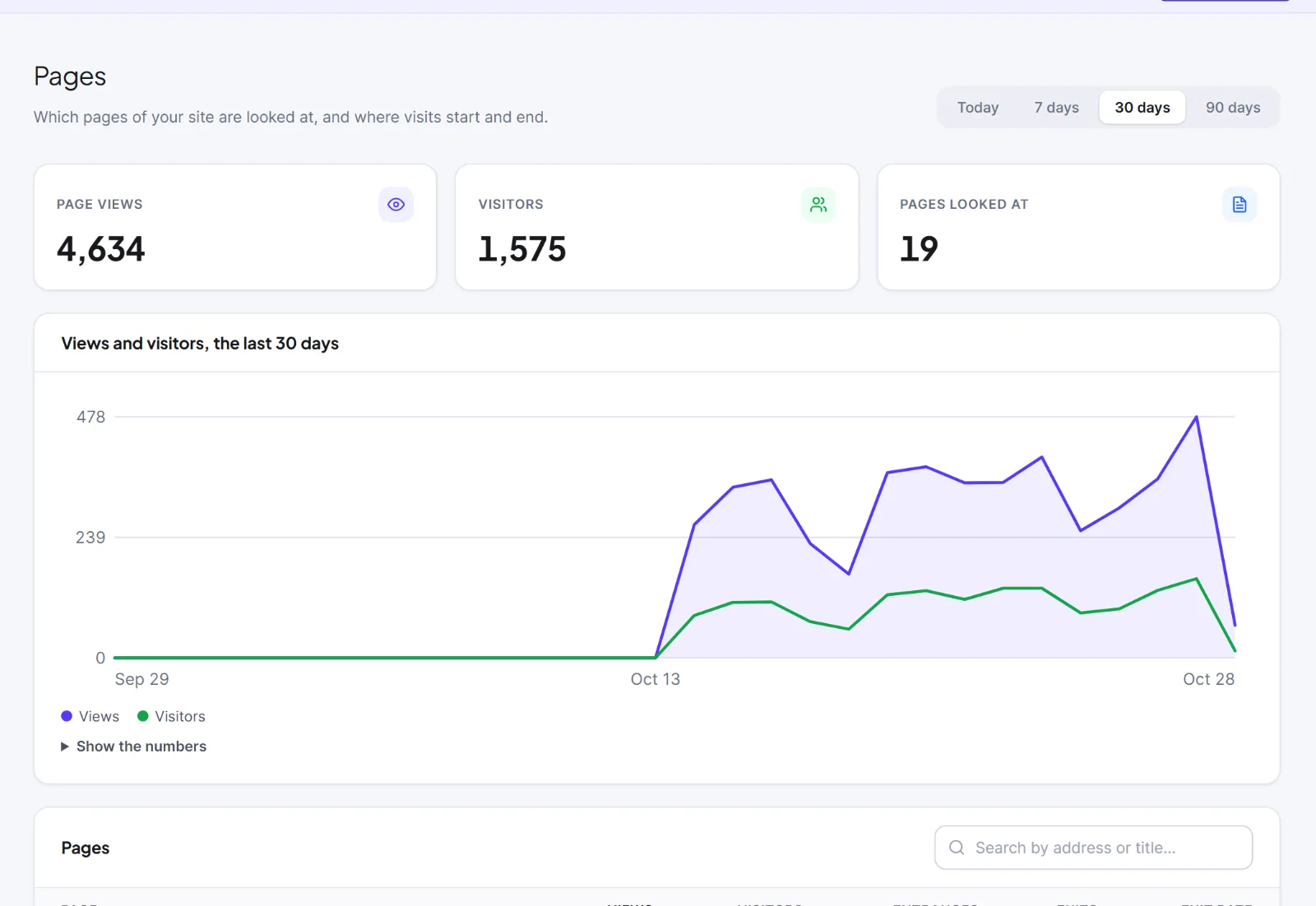
On every report: a Period button group (Today, 7 days, 30 days, 90 days; default 30 days; Live has none). Visitors are counted per day and added up, so someone who comes on three days counts three times in a 7-day report. Money is shown per currency, never added across currencies. Show the numbers under a chart opens a table. With tracking on but no visit yet, you see Nothing has been recorded yet and a Check again button.
The Dashboard card Visitors shows On the site now (last 5 minutes), Visitors today and Page views today.
Live #
Open Intelligence > Live. It refreshes every 7 seconds while the tab is visible.
- On the site now: visitors active in the last 5 minutes, with Page views, 5 min, and Active carts (WooCommerce) or Pages open now.
- Last 30 minutes: one bar per minute, newest on the right.
- Pages being viewed now: up to 10 pages. Click one to open its statistics.
- Live feed: the latest 30 steps with a channel chip, a device chip and the time. In Full mode a recognised contact's name links to their profile.

Pages #
Open Intelligence > Pages. Search by address or title, click a column heading to sort (default Views), click a row for that page's screen.
| Column | Meaning |
|---|---|
| Views | Page views |
| Visitors | Different visitors per page per day, added up |
| Entrances | Visits that started here |
| Exits | Visits that ended here |
| Exit rate | Exits divided by views |
Addresses are stored without a query string and ignoring case. A page's own screen has the card Where visitors came from. Administrators also see Forget this page: click it, then Forget the page, to delete that address, its visits and its daily numbers for good. Site totals keep their numbers, and the page returns if visited again unless you add it to Do not track these addresses in Settings: Tracking & Privacy.
Traffic Sources #
Open Intelligence > Traffic Sources. Set Credit goes to (Last touch, default, or First touch) and Group by (Channel, default, Source or Campaign). The cards are Visits, Visitors, Conversions and Revenue; the table adds Page views and Rate (conversions divided by visits).
- Last touch: a conversion goes to the source of the visit it happened in.
- First touch: it goes to the source that first brought the visitor. A row can then show conversions but no visits.

Channels: Direct, Organic search, Social, Email, Referral, Paid (a medium such as cpc or display), Push, Other. The source comes from campaign tags (utm_source, utm_medium, utm_campaign), ad click codes (Google and Microsoft count as cpc) or the referring site; no source is "(direct)". A visit ends after 30 minutes without activity or when a page view arrives with a different campaign source.
Links in your campaigns get utm_source=hivemail, utm_medium=email and the campaign name when Tag links for Google Analytics (UTM) is ticked in the campaign's Setup step (default). With a shop, the card Revenue after an email credits the email clicked before an order; see Reports and revenue.
Conversions and revenue need goals: add them in Conversions and goals.
Next: Visitors & Journeys and the engagement score.
This is information, not legal advice.


