

Hive Mail > Settings > Forms sets the CAPTCHA that protects your Hive Mail signup forms from robots. You need a free account with the service to get a site key and a secret key. See Spam protection and CAPTCHA.
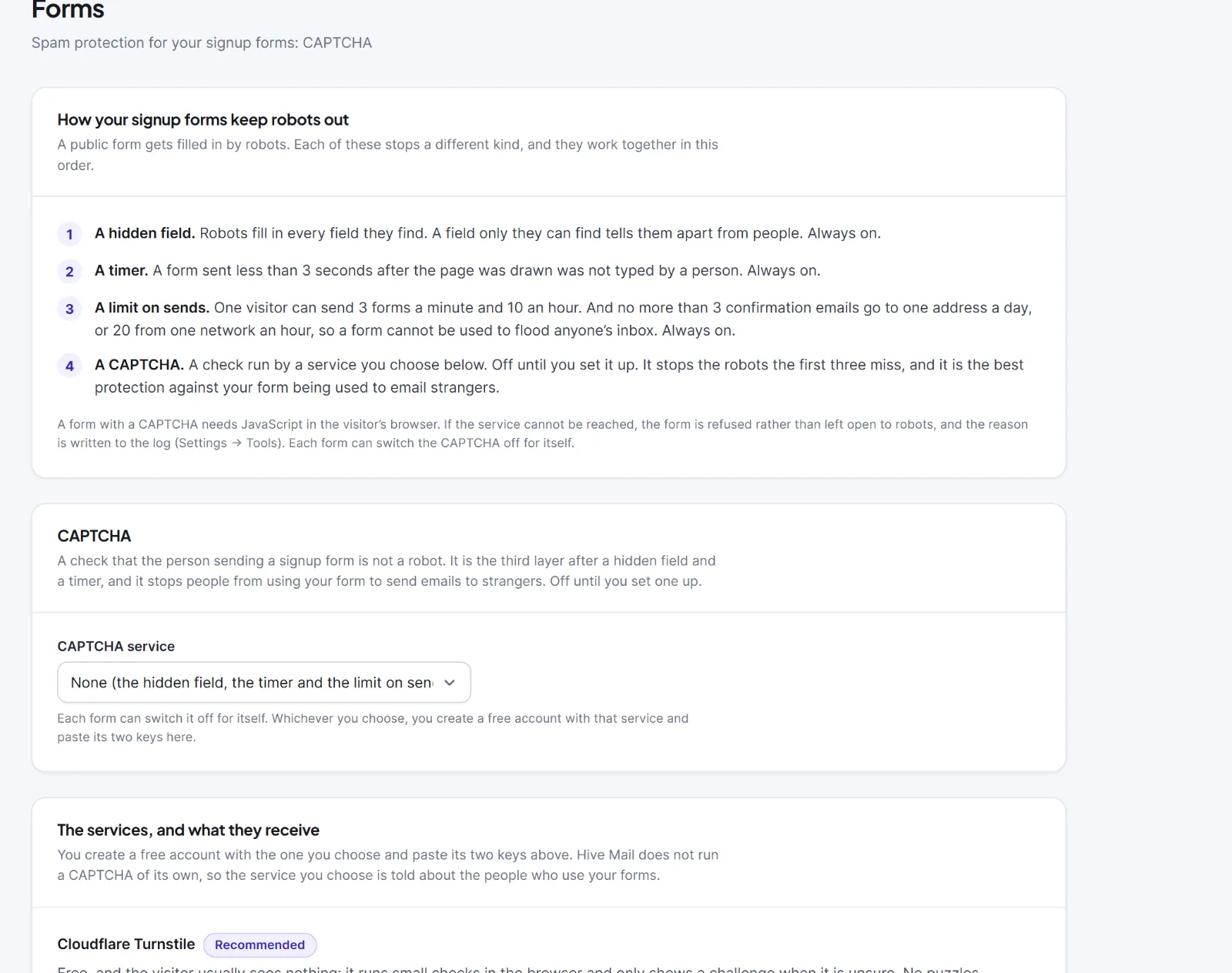
| Setting | What it does | Default |
|---|---|---|
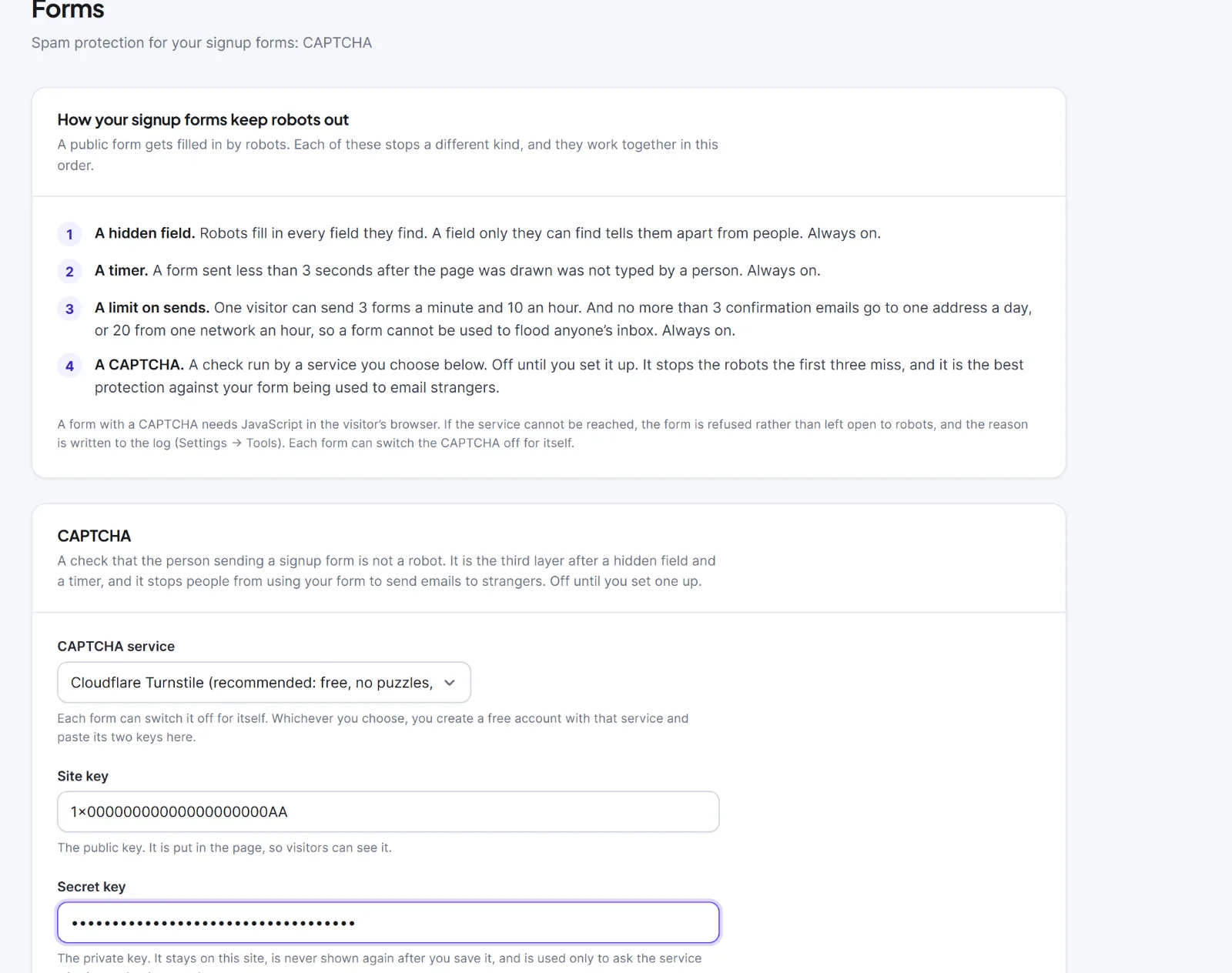
| CAPTCHA service | "Cloudflare Turnstile (recommended: free, no puzzles, the most private)", "hCaptcha (free, may show a picture puzzle)", "Google reCAPTCHA v2 (the "I am not a robot" box)" or "Google reCAPTCHA v3 (invisible, gives each visitor a score)". Each form can switch it off for itself | "None (the hidden field, the timer and the limit on sends still work)" |
| Site key | The public key, put in the page. Appears once a service is chosen | Empty |
| Secret key | Stays on this site, shows dots after saving, is never sent back to your browser | Empty |
| How strict | reCAPTCHA v3 only: 0.1 to 0.9, passing at or above it. Raise it if spam gets through, lower it if real people are turned away | 0.5 (usual) |
Choose a service, paste both keys, click Save changes ("Settings saved"), then test a form in a private window. The CAPTCHA counts as ready only with a service and both keys. This screen shows no warning for a missing key; the signup form editor does.

Protection layers #
Three layers are always on: a hidden field that only robots fill in, a timer (a form sent within 3 seconds of the page being drawn is refused) and a limit on sends (3 forms a minute and 10 an hour per visitor; no more than 3 confirmation emails a day to one address, or 20 an hour from one network). The CAPTCHA is the fourth and the best defence against your form being used to email strangers.
What the service receives #
| When | What the service receives |
|---|---|
| A page shows a form with a CAPTCHA | The browser loads the service's script from its server; it sees the visitor's IP address, browser, device and page address, and may set cookies on its own domain |
| The form is sent | Your server sends the secret key, the check's code and the visitor's IP address, and gets yes or no (a score for v3). Nothing typed in the form is sent |
| A page has no such form | Nothing; the script is not loaded |
Scripts load only from challenges.cloudflare.com, js.hcaptcha.com, www.google.com and www.recaptcha.net. If the service does not answer within 5 seconds or rejects the check, the form is refused and the reason is logged in Settings > Tools (channel "forms"). Visitors without JavaScript see "This form needs JavaScript to check that you are human." While a form uses a CAPTCHA, Hive Mail's suggested text in the WordPress Privacy Policy Guide names the service.
Warning: Wrong keys make your forms refuse real visitors. Test after saving keys and check the system log if it fails.
Next: Signup forms, Conflicts with other plugins and caching.
This is information, not legal advice.


