

The campaign is still Scheduled after its time, or it started hours late. The Campaigns list may show "Scheduled campaigns are not going out" (red) or "Scheduled campaigns may go out late" (amber) with a Fix this button. Causes, most likely first:
-
The scheduler is late or stopped. A once-a-minute job starts campaigns whose time has passed.
- Open Settings > Scheduler and read the status: "The scheduler is running", "…running late" or "…not running".
- Click Run the scheduler now. If the campaign starts, this was the cause.
- Set up a real cron: open Set up a real cron, pick your host (Hostinger (hPanel), cPanel, Any other host, WP-CLI worker or A local site), follow the steps, then click Check again. Runs in the last hour should be near 60.
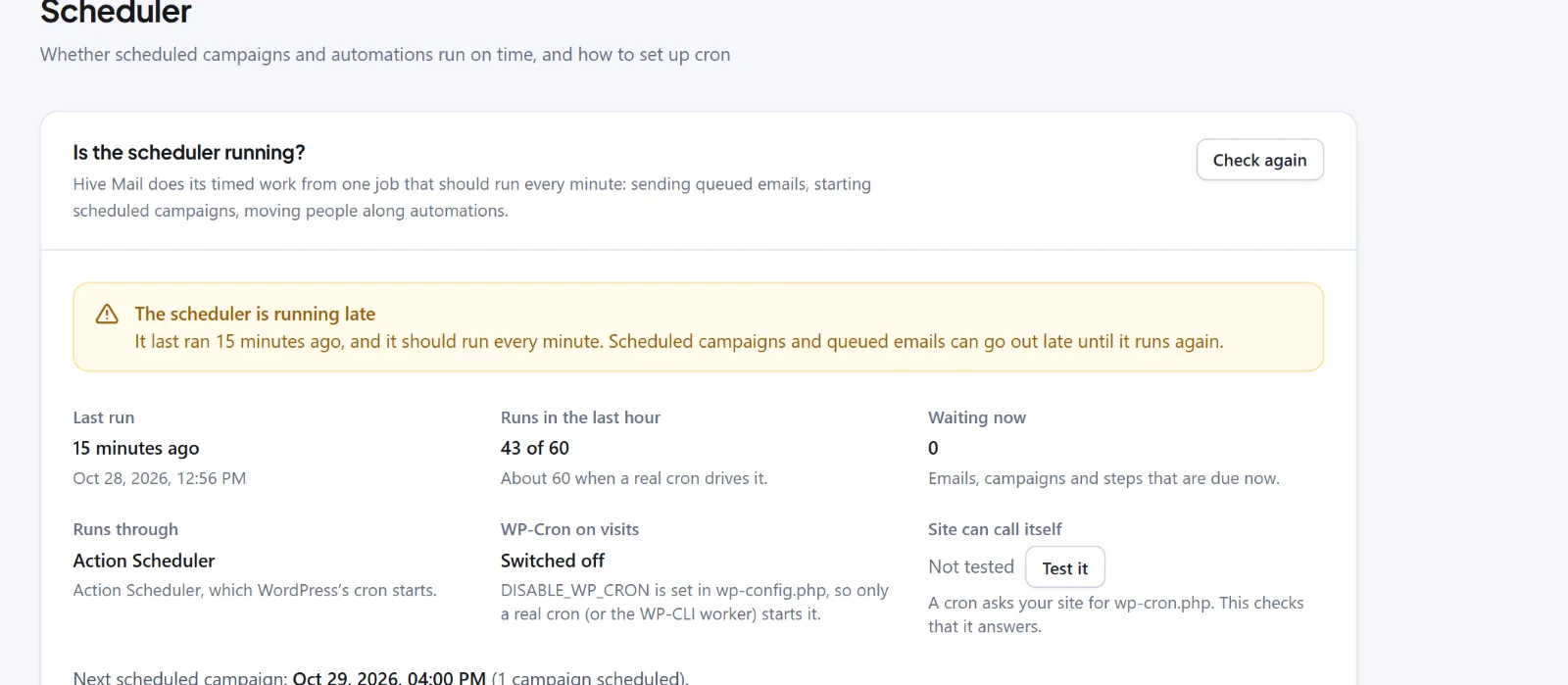
If Site can call itself shows Failed, a firewall, site-wide password, maintenance plugin or SSL problem blocks WordPress's cron. Fix it, or run
wp hivemail workerfrom a server cron (WP-CLI commands). See Scheduled sending and cron. -
The timezone is wrong. Campaigns use the site's timezone. Check the timezone in WordPress's own Settings > General (not the Hive Mail tab). If needed, click Back to draft on the campaign, fix the timezone and schedule again.
-
It was never scheduled. It may still be a Draft (finish the wizard to Review), blocked by a red checklist item (subject, sender, content or business address), Paused (use Resume) or Cancelled (use Duplicate). See Schedule, pause, resume, cancel and duplicate a campaign.
-
It started on time but is slow. Settings > Sending > Sending speed may be Manual with a low limit. See Emails are not sending.
Tip: After you set up a cron, click Check again after five minutes. A healthy site shows a last run under a minute ago.
Next: Settings: Scheduler.


