

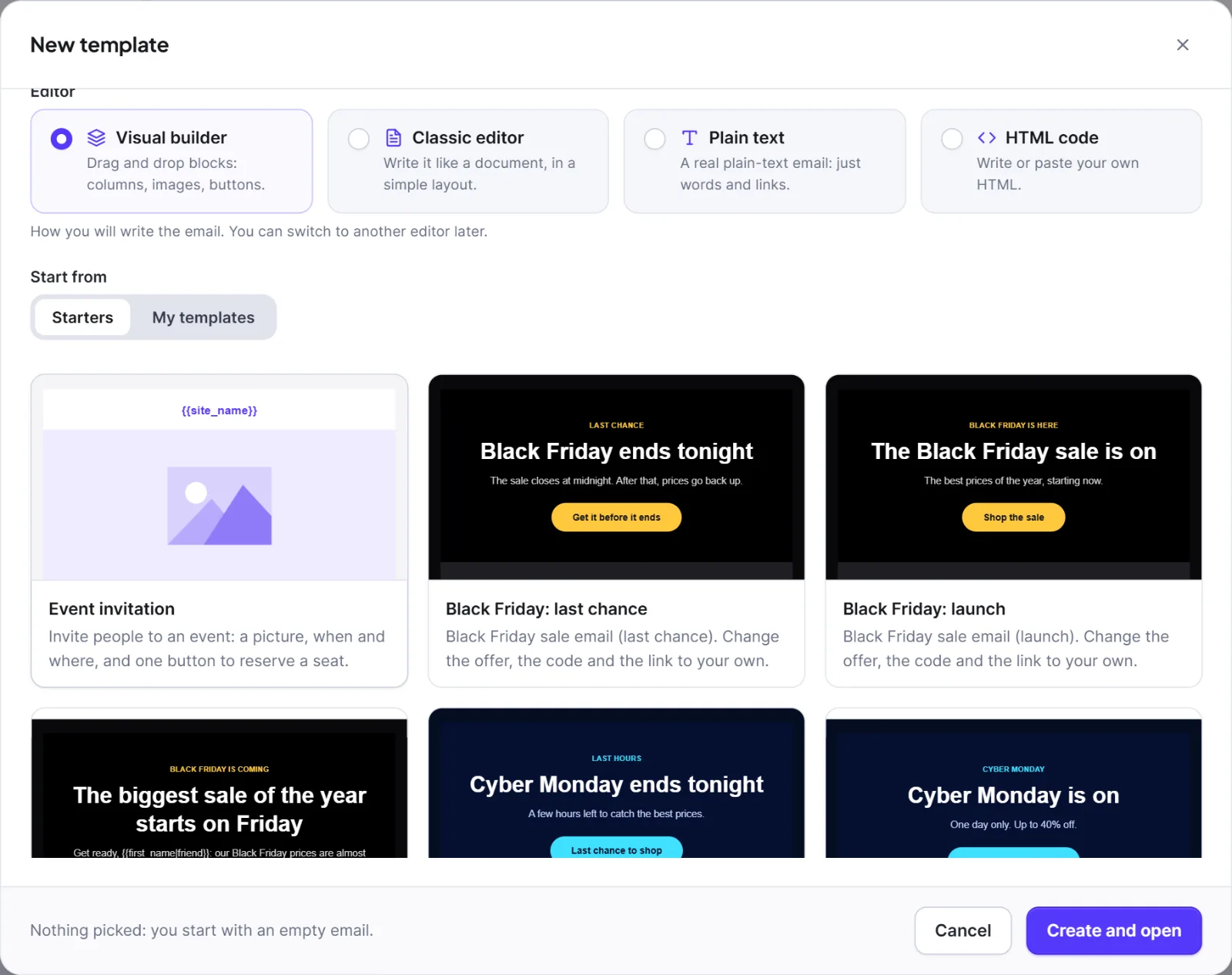
Starters are on the Starters tab when you make a template (Templates) or choose a campaign's content; these designs are for the Visual builder. Recipes are under Automation > Automation recipes (Automation recipes). Pictures are grey placeholders and offers, codes and links are samples: replace them before you send. Starters and recipes that need a shop are listed or usable only where that shop is active.
Seasonal recipes #
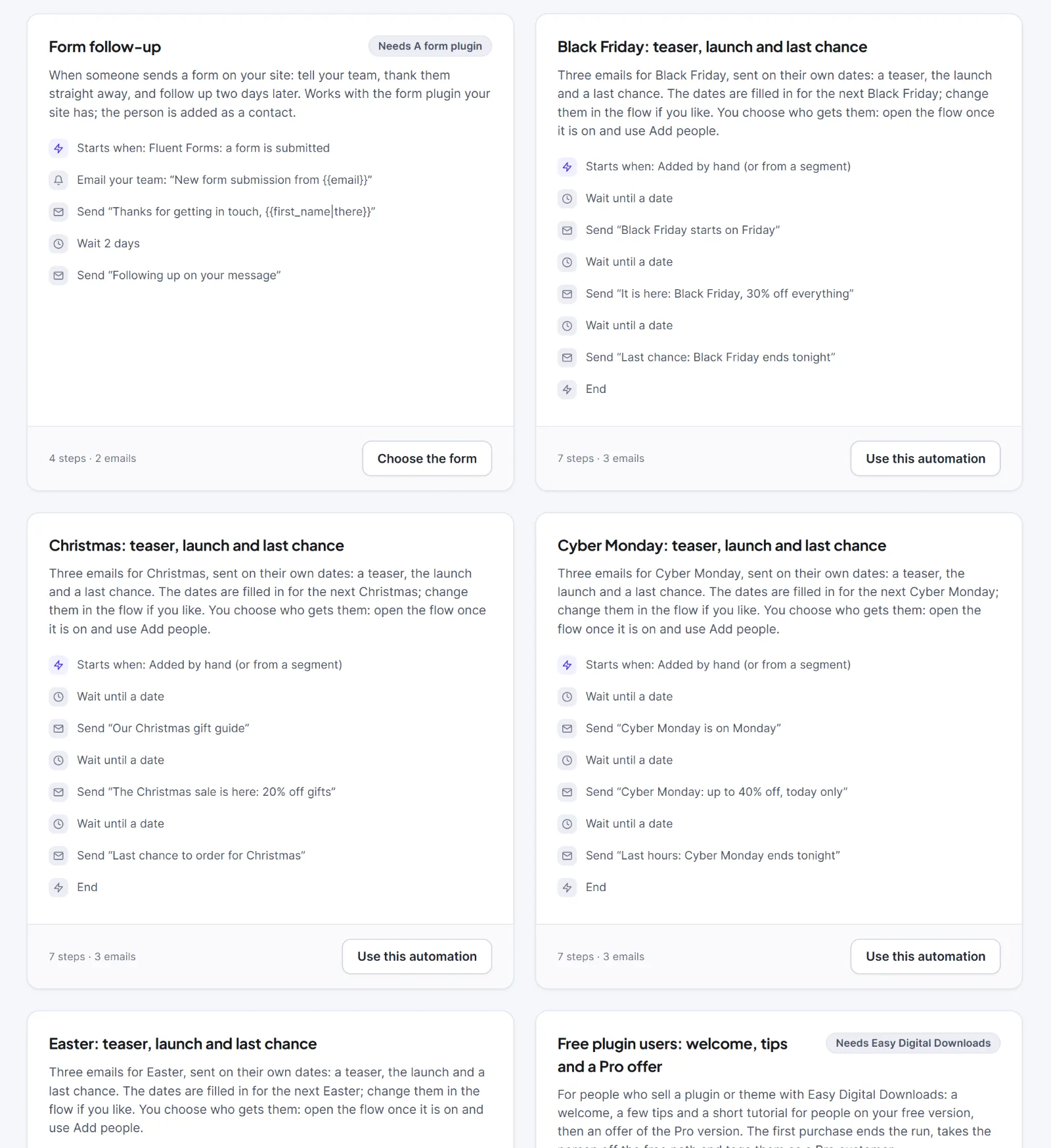
Seven recipes, each named "{Occasion}: teaser, launch and last chance": trigger "You add people to it by hand", then three Wait until steps, each followed by an email, built from the starters of the same name (below). The dates are filled in for the next occasion (the first year in which the last email is still ahead) and fixed in the flow afterwards. Times use your site's timezone. Re-entry is Once. After installing, change the offer, switch the flow on and use Add people.
| Occasion | Day | Sends (teaser; launch; last chance) | Sample offer |
|---|---|---|---|
| Black Friday | Day after US Thanksgiving | 5 days before 09:00; day 08:00; 3 days after 10:00 | 30%, BLACKFRIDAY |
| Cyber Monday | Monday after Black Friday | 3 days before 09:00; day 08:00; day 17:00 | up to 40%, CYBER |
| Halloween | 31 October | 5 days before 09:00; 2 days before 09:00; day 10:00 | 31%, BOO31 |
| Christmas | 25 December | 14 days before 09:00; 10 days before 09:00; 3 days before 09:00 | 20%, XMAS20 |
| New Year | 1 January | 4 days before 10:00; day 08:00; 3 days after 10:00 | 20%, NEWYEAR |
| Valentine's Day | 14 February | 7 days before 09:00; 5 days before 09:00; 1 day before 09:00 | 15%, LOVE15 |
| Easter | Western Easter Sunday | 7 days before 09:00; 4 days before 09:00; 1 day before 09:00 | 15%, SPRING15 |
Warning: A date that has already passed sends that email at once. Move the dates, or delete the early steps, before you add people late.
Seasonal starters (21) #
Three per occasion, usable in any campaign: "{Occasion}: teaser", "{Occasion}: launch", "{Occasion}: last chance" for Black Friday, Cyber Monday, Halloween, Christmas, New Year, Valentine's Day and Easter.
| Starter | Use it |
|---|---|
| teaser | Days before the sale (Christmas: a gift guide in early December) |
| launch | The first day of the offer |
| last chance | Just before it ends |
Other starters (18) #
| Starter | What it is for | When to use |
|---|---|---|
| "Invite to the community" | Invites a customer to where questions are answered | After a purchase |
| "Customer onboarding" | Three first steps and one button | The day after a purchase |
| "Feature highlight" | One feature in a few lines | Product news, or late in a series |
| "First order: welcome" (WooCommerce) | Thanks a customer for a first order | After the first order |
| "Free user: welcome" | First email to someone on your free product | On signup |
| "Free user: three tips" | A short tips email | About 3 days after the welcome |
| "Free user: short tutorial" | Steps to a first result | A few days after the tips |
| "Lead magnet: your download" | Delivers the download, button first | Straight after a signup |
| "New account: welcome" | A short service welcome | After an account is created |
| "Nurture: a question" | One personal question, invites a reply | A few days after a download |
| "Nurture: a useful tip" | One practical tip and one link | 2 days after a download |
| "Order cancelled" (WooCommerce) | Neutral service email, no offers | When an order is cancelled |
| "Order refunded" (WooCommerce) | Neutral service email: refund on its way | After a refund |
| "Payment reminder" | Neutral service email with one button to the order's pay link ({{order_pay_url}}, WooCommerce only) |
An unpaid order |
| "Pro offer" | Tells free users what the paid version adds, in three points | After the tutorial |
| "Refund follow-up" (Easy Digital Downloads) | Neutral service email after a refund | After the refund |
| "Ask for a review" | A short honest request, one button | A few days after a good experience |
| "Thank you for your purchase" (Easy Digital Downloads) | Thank-you, where to find the download | Right after a purchase |
The "Free user" and "Pro offer" starters are written for people who sell a free and a paid product: rewrite them for your own. Keep the order and refund emails free of offers, or they become marketing and need consent.
Other recipes #
| Recipe | Needs | Starters used |
|---|---|---|
| "Free plugin users: welcome, tips and a Pro offer" | Easy Digital Downloads | Free user: welcome, three tips, short tutorial; Pro offer; Feature highlight |
| "Lead magnet: the download and two follow-ups" | Nothing | Lead magnet: your download; Nurture: a useful tip; Nurture: a question |
| "New account: welcome" | Nothing | New account: welcome |
| "Complete your payment" | WooCommerce | Payment reminder |
| "After a purchase: setup help, a review and the community" | Easy Digital Downloads | Customer onboarding; Ask for a review; Invite to the community |
| "Refund follow-up (Easy Digital Downloads)" | Easy Digital Downloads | Refund follow-up |
| "Ask for a review" | Nothing | Ask for a review (plus a reminder email) |
| "First WooCommerce order: welcome and a review" | WooCommerce | First order: welcome; Ask for a review |
| "WooCommerce cancelled order follow-up" | WooCommerce | Order cancelled |
| "WooCommerce refund follow-up" | WooCommerce | Order refunded |
Trigger of "Complete your payment" #
WooCommerce: an order is still waiting for payment sends one reminder after a customer tried to pay and did not finish.
| Setting | What it does | Default |
|---|---|---|
| Minutes to wait before reminding | Wait before checking the order again (5 to 720). Someone who pays meanwhile is never emailed. If the shop's "hold stock" time is not longer than your wait, it is shortened to the hold time minus 5 minutes (never below 5) | 30 |
| Only orders of at least (0 = any) | Ignores small orders | 0 |
| Add customers who are not contacts yet | Makes a transactional contact from the billing details; marketing emails never reach them | On |
The email is transactional and goes to the billing address: a marketing unsubscribe does not block it, but bounced, complained or suppressed addresses never get it. Each order gets one reminder per flow. Cancelled orders, bank transfers on hold and paid orders are never reminded. It can use {{order_pay_url}}, {{order_number}} and {{order_total}}.
Next: Automation recipes, Templates, Flow Studio.


