

Hive Mail > Settings > Compliance controls double opt-in, the confirmation email, the unsubscribe and preferences pages, the email footer text and the rules for contact data. Sending must work (Settings: Sending) and Business name and Business address should be filled in (Settings: General). One save bar sits at the bottom; Save changes stays disabled until something changed and nothing is wrong ("Fix one field before you save").
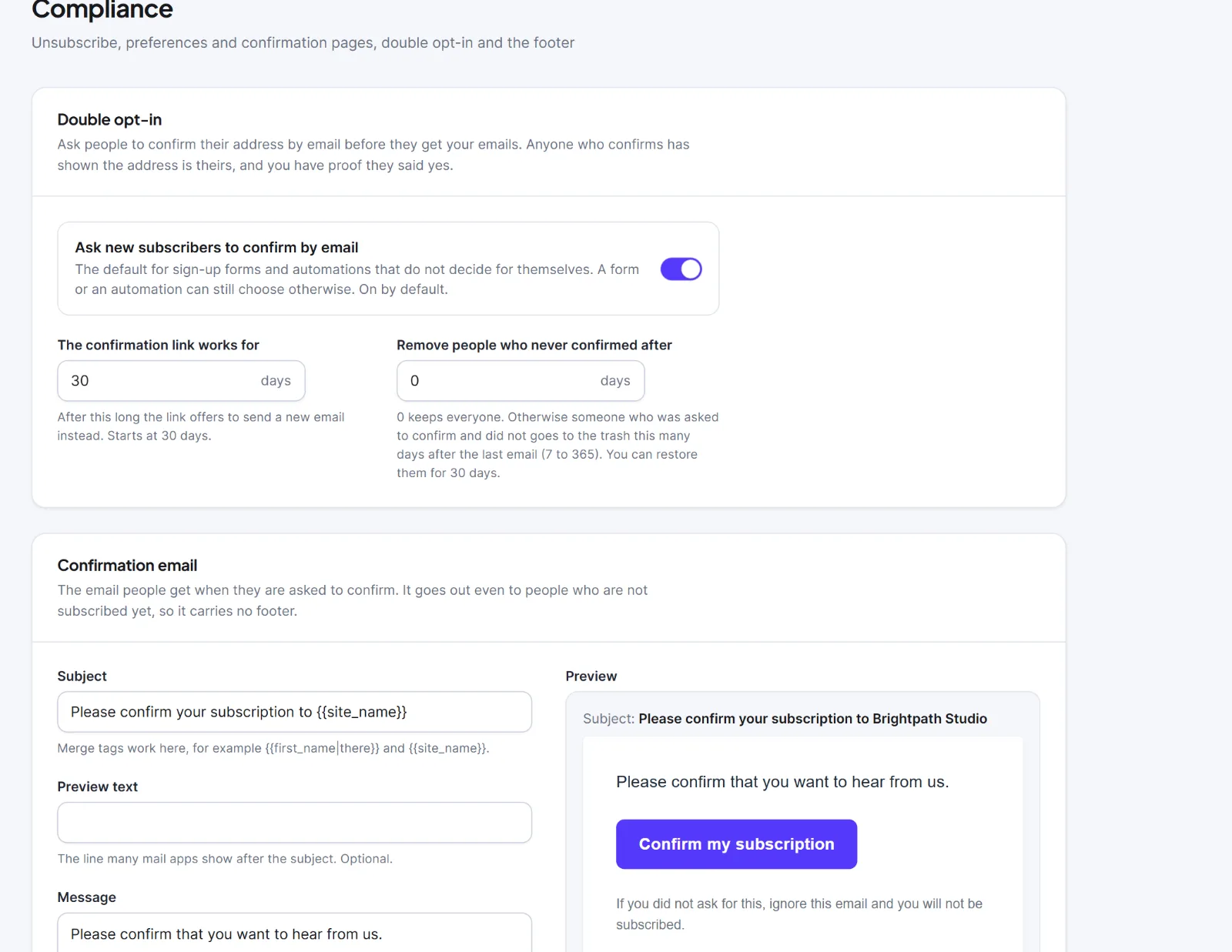
Double opt-in, confirmation email, after confirming #
| Setting | What it does | Default |
|---|---|---|
| Ask new subscribers to confirm by email | Default for signup forms and automations that do not decide for themselves (Double opt-in) | On |
| The confirmation link works for (days) | How long the link stays valid, 1 to 365; then it offers a new email | 30 |
| Remove people who never confirmed after (days) | Daily clean-up; 0 keeps everyone, otherwise 7 to 365. They go to the trash for 30 days. Counted from the last request | 0 |
| Subject | Cannot be empty; merge tags work | "Please confirm your subscription to {{site_name}}" |
| Preview text | Optional | Empty |
| Message | Plain text; paragraphs split on an empty line. Insert the button adds {{confirm_button}}; if it is missing, Hive Mail adds it at the end when you save |
"Please confirm that you want to hear from us." and the button |
| Send a test to | Sends the unsaved text through your sending method with Send a test | Your address |
| Then (after confirming) | Show a message or Go to another page | Show a message |
| Heading, Message (message mode) | The thank-you page | "Subscription confirmed", "Thank you. You are subscribed." |
| Go to this address (redirect mode) | A full https:// address | Empty |
The confirmation email is a service email: it goes to people not yet subscribed, has no footer and no tracking, and its button reads "Confirm my subscription". A Preview shows it for a sample person, Jane.
Unsubscribe and preferences pages #
Edit the fields on the left; a mock on the right updates. In Unsubscribe page, Which page to show switches the mock between Before and After. Nothing changes until the person presses the button, so link scanners cannot unsubscribe anyone.
| Setting | What it does | Default |
|---|---|---|
| Heading, Message, Button (Unsubscribe page) | Heading and button cannot be empty | "Unsubscribe from {{site_name}}", "Please confirm that you want to stop receiving our emails.", "Unsubscribe" |
| Heading after they unsubscribed, Message after they unsubscribed | Shown after the button; the page offers Subscribe again | "You are unsubscribed", "You will not receive any more emails from us." |
| Ask why they are leaving | Optional reason question; never blocks unsubscribing | On |
| After unsubscribing go to this address | Redirect instead of the message; full https:// address or empty | Empty |
| Heading (Preferences page) | Cannot be empty | "Email preferences" |
| Let people change their name | Shows first and last name fields | On |
| Offer "Unsubscribe from all" | Link to the unsubscribe page | On |
People choose among the public lists marked under Audience > Lists (Lists).
Email footer #
| Setting | What it does | Default |
|---|---|---|
| Your own text | Text printed above your business name and address on marketing emails with no footer of their own; merge tags work | Empty |
| Show "Manage preferences" in the footer | Link to the preferences page, shown only while you have a public list | On |
The footer always has your business name, address and the unsubscribe link. An amber box, "Your business address is empty", warns that a campaign cannot be sent without one. The same footer is edited on Settings: Email footer; see The email footer and the unsubscribe link.
Your own pages #
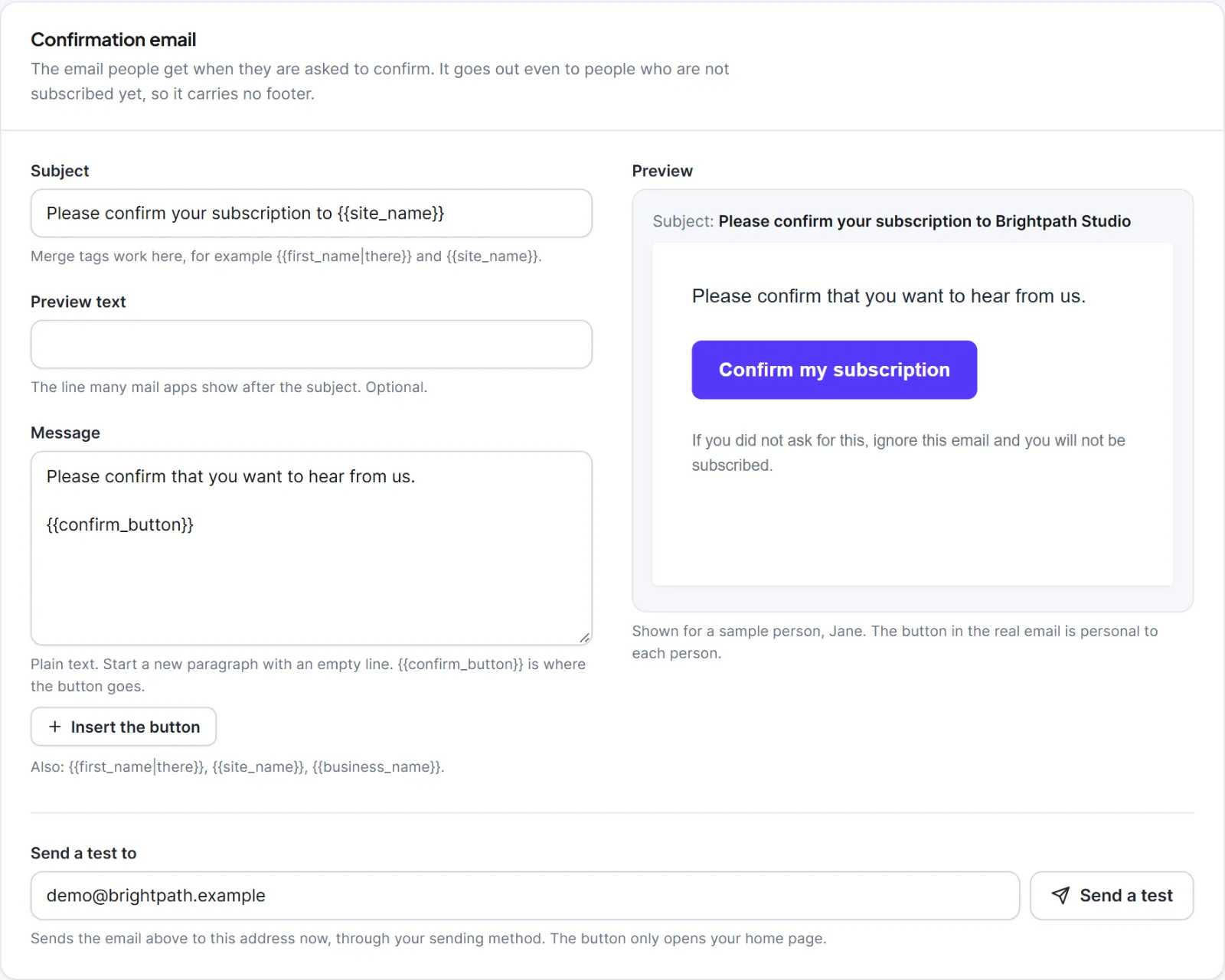
Hive Mail made three pages: Unsubscribe ([hivemail_unsubscribe]), Email preferences ([hivemail_preferences]) and Subscription confirmed ([hivemail_confirmation]). Each shows a badge.
| Badge | Meaning |
|---|---|
| Ready | Published and holds the shortcode |
| No shortcode | Published but empty of the shortcode; reset it |
| Draft | Not published; Hive Mail's own plain page answers |
| Deleted / Not made | Hive Mail's own plain page answers |
Buttons: Edit, View, Reset to default content (replaces the content with the shortcode; title and address stay), Create the page or Create again. Use a different page opens Show this screen on with "Hive Mail's own page" and every published page; put the shortcode from Put this on the page on that page, then Save changes. These pages are kept out of search, sitemaps and menus and are never cached. Links already sent keep working if you change a page's address. See Unsubscribe and email preference pages.
Data and rules #
| Setting | What it does | Default |
|---|---|---|
| Remove the contact when their WordPress user is deleted | Moves the contact to the trash (restorable for 30 days) | Off |
| Stop emailing an address after this many temporary failures | 1 to 20; then the address is treated as bounced | 5 |
| Count temporary failures over (days) | The window, 7 to 90 | 30 |
A note in the card explains tracking: opens and clicks are counted per person unless you choose anonymous counting, IP addresses are never stored and service emails are not tracked (Settings: Tracking & Privacy). When a contact is deleted for good, a one-way fingerprint of the address is kept if they had unsubscribed or bounced, so a later import cannot email them again.
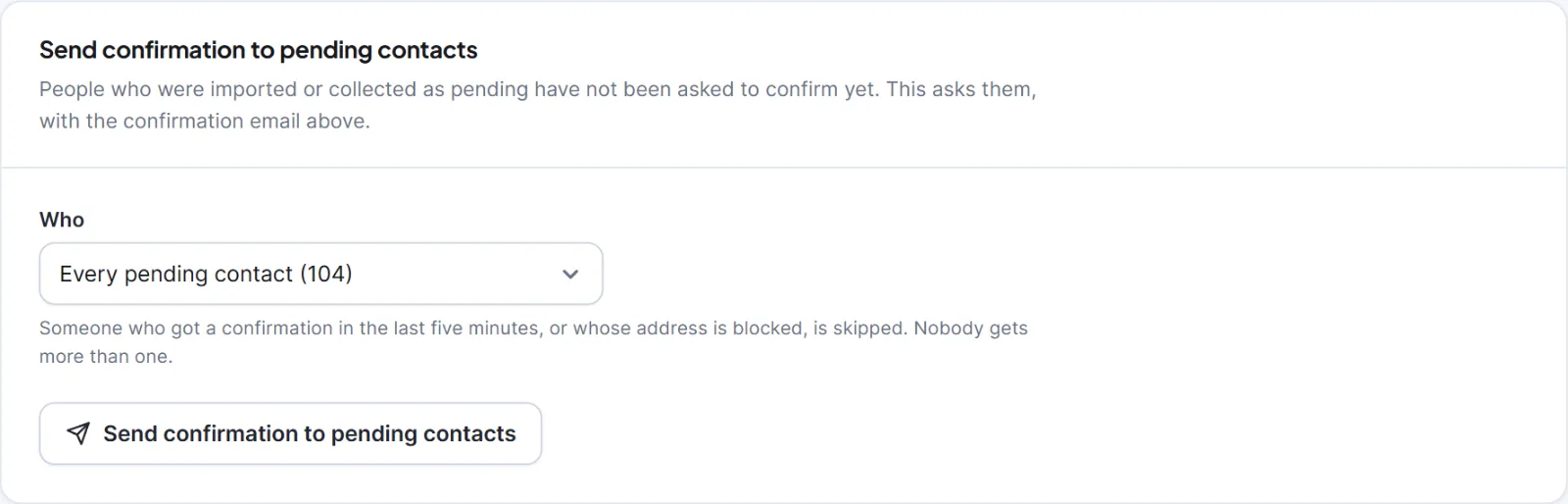
Send confirmation to pending contacts #
An import never emails anyone, so people imported as Pending wait until you ask them here.
- Click Save changes first so the email says what you wrote.
- Under Who, choose "Every pending contact ((number))" or "Pending members of (a list)".
- Click Send confirmation to pending contacts, read the dialog Send confirmation emails? and click Send the emails.
People asked in the last five minutes or with a blocked address are skipped; nobody gets more than one.
Warning: Queued confirmation emails cannot be taken back. People who do not press the button stay pending and never get campaigns.
Next: Double opt-in, The confirmation email does not arrive.


