

Live, Pages or Traffic Sources stay empty ("Tracking is on, but nothing has been recorded yet."). Test the right way first: open your site in a private window while logged out and watch Intelligence > Live. Administrators are left out by default, so your own logged-in visits do not count. Causes, most likely first:
-
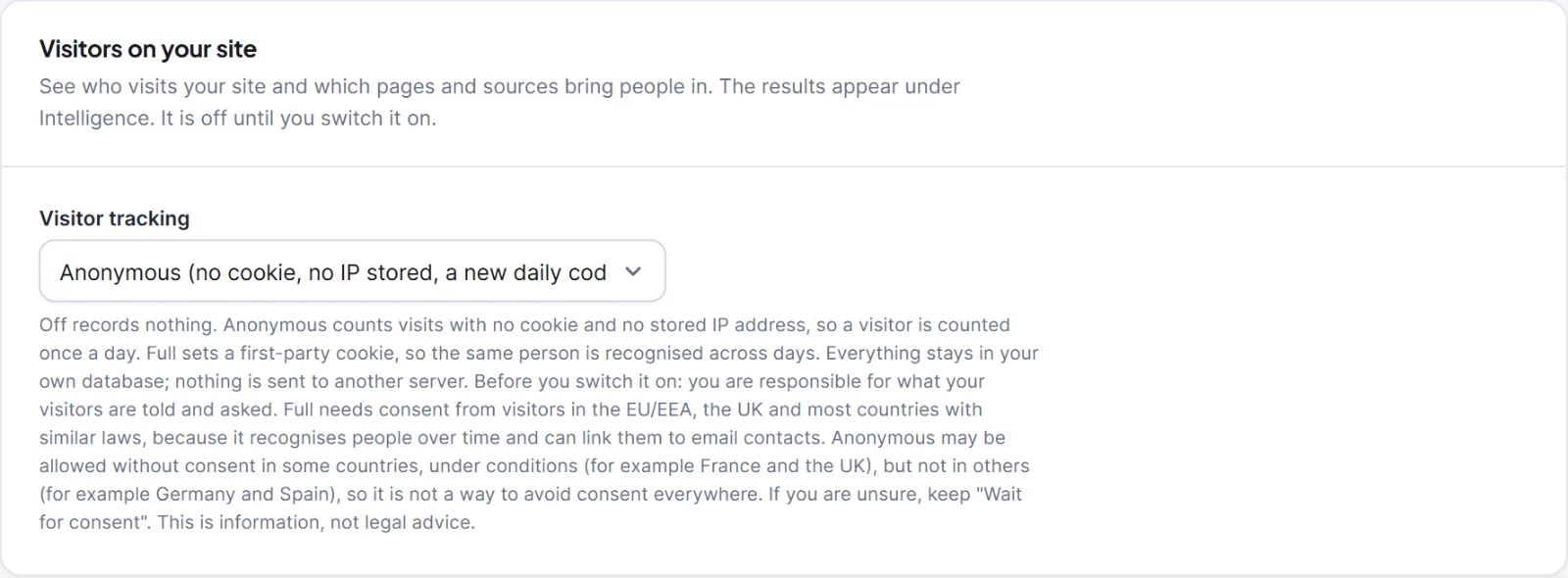
Visitor tracking is off. In Settings > Tracking & Privacy, card Visitors on your site, set Visitor tracking to Anonymous or Full and click Save changes. See Turn on visitor tracking.
-
Full mode waits for consent that never comes. With Full and Consent on Wait for consent (recommended), nothing is recorded until a visitor agrees. Switch on Show Hive Mail's consent banner, use a cookie-consent plugin, or choose Anonymous. See The consent banner and Use Hive Mail with a cookie-consent plugin. A refusal is remembered for 6 months, so test in a private window.
-
You are someone who is left out. Check Who and what is left out: Do not track logged-in people with these roles, Do not track these addresses (defaults
/wp-admin*and/wp-login.php), and the order-confirmation, account, password and sign-up page options. -
The browser sends a privacy signal. Respect "Do Not Track" and Global Privacy Control is on by default, so those browsers are not tracked. See Do Not Track, Global Privacy Control and who is never tracked.
-
The script is not on the page. View the page source in a private window and search for
hivemail-track.js. If it is missing, clear the page cache, check that the theme callswp_footer(), exclude the file from combining and delaying in your cache or speed plugin, and try without an ad blocker. See Conflicts with other plugins and caching. -
The request is refused. The tracker accepts requests only from your site's own host (not another domain alias,
wwwvariant or CDN host). In the browser's Network tab look for aPOSTto?hivemail=t; it should answer204. Developers can add hosts withhivemail_tracking_hosts(Hooks: filters). -
You tested with a robot. Requests without a user agent, such as
curl, are ignored. Use a real browser. -
The rate limit. The limit is 120 requests a minute per browser. Behind a load balancer or CDN, add it to Trusted proxies under Proxies and storage.
Longer date ranges use daily totals built by the scheduler, so a stopped scheduler delays older days (Scheduled sending and cron). To dig further, set System log level to Debug (everything), repeat the test and read Settings > Tools > System log (channel tracking).
This is information, not legal advice.


