

Messaging > Reports shows how your campaigns and flows did over the last 30 or 90 days. With a shop connected it also shows attributed revenue: money that came in after people clicked your emails. Open numbers need open tracking and clicks need click tracking (Settings > Tracking & Privacy, see Email tracking).
The Reports screen #
- Click Last 30 days (default) or Last 90 days in the Period switch. These are rolling days, not calendar months.
- Read the four numbers: Emails sent, Open rate, Click rate, Unsubscribed (with bounced and complained).
- Read the Per day chart (Sent, Opened, Clicked, in the site's timezone).
- Read Attributed revenue (only when a shop is present) and Flows side by side.
- In Campaigns of the last {30|90} days, click a row to open that campaign's report (How to read a campaign report). The table lists the 20 most recent: Campaign, Status, Sent, Opened, Clicked, When.
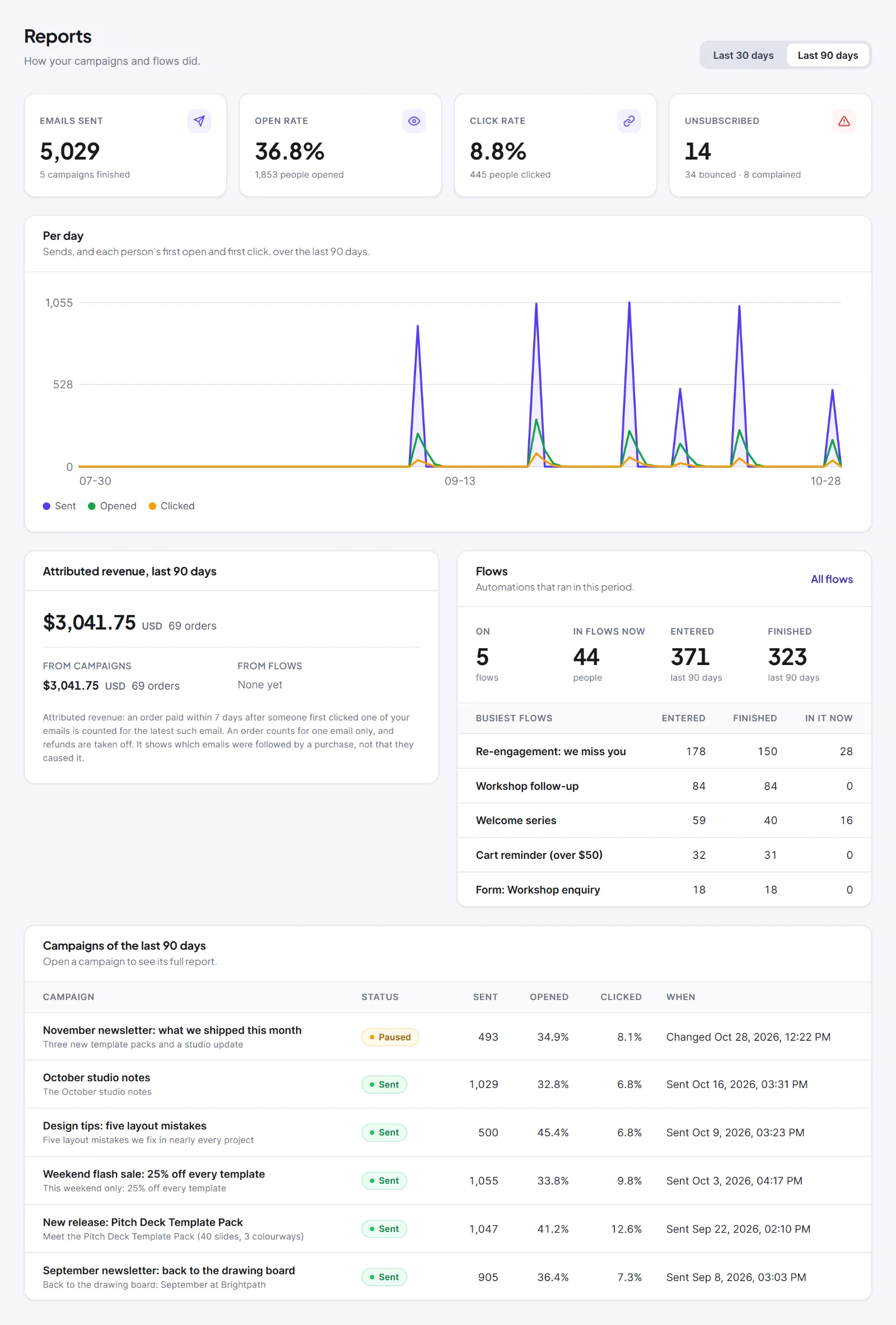
- Emails sent, Open rate and Click rate count campaign emails only, not flow emails. Open rate is people who opened at least once divided by emails sent.
- Unsubscribed, bounced and complained count people across all emails, campaigns and flows.
- The Flows card shows On, In flows now, Entered, Finished and the Busiest flows table (top five; each name opens that flow's report). All flows opens the Flows list. See Runs & Logs and flow reports.
Attributed revenue #
The Attributed revenue card appears on the campaign report, the flow report and the Reports screen when WooCommerce or Easy Digital Downloads is active (or an order was credited before). It shows one line per currency with the amount and "{n} orders"; on Reports it adds From campaigns and From flows. With a shop but no credited orders it says "No orders have been credited to an email yet".
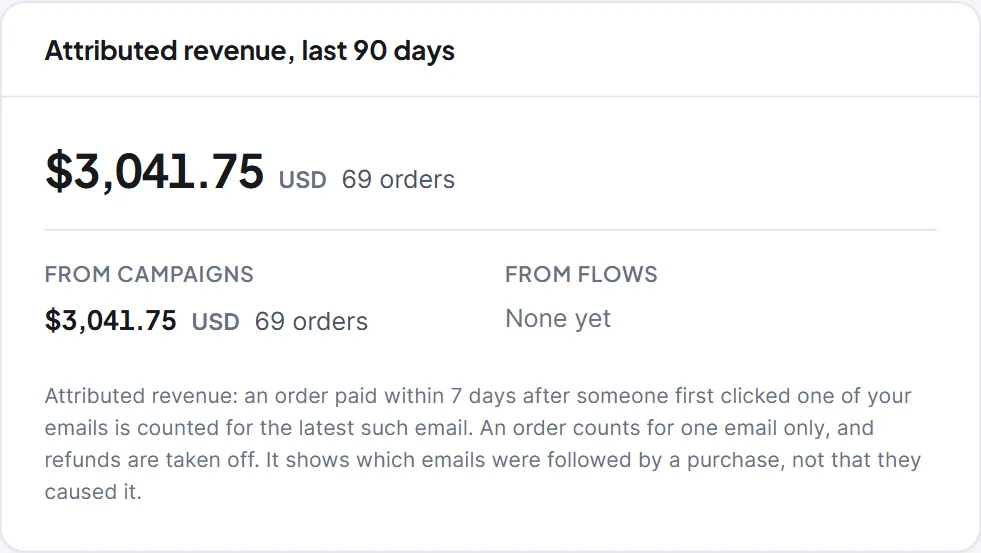
The rule:
- When an order becomes paid, Hive Mail finds the customer by the order's email address, which must belong to a contact.
- It looks for emails that person clicked, from campaigns and flows. The first click must be no more than 7 days before the order; the latest such click wins.
- The order's net amount is credited to that one email and to its campaign or flow. One order counts for one email only, so totals never exceed what the shop took.
- Refunds lower the credited amount afterwards. Currencies are never added together.
- An email that was only opened is never credited. Orders paid before this feature existed are not counted.
| Screen | Window |
|---|---|
| Campaign report | All time |
| Flow report | The last 30 days |
| Reports screen | The chosen 30 or 90 days |
The Dashboard also has a revenue card. Opens and clicks from security scanners and bots are ignored, so numbers are a guide, not a headcount.
Warning: Attributed revenue shows which emails were followed by a purchase, not that they caused it.
Next: WooCommerce with Hive Mail, Easy Digital Downloads with Hive Mail.


