

Export contacts to a CSV file for a backup, a spreadsheet or another tool.
Export #
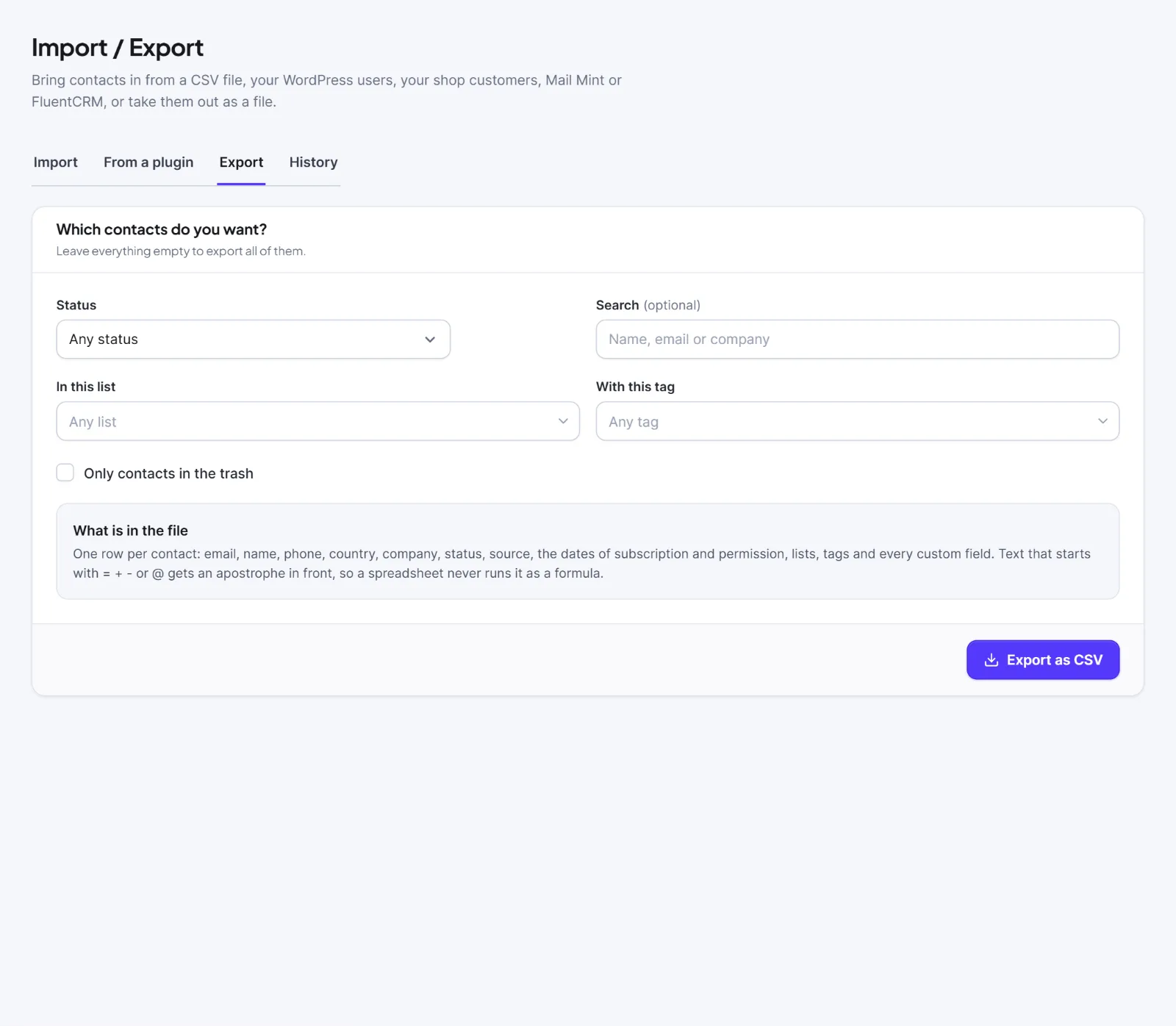
- Go to Audience > Import / Export and open the Export tab.
- In Which contacts do you want?, set filters. Leave them empty to export everyone.
- Status: Any status, Pending, Subscribed, Unsubscribed, Transactional, Bounced or Complained.
- Search: a name, email or company.
- In this list and With this tag. Clear list and tag resets them.
- Only contacts in the trash.
- Press Export as CSV. A bar shows "Building your export…" (you can press Cancel the export).
- The file downloads by itself and a green box says "Your export is ready: N contacts". Download again gets it once more.
There is no segment or custom-field filter on this form. To export such a group, give those people a tag first and export by tag.
The file #
Named hivemail-contacts-YYYY-MM-DD.csv, UTF-8, comma separated, newest first. Columns: email, first_name, last_name, phone, country, company, status, source, subscribed_at, unsubscribed_at, consent_source, consent_at, created_at, lists, tags, then one column per custom field, headed by its label.
- Dates are UTC, ISO format.
listsandtagshold names separated by "; ". Only lists the person is subscribed to appear.- Checkboxes read "yes" or "no"; multi-selects read like "a; b".
- Text starting with
=,+,-or@gets an apostrophe in front so a spreadsheet never runs it as a formula.
The file can be imported again with the CSV import.
The History tab #
Audience > Import / Export > History lists every recent job (imports, exports, and other background jobs such as campaign sending) with its Status (Waiting, Running, Finished, Failed, Cancelled), Result and When.

On a row: Download (an export) or Download errors (rows not imported); Cancel while waiting or running (what is done is kept); Delete, which removes the job and its files but not imported contacts. Finished and failed jobs are deleted after 30 days; cancelled jobs after 1 day.
Files are stored in a locked folder under random names, and downloads need you to be signed in.
Warning: The file holds personal data. Store it safely and delete it when you no longer need it.
For one person's data request, use Privacy tools.


