

Hive Mail writes and queues your emails; a delivery method then carries them to the inbox. Fill in Default From email and Business address in Settings > General first.
Delivery methods #
| Method | What it is |
|---|---|
| WordPress mail | Hive Mail hands each email to WordPress. If an SMTP plugin is active, it sends it, and the card is renamed Your SMTP plugin followed by its name. Hive Mail recognises FluentSMTP, WP Mail SMTP, Post SMTP and Easy WP SMTP. |
| Mailgun | Hive Mail sends each email to Mailgun over its API. Badge: Recommended for newsletters. |
| SendGrid | Hive Mail sends each email to SendGrid over its API. |
Hive Mail has no SMTP form of its own on purpose; an SMTP plugin does that better.
Warning: With no SMTP plugin, WordPress sends straight from your web server. Many hosts limit that and mail is often marked as spam. The first card then shows Testing only. Do not use it for campaigns.
Choose a method #
- Open Settings > Sending.
- In How should Hive Mail send email? pick a method.
- For Mailgun, fill in Mailgun API key, Mailgun sending domain (for example
mg.example.com) and Mailgun region (United States or Europe). For SendGrid, fill in SendGrid API key (Mail Send access is enough). - Click Save changes.
- Type your address in Send a test email to and click Send test email.
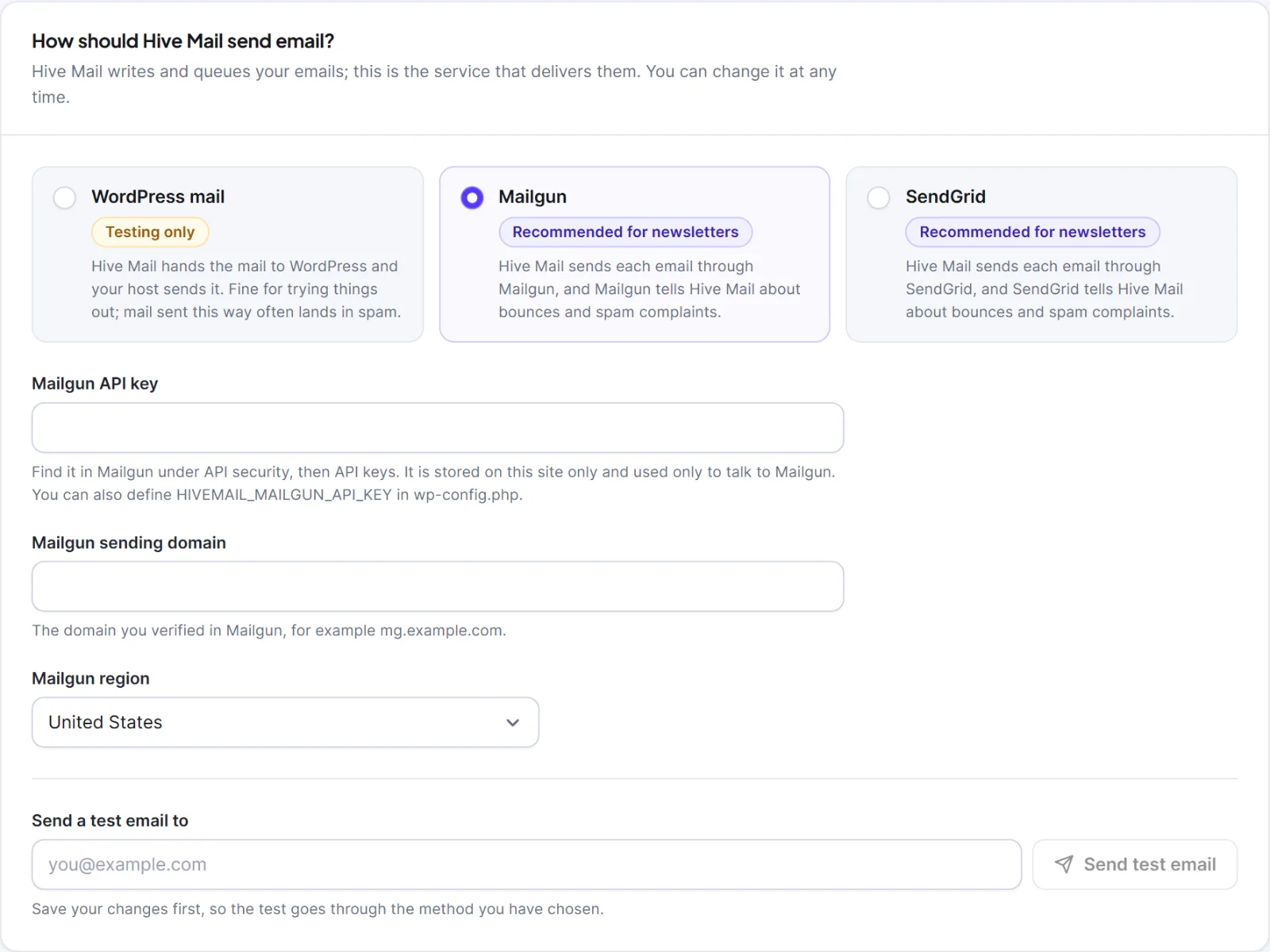
The test button stays off until you have saved, so the test uses the method you chose. All settings are in Settings: Sending.
To keep a key out of the database, define it in wp-config.php: HIVEMAIL_MAILGUN_API_KEY, HIVEMAIL_MAILGUN_DOMAIN, HIVEMAIL_MAILGUN_REGION (us or eu), HIVEMAIL_MAILGUN_SIGNING_KEY, HIVEMAIL_SENDGRID_API_KEY or HIVEMAIL_SENDGRID_WEBHOOK_KEY. The field then shows Set in wp-config.php and the constant wins.
Sending speed #
In the card Sending speed choose Recommended (up to 60 emails a minute) or Manual: "Send up to … emails every … minutes" (default 25 every 5). Match your host's or service's limit; the rest of a campaign waits in the queue.
How it works #
- Queue. Campaigns, automation emails and confirmation emails go into a queue that the once-a-minute scheduler sends at your sending speed. If the scheduler stops, queued email waits. See Scheduled sending and cron. The test buttons and alerts to you skip the queue, so a working test does not prove the queue is moving.
- Every marketing email carries a footer with your business name, address and unsubscribe link, the
List-Unsubscribeheaders, and open and click tracking as set in Settings > Tracking & Privacy. See The email footer. - Skipped. Just before each email leaves, Hive Mail checks the person again. It skips someone who is no longer subscribed, is suppressed or bounced, asked not to be emailed, or was deleted. The sending log shows Skipped with the reason.
- Retries. A temporary problem is tried again, up to 3 attempts in total, at least 30 seconds times the attempt number apart. A refused key fails at once. A message stuck in sending for over 30 minutes is requeued, or marked failed after 3 attempts. Retry failed emails from Deliverability > Sending Log.
- Bounces. Mailgun and SendGrid tell Hive Mail about bounces so it stops emailing that address. Plain WordPress mail cannot. See Bounces and suppressions and Webhooks and API keys.
Next: Scheduled sending and cron, Is my site ready to send email?, Emails are not sending.


