

Hive Mail > Settings > WooCommerce sets the sign-up box at the WooCommerce checkout and abandoned-cart tracking. The tab appears only while WooCommerce is active. For recovery emails you also need a flow starting from "WooCommerce: a cart is abandoned" and a working scheduler (Abandoned cart recovery).
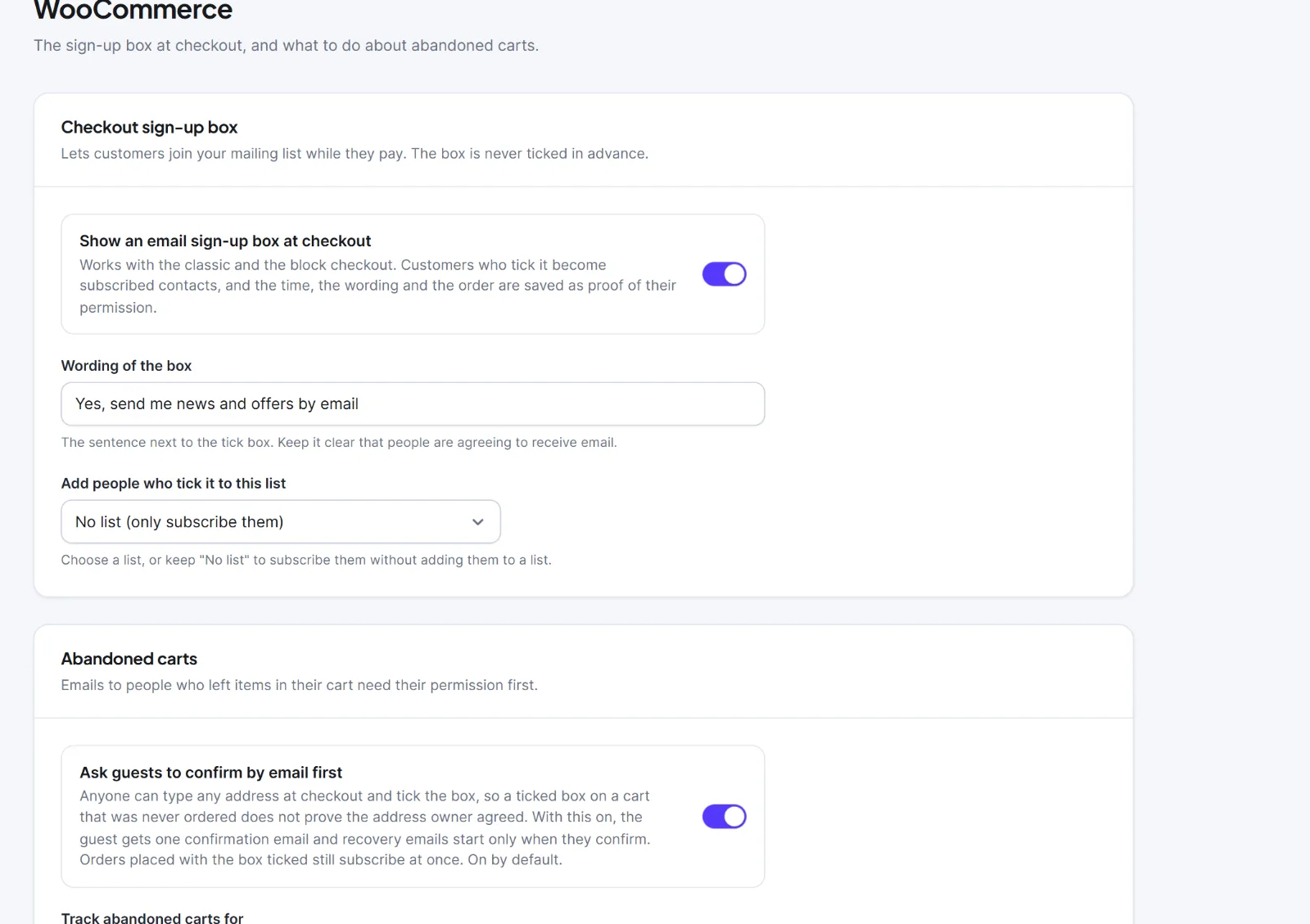
| Setting | What it does | Default |
|---|---|---|
| Show an email sign-up box at checkout | Adds the box to the classic and block checkout. It is never ticked in advance. Ticking subscribes the customer; the time, wording and order are saved as proof | On |
| Wording of the box | The sentence beside the tick box. Empty uses the default | "Yes, send me news and offers by email" |
| Add people who tick it to this list | One of your first 100 lists | "No list (only subscribe them)" |
| Ask guests to confirm by email first | A guest who ticked the box on an unfinished cart gets one confirmation email; recovery emails start only when they confirm. Orders placed with the box ticked still subscribe at once | On |
| Track abandoned carts for | "Logged-in customers, and guests once they type their email at checkout", "Logged-in customers only" or "Off". Guests are never emailed unless they ticked the box | Logged-in customers and guests |
| A cart is abandoned after (minutes) | 15 to 1440, with no order and no change | 60 |
| Keep carts for (days) | 7 to 730; older carts and their restore links are deleted daily | 90 |
Click Save changes ("Settings saved") and test with a product in the cart in a private window.
On the classic checkout the box sits under the billing email and is hidden from a logged-in customer who is already subscribed. On the block checkout it needs WooCommerce 8.9 or newer. A ticked box records the source woo_checkout, the time and the exact wording on the contact's timeline, and adds an order note. Someone who unsubscribed, bounced, complained or asked not to be emailed is never subscribed again by the box.
A script on the checkout sends the email address to your own site when the field is left; nothing leaves your site. Recovery emails can use {{cart_url}}, {{cart_items}} and {{cart_total}}. Paid orders are summarised per customer under Commerce > WooCommerce in the sidebar (WooCommerce with Hive Mail).
Warning: Never pre-tick the box by a theme or snippet; a pre-ticked box is not proof of permission.
Next: Abandoned cart recovery, Settings: Easy Digital Downloads.


