

The AI & MCP tab in Settings is where an administrator connects the assistant to an AI service, turns it on, chooses how far it may go and sets its limits. You need an account and an API key with an AI company, which you pay directly. Hive Mail works with Anthropic (Claude) and with OpenAI or a service that works the same way.
Turn it on #
- Open Settings > AI & MCP.
- In AI service and key, choose the AI service and paste your API key.
- In Turn it on, read What is sent, and to whom, then tick I understand what is sent to the AI service and I accept it.
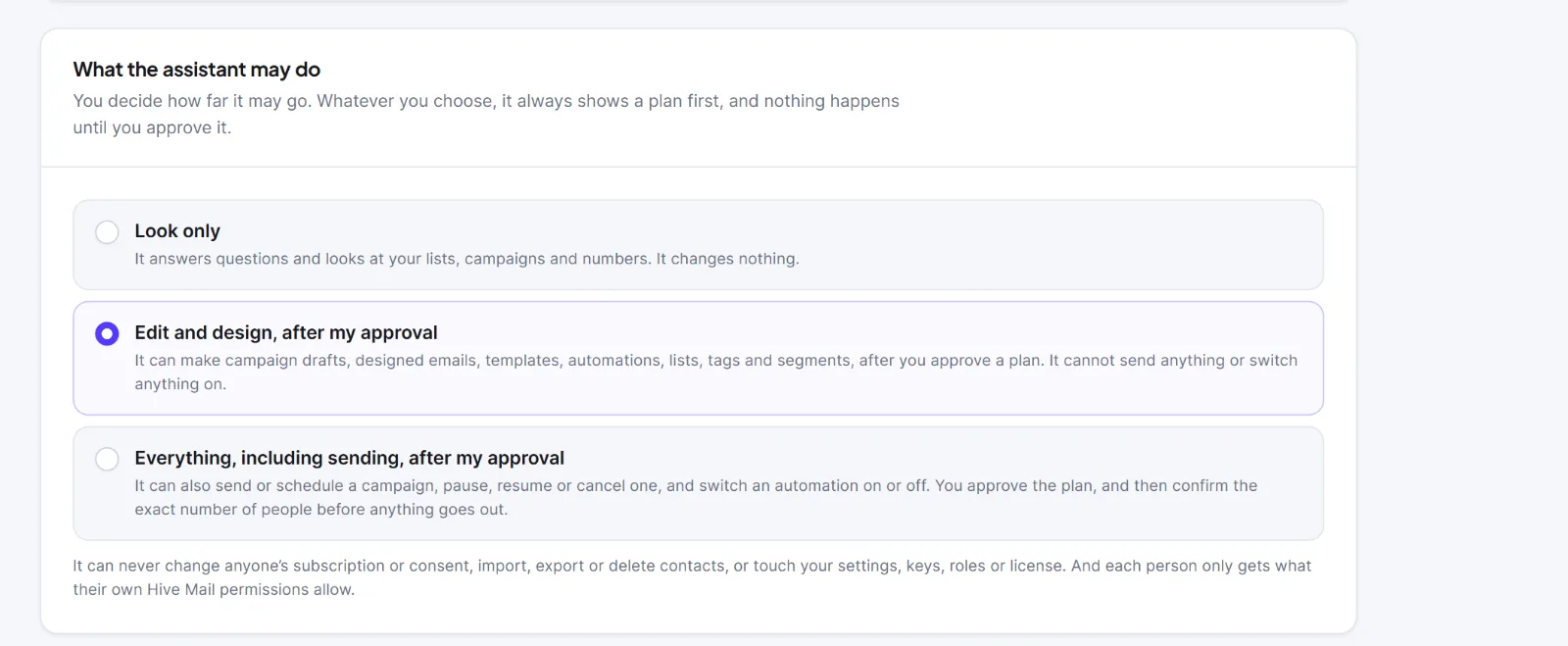
- In What the assistant may do, choose a level (see below). The default is Edit and design, after my approval.
- Switch on Turn the assistant on, then press Save.
- Check the Connection card says Connected.
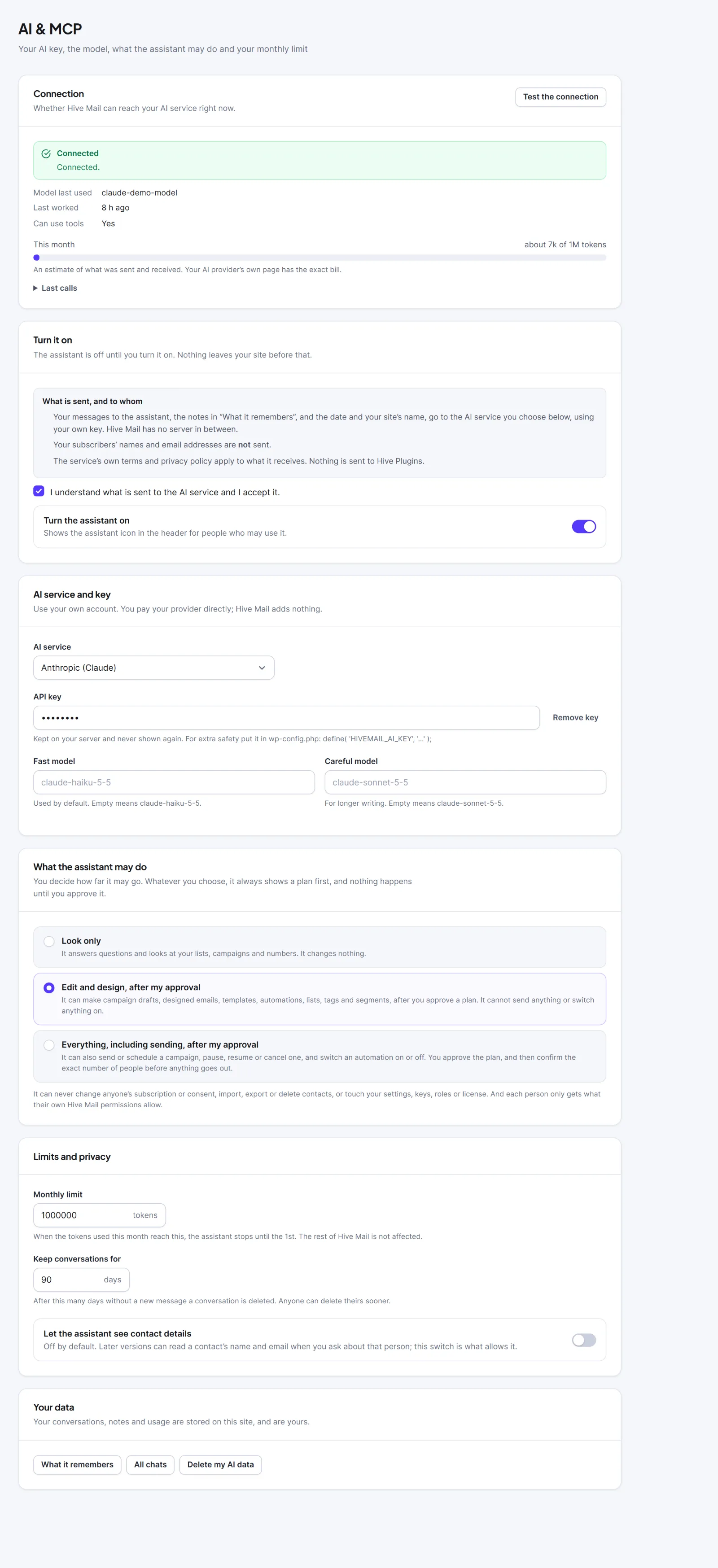
Without the tick, saving stops with "Tick the box to say you understand what is sent to the AI service, then save."
Settings #
| Setting | What it does | Default |
|---|---|---|
| AI service | Anthropic (Claude) or OpenAI, or a service that works the same way | Anthropic (Claude) |
| API key | Your key. Kept on your server and shown only as dots. Remove key deletes it | Empty |
| Address of the service | Shown for OpenAI-style services. Use https, or http for a model on your own computer (such as http://localhost:11434/v1, which needs no key) |
OpenAI (https://api.openai.com/v1) |
| What the assistant may do | Look only, Edit and design, after my approval or Everything, including sending, after my approval. Whatever you choose, it shows a plan first and nothing happens until the person approves | Edit and design |
| Fast model | Default model, also used for notes and tests | claude-haiku-5-5 or gpt-4o-mini |
| Careful model | Used when someone picks Careful | claude-sonnet-5-5 or gpt-4o |
| I understand what is sent… | Your confirmation. The assistant does not work without it | Off |
| Turn the assistant on | Shows the assistant to people who may use it | Off |
| Monthly limit | Most tokens for the whole site per month (10,000 to 1,000,000,000). The assistant stops until the 1st; the rest of Hive Mail is unaffected | 1,000,000 |
| Keep conversations for | Days without a new message before a chat is deleted (7 to 3,650) | 90 |
| Let the assistant see contact details | A switch for a future ability. It changes nothing today | Off |
Leave Fast model and Careful model empty to use the defaults. Only Everything, including sending lets it send or schedule a campaign, pause, resume or cancel one, and switch an automation on or off; each of those also needs its own confirmation in the chat (The AI assistant). Whatever the level, it can never change subscriptions or consent, import, export or delete contacts, or touch settings, keys, roles or the license, and each person only gets what their own Hive Mail permissions allow. Who may use the assistant at all is set in Roles & Permissions (Use the assistant). A token is a small piece of text that AI services count and charge by.
To keep the key out of the database, add define( 'HIVEMAIL_AI_KEY', '...' ); to wp-config.php. It then always wins, and the API key box shows "Set in wp-config.php".
The Connection card #
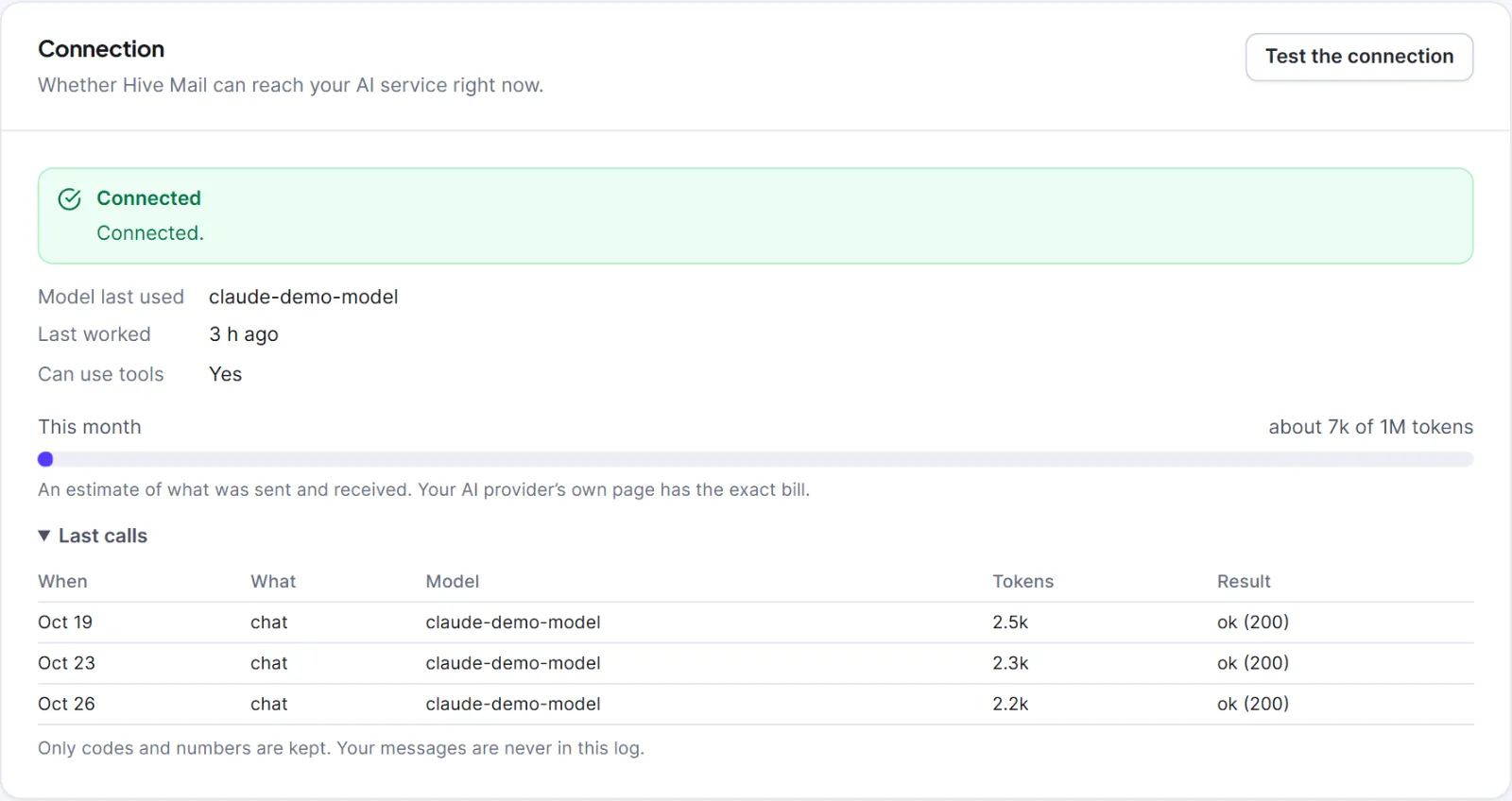
Press Test the connection after any change (it counts toward the monthly tokens). The card shows Connected, Connected, with limits or Not connected with the reason, plus Model last used, Last worked, Can use tools, Last problem (quote its code when asking your AI company for help), This month (an estimate; your provider has the exact bill) and Last calls (the last 20 requests, never your text).
Your data #
What it remembers and All chats open your notes and history (Chat history and memory). Delete my AI data deletes your own chats, notes and usage rows from this site.
Warning: Deleting your AI data cannot be undone. Never share your API key; if it leaks, create a new one with your AI company and replace it here.
If the card says "This model can chat but cannot read your data or make changes. Choose another model to unlock that.", the model cannot use tools: the assistant can talk but cannot look anything up or make plans, so pick another model. Fixing a problem: "The AI service did not accept your key." means a wrong or inactive key or the wrong AI service. "Your AI account has no credit left." means add credit, then press Check again. "This website cannot reach the AI service." means your host blocks outgoing connections.
The card What is sent, and to whom is a short summary. The full list, including what the assistant looks up on your site, is in The AI assistant. This is information, not legal advice.


