

A merge tag is a placeholder such as {{first_name}}. When Hive Mail sends the email it replaces the tag with that person's value, so one email says "Hi Maria" to Maria and "Hi Omar" to Omar.
Write a tag and a fallback #
A tag has two curly brackets on each side, starts with a letter, and holds letters, digits and underscores. Spaces and capitals do not matter: {{ First_Name }} works.
A fallback is the text used when a person has no value. Put it after a pipe: Hi {{first_name|there}},. Without one an empty tag prints nothing, which can leave "Hi ,". An unknown or misspelled tag shows its fallback, or nothing.
Built-in tags #
| Tag | Prints |
|---|---|
{{email}} |
Email address |
{{first_name}}, {{last_name}}, {{full_name}} |
First, last, or both names |
{{phone}}, {{country}}, {{company}} |
Phone, country code, company |
{{site_name}}, {{site_url}} |
Site title; home address with a trailing slash |
{{business_name}}, {{business_address}} |
Business name and Business address from Settings: General |
{{current_year}} |
The year |
{{unsubscribe_link}} |
A finished "Unsubscribe" link (the address in plain text) |
{{unsubscribe_url}} |
Only the address, for your own link |
{{preferences_url}} |
Address of the preferences page |
{{view_in_browser_link}}, {{view_in_browser_url}} |
A "View in browser" link, or its address. Campaigns only; empty elsewhere |
Every custom field is also a tag written with its slug: a field with slug plan is {{plan}}. Several values print separated by commas; a yes/no field prints Yes or No. Custom fields never replace a built-in tag.
With WooCommerce or Easy Digital Downloads active the menu adds tags such as {{order_number}}, {{order_total}}, {{total_spent}} and {{cart_url}}. Emails in a flow can also use {{post_title}}, {{post_url}} or {{form_title}}, depending on the trigger; type those by hand. See WooCommerce, Easy Digital Downloads and Triggers.
Insert a tag #
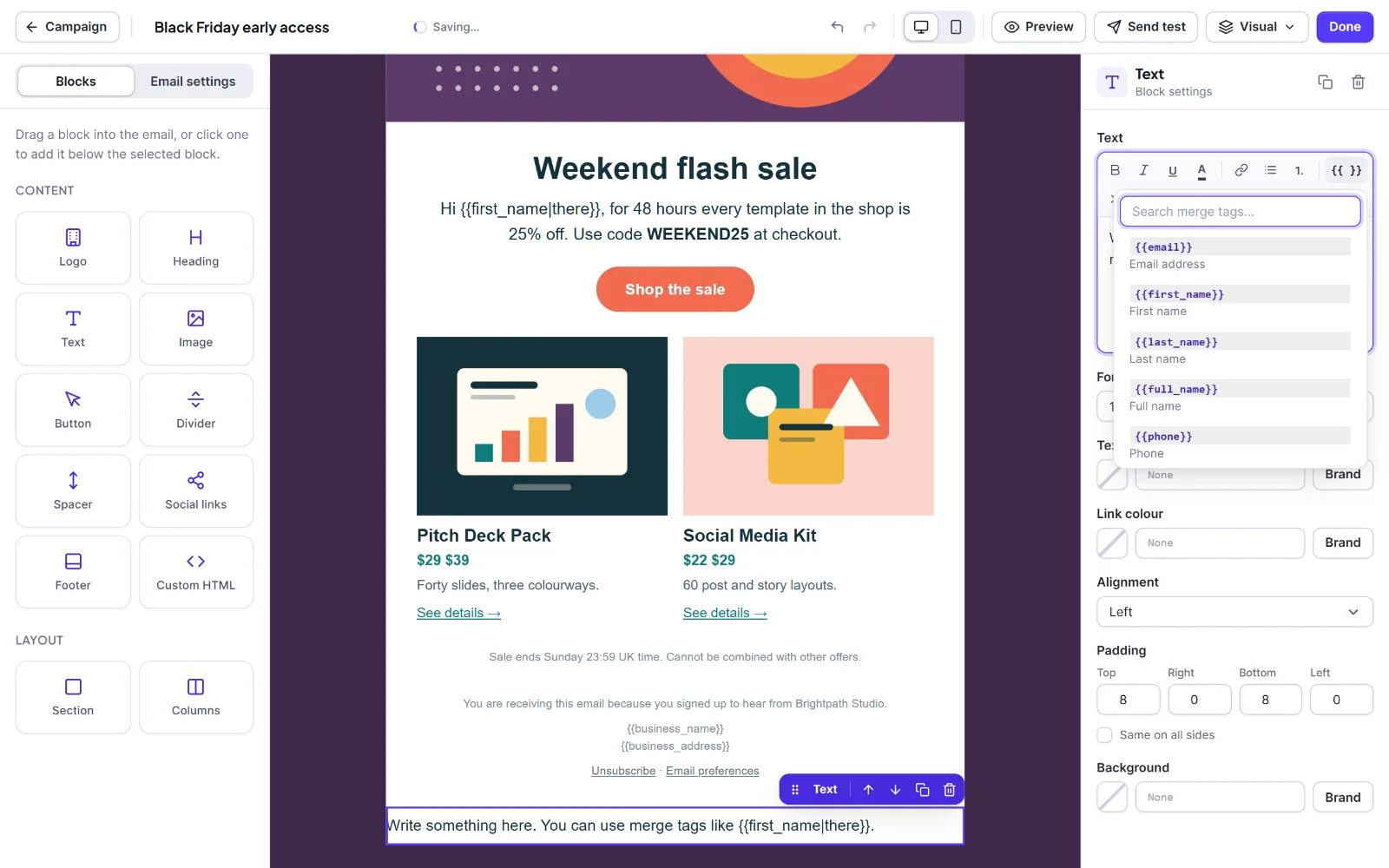
- Click inside a text, heading, button, footer or plain text box (link boxes have the button too).
- Click
{{ }}, type in Search merge tags…, and click a tag. - For a fallback, add a pipe by hand:
{{first_name|there}}.
In rich-text boxes a tag shows as a small chip; in plain text and code it stays as typed. Tags work inside link addresses, such as href="{{site_url}}".
Where tags work #
They work in the campaign subject and preview text (line breaks are removed), in all four editors, and in link addresses. They do not work in a campaign or template name, or in the flow step Set a field, which stores your text as typed.
Hive Mail fills tags one person at a time in a single pass, so text like {{x}} inside a name is not expanded again. Values in the body are escaped. The editor preview and test emails use sample values ("Alex" and "Morgan" for names, the fallback for other tags). To see a real person, use Preview and pick a contact in Preview as a contact… (Choose an email editor).
Tip: Give every greeting and every tag in a subject a fallback, so nobody gets "Hi , here is the news".
Next: Custom fields, The email footer.


