

Once a campaign starts sending, its page becomes a report. Open Messaging > Campaigns and click a campaign that is sending, paused, sent, cancelled or failed. While it sends or is paused the report refreshes every 15 seconds. Open and click numbers need open and click tracking, both on by default: see Settings: Tracking & Privacy.
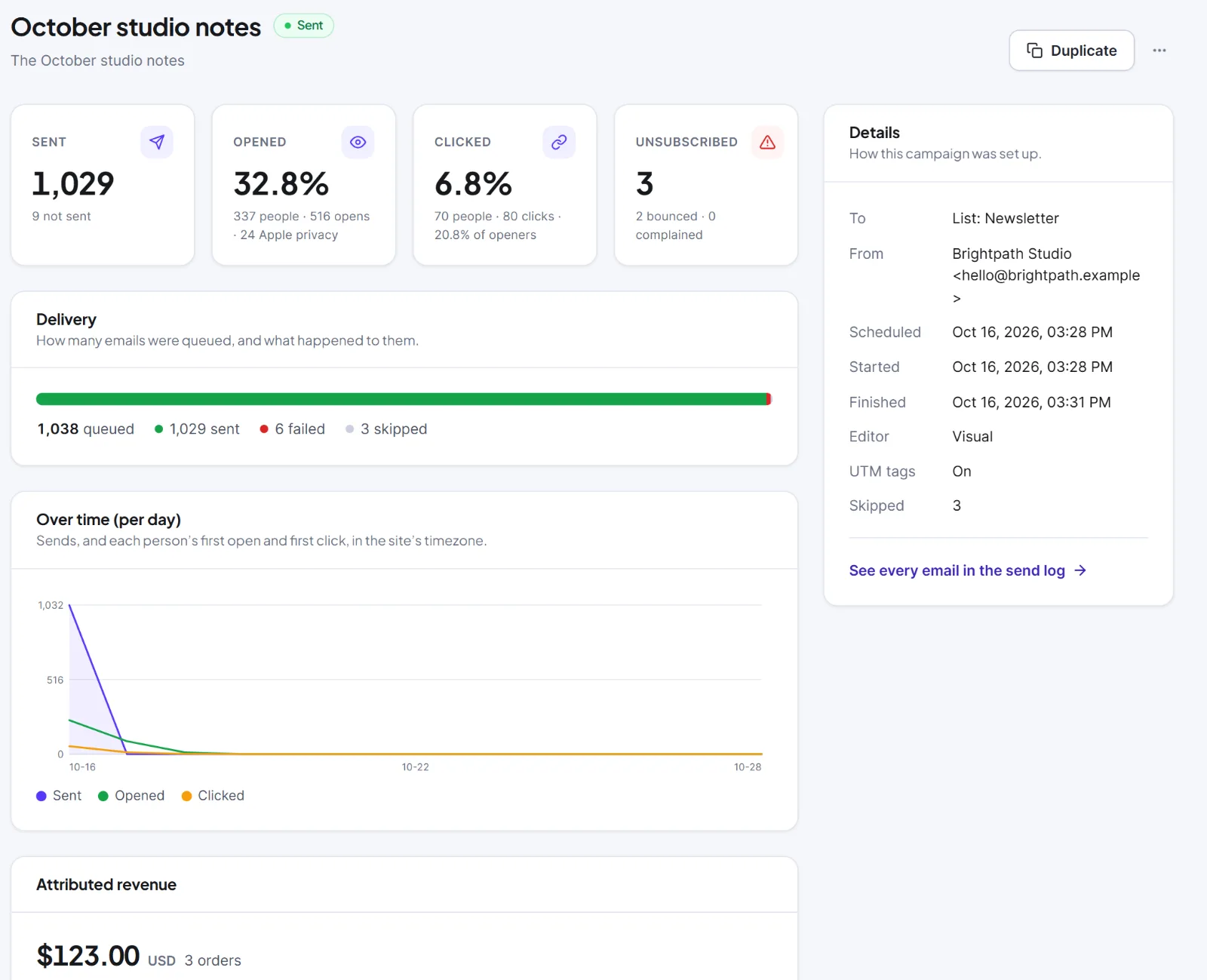
The four numbers #
| Number | What it shows | Note under it |
|---|---|---|
| Sent | Emails the delivery method accepted | "{n} not sent" (failed plus skipped), or "Every email went out" |
| Opened | Open rate: people who opened at least once, as a share of sent | "{n} people · {n} opens", plus "{n} Apple privacy" and "{n} anonymous" when they exist |
| Clicked | Click rate | "{n} people · {n} clicks · {x}% of openers" |
| Unsubscribed | People who used this campaign's unsubscribe link | "{n} bounced · {n} complained" |
Bounces and complaints count only within 7 days after the person received the email.
The cards #
- Delivery: a bar and "{N} queued", "{n} sent", "{n} waiting", "{n} failed", "{n} skipped". Failed means it could not be sent after 3 attempts (retry in the sending log). Skipped means the person was no longer eligible, or the campaign was cancelled or failed.
- Over time (per hour) or (per day): Sent, Opened and Clicked lines in the site's timezone. Hours for the first 3 days, then days, up to 60.
- A/B subject lines: A/B tests only. See A/B subject line tests.
- Links: Link, Clicks and People, most clicked first. Anonymous click tracking shows "+N anonymous".
- Attributed revenue: when WooCommerce or Easy Digital Downloads is active. An order paid within 7 days after someone first clicked an email is credited to the latest such email, once, and refunds are taken off. It shows what followed an email, not what it caused. See Reports and revenue.
- People: tabs Got it, Opened, Clicked (default), Unsubscribed, Bounced or complained, Failed, Skipped; 25 per page. Click a person to open their profile. Click Export CSV ({N}) to download the group (email, name, status, when, count, detail, variant). An export holds at most 10,000 people.
| Label | What it counts |
|---|---|
| Opened (unique) / Opens (total) | People who opened at least once / every counted open |
| Apple privacy | Opens by Apple Mail's privacy protection, which loads images for everyone. Kept out of the open rate |
| Anonymous | Opens counted without a contact, when Open tracking is anonymous |
| Clicked (unique) / Clicks (total) | People with at least one click / every counted click |
| Click-to-open | People who clicked divided by people who opened |
Open numbers are a guide. Hive Mail ignores security scanners and bots and treats a click within 3 seconds of sending as a scanner. Plain text emails cannot track opens, and their links are tracked only if Track clicks on links is on. Each open gives a person +1 engagement point and each click +3.
The Reports screen #
Messaging > Reports sums up campaigns and flows. The switch Period is Last 30 days (default) or Last 90 days.
| Part | What it shows |
|---|---|
| Four numbers | Emails sent, Open rate, Click rate, Unsubscribed |
| Per day | Sent, Opened and Clicked |
| Attributed revenue | With a shop active; split "From campaigns" and "From flows" |
| Flows | On, In flows now, Entered, Finished, and Busiest flows |
| Campaigns of the last {30 or 90} days | The 20 most recent; click a row for its report |
Under Unsubscribed the screen also shows how many bounced and complained.

Warning: The report shows personal data, such as who opened what. Export it only where you need it and keep the file safe.
This is information, not legal advice.


