

Every contact has one status. It tells Hive Mail whether it may email the person, and what kind of email. Marketing email (campaigns and marketing automations) goes only to Subscribed people. Service email, such as the confirmation email or an order message, does not need a subscription, but never goes to bounced, complained or suppressed addresses.
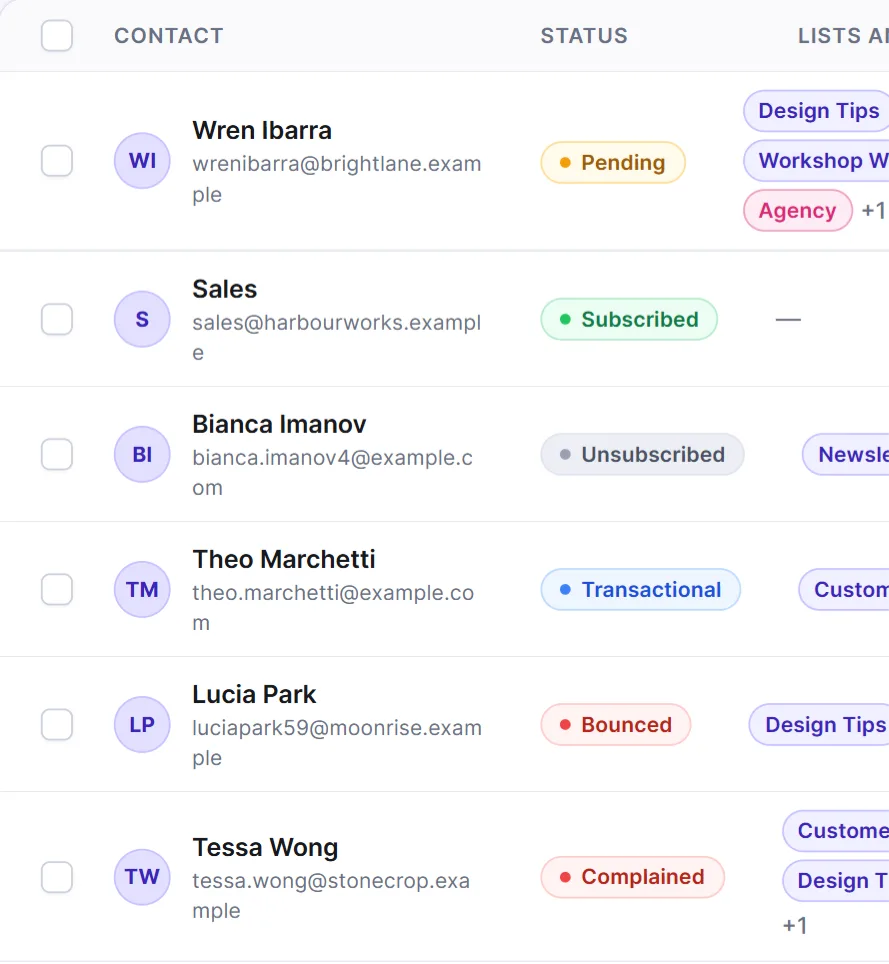
| Status | What it allows |
|---|---|
| Pending | Has not agreed yet. No campaigns or marketing automations; can get service emails such as the confirmation. Becomes Subscribed when they press the confirm button or tick a consent box. |
| Subscribed | The only status that gets campaigns and marketing automations. |
| Unsubscribed | Opted out. No marketing email. A service email from a flow can still reach them. |
| Transactional | Gets service emails such as order receipts, never campaigns. Common for shop customers. |
| Bounced | The address failed for good, or failed temporarily too many times (default 5 in 30 days). Never emailed again. |
| Complained | The person reported your email as spam. Never emailed again. |
Only Subscribed contacts count as "can get your campaigns" in segment previews and audience counts.
Change a status #
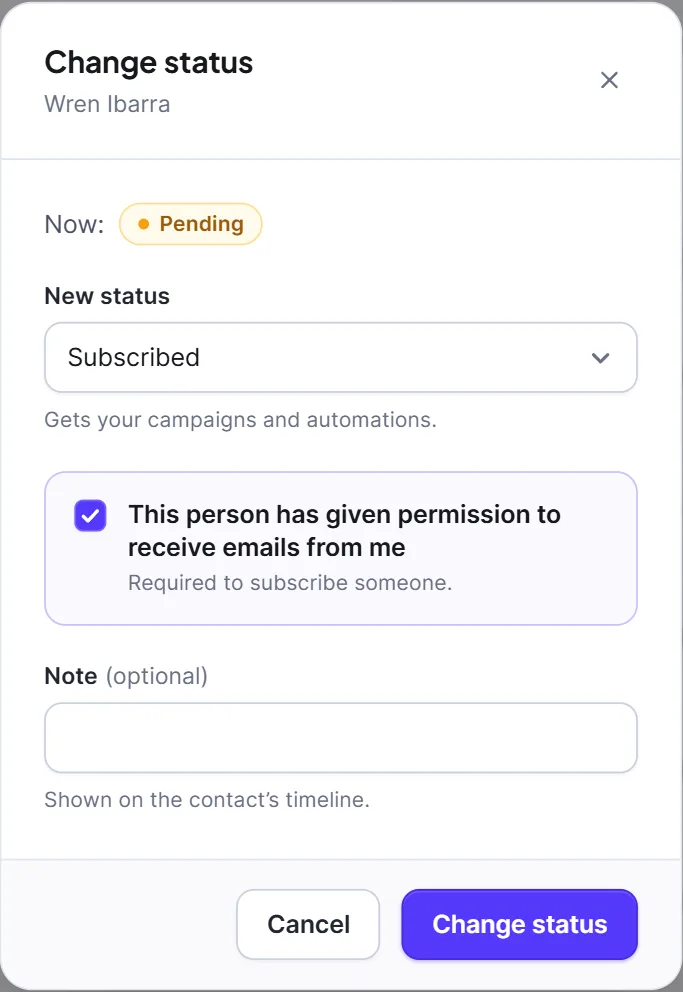
- On Contacts, open the contact's ⋯ menu and choose Change status (or click Change status on the profile).
- Pick a New status. Only allowed choices are listed.
- For Subscribed, tick This person has given permission to receive emails from me. Hive Mail keeps the time and source as proof, shown on the profile as Permission given.
- Optional: add a Note that shows on the timeline. Click Change status.
| From | You can change it to |
|---|---|
| Pending | Subscribed, Unsubscribed, Transactional |
| Subscribed | Unsubscribed, Transactional |
| Unsubscribed | Subscribed, Transactional (only with the extra confirmation below) |
| Transactional | Subscribed, Unsubscribed |
| Bounced, Complained | Nothing by hand. Use Reactivate. |
Nobody can be set back to Pending by hand, and Bounced and Complained are only set automatically.
Move someone who unsubscribed #
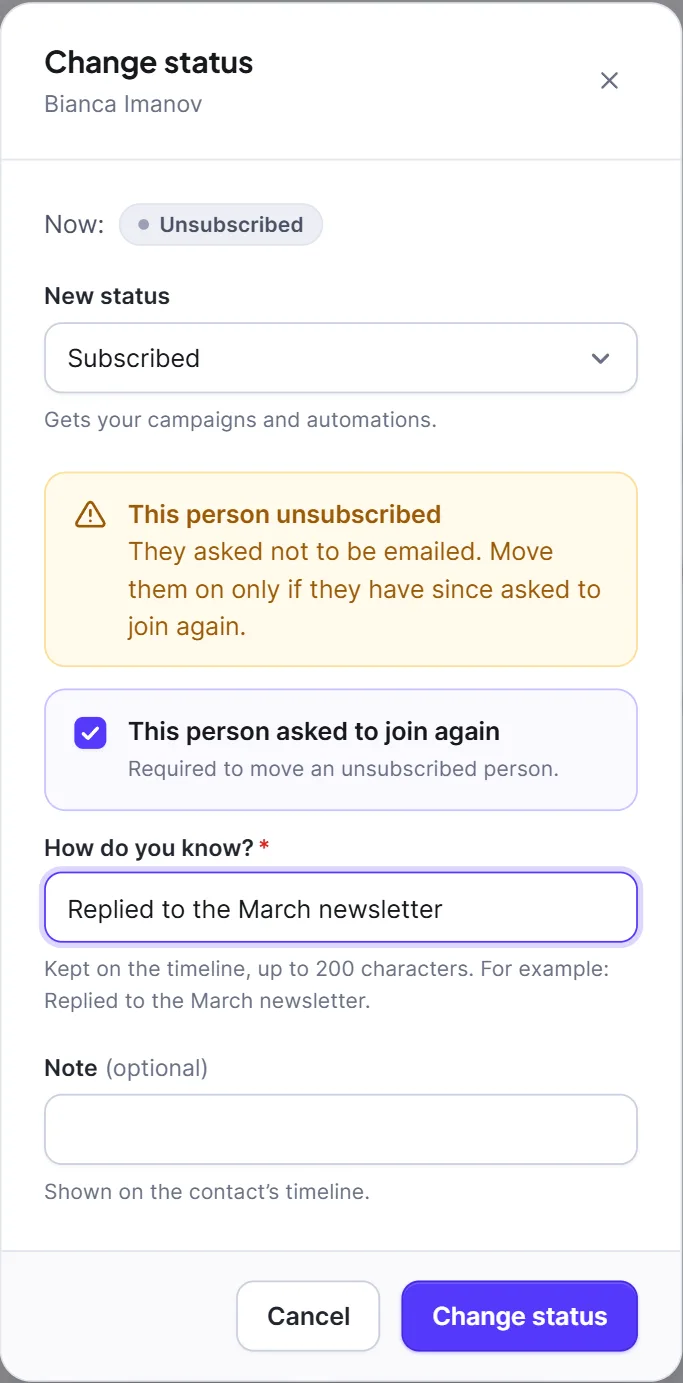
A person who unsubscribed is moved on only on their word. Imports, forms, automations and shop or user syncs can never reverse an unsubscribe.
- Open Change status. A yellow box says This person unsubscribed.
- Pick Subscribed or Transactional.
- Tick This person asked to join again.
- Fill in How do you know? (required), for example "Replied to the March newsletter."
- Click Change status.
Reactivate a bounced or complained address #
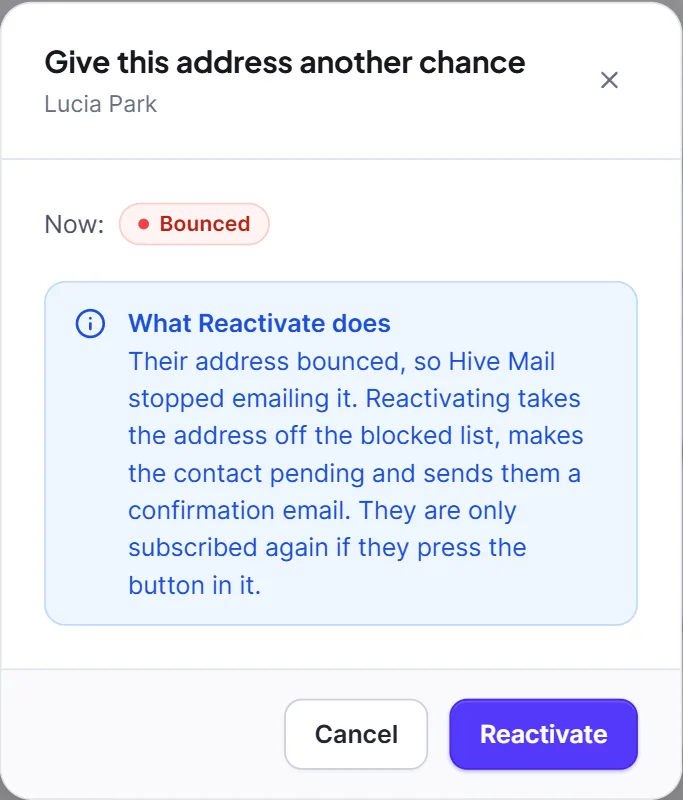
- Open the contact's profile and click Reactivate.
- Read What Reactivate does and click Reactivate.
The address comes off the blocked list, the contact becomes Pending and a confirmation email is sent. They are subscribed again only if they press its button.
Changes Hive Mail makes itself #
| Event | Result |
|---|---|
| Someone uses the unsubscribe link, or Unsubscribe from all on the preferences page | Unsubscribed |
| Someone presses the confirm button in the confirmation email | Subscribed |
| A sending service reports a permanent bounce, or temporary failures reach the limit | Bounced |
| A sending service reports a spam complaint | Complained |
A blocked (suppressed) address can never be subscribed, and imports never change the status of an existing contact. Someone can also opt out of just one public list and stay Subscribed overall. See Lists. The temporary-failure limits are in Settings: Compliance.
Warning: Never set Subscribed for people who did not agree. You are responsible for consent. See Consent and the law.


