

The profile shows one person's details, lists, tags, campaigns, automations and a dated history. Open Audience > Contacts and click a person's name or row. You need "See the audience" to look and "Manage the audience" to change anything; the Journey tab also needs "See visitor reports".

Header buttons #
| Button | Shows when | What it does |
|---|---|---|
| Edit | always | Opens the edit dialog. |
| Change status | a change is allowed | See Contact statuses. |
| Reactivate | Bounced or Complained | Gives the address another chance. |
| Send confirmation email | Pending | Queues the double opt-in email. |
| Move to trash | always | Restorable for 30 days. A trashed contact shows a banner with Restore and Delete permanently. |
Left column #
- Details. Email, Company, Phone, Country, Source, Subscribed, Unsubscribed, Permission given, Engagement score, Added and Last updated. Source is where the person was first added, for example
admin(by hand),import,form:<id>(a Hive Mail signup form),wp_users,migration, a connected form (fluentforms,wpforms,cf7,gravityforms,elementor) or a shop (edd,woocommerce,affiliatewp). Permission given is the proof of consent: the source and time recorded when they were subscribed. - Engagement score. Goes up by 1 for an email open, 3 for a click, 1 for a day with a site visit, 1 for a product or pricing page view (once a day) and 10 for a purchase, up to 100,000. See Visitors & Journeys.
- Custom fields. Shown if you have any. See Custom fields.
- Lists and tags. Pickers Add to a list… and Add or create a tag…. Each change saves at once. Lists the person left show under "Opted out of:". Segments shows the segments the person is in right now.
- Campaigns. Up to 100 campaign emails sent to the person, newest first, with status (Sent, Skipped, Failed, Waiting to send), opens and clicks.
- Automations. The flows the person is in or went through, with the current step and a step log. To enroll them, click Add to a flow, pick a switched-on flow in Flow and click Add. See Re-entry and existing contacts.
Activity timeline #
The right column lists what happened to the person, newest first, 20 at a time (Load older activity). It is also the proof of consent.
| Group | What it records |
|---|---|
| Contact | Created (with status and source), status changes with your note, moves of an unsubscribed person on their word, reactivation, edited details, trash and restore. |
| Lists and tags | Added, removed, opted out of or resubscribed to a list; a tag added or removed. |
| Sent (subject), opened, clicked a link, unsubscribed (with the reason they chose), bounced or marked as spam. | |
| Apple Mail | "Apple Mail loaded an email". Apple's privacy protection loads every image, so this is not counted as an open. |
| Consent | Confirmation email requested and confirmed, signup form sent (with the wording they agreed to), checkout box ticked. |
| Shop | Placed order, left a cart, came back and ordered. |
| Flows | Entered, finished, left early, taken out, or a step failed. |
| Visitor tracking | Recognised on the site, and how. |
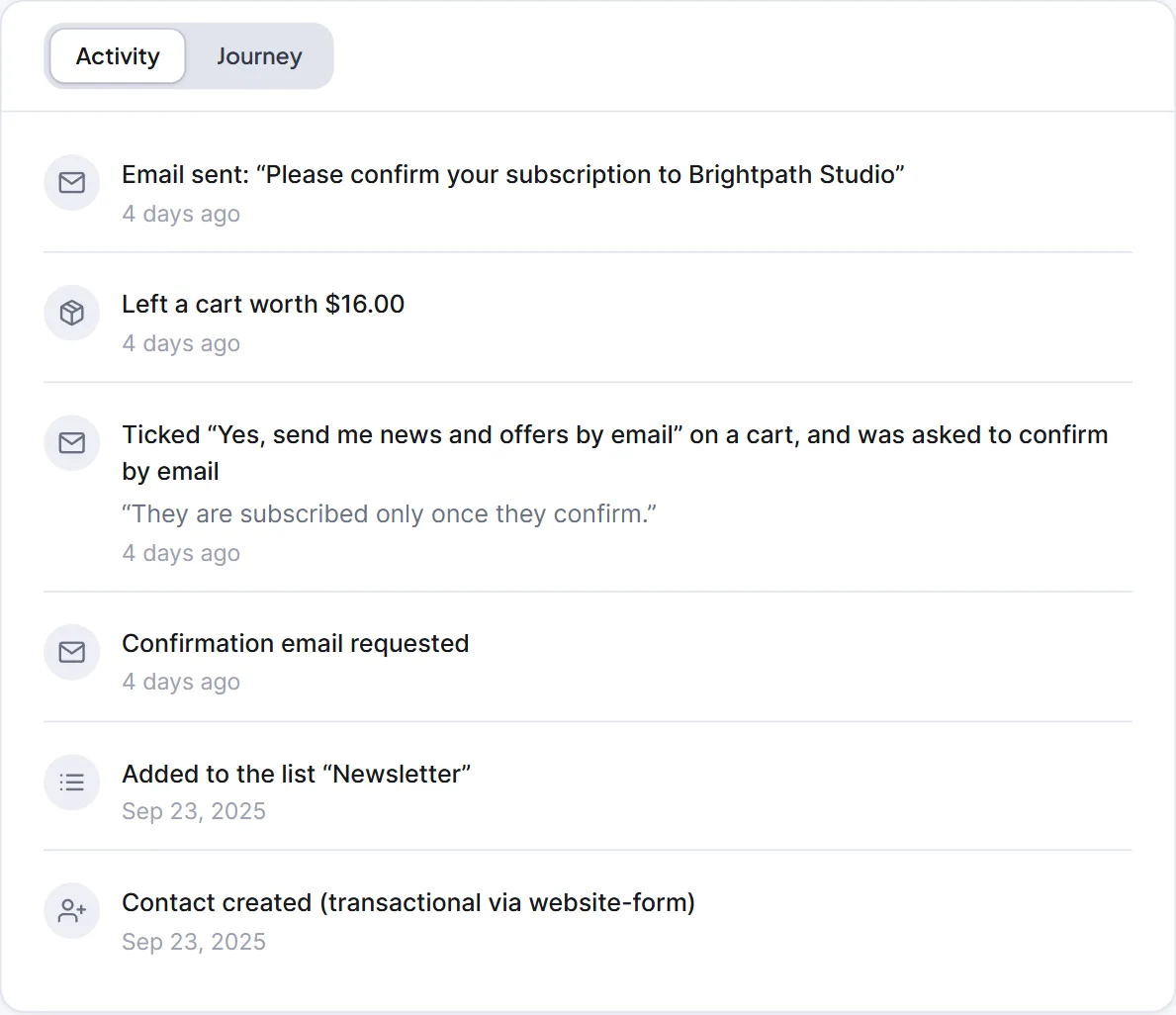
Entries about consent, sign-ups, unsubscribes and bounces are never removed by the Data cleanup tool. A contact deleted for good takes the timeline with it.
Journey tab #
When visitor tracking is on, or the person already has recorded visits, the right card has Activity and Journey tabs. Journey merges their page visits with emails and orders by time, with Visits, Pages viewed, First seen, Last seen and a Recognised on the site box saying how they were linked. In anonymous tracking mode visitors are never linked to a person.

Next: Contacts, Privacy tools: export and erase, Turn on visitor tracking.


