

Automation > Integrations is a read-only overview of the plugins Hive Mail found on your site and what each lets you automate. Nothing is switched on here: a plugin appears as soon as it is active. You need the permissions Manage settings and Manage automations (Settings: Roles & Permissions). This is not Settings > Integrations (Settings: Integrations).
With no supported plugin active, the page says "No shop or form plugin was found on this site."
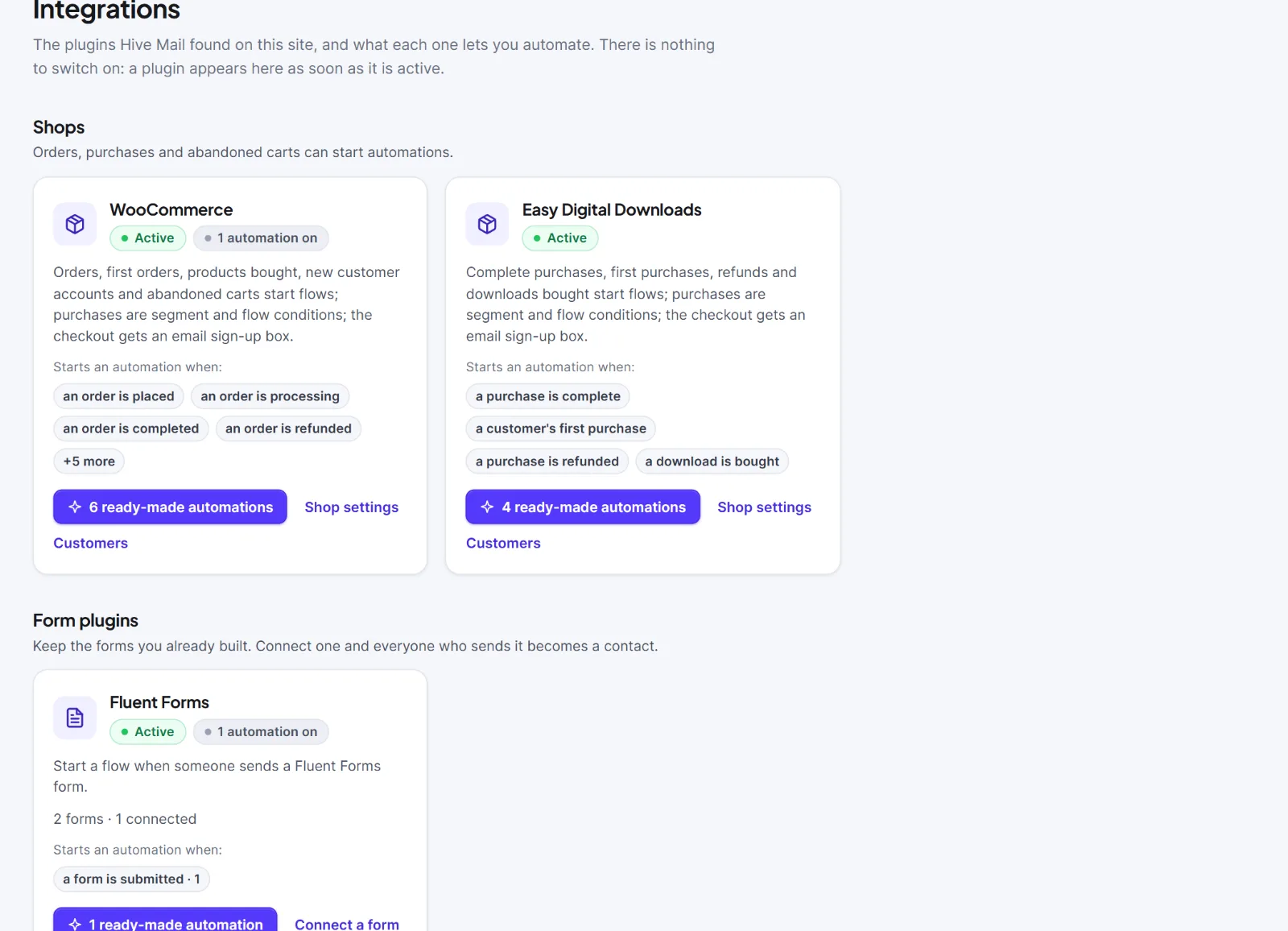
| Section | What it says | Plugins |
|---|---|---|
| Shops | "Orders, purchases and abandoned carts can start automations." | WooCommerce, Easy Digital Downloads |
| Form plugins | "Keep the forms you already built. Connect one and everyone who sends it becomes a contact." | Fluent Forms, WPForms, Contact Form 7, Gravity Forms, Elementor forms |
A section shows only when it has a card. Each card has:
- The plugin's name, a green Active badge, and a grey badge such as "2 automations on" (your live flows that start from this plugin; hidden at 0).
- A one-sentence description.
- For form plugins, a line such as "3 forms · 1 connected" or "3 forms · none connected yet". For Elementor forms, where Hive Mail cannot list the forms: "You type the name of the form when you connect it · none connected yet".
- Starts an automation when: and up to four tags naming triggers (a number after a name is how many flows use it; more than four ends with "+N more").
- Buttons:
| Button | On | Goes to |
|---|---|---|
| "{n} ready-made automation(s)" | Cards with a matching recipe | Automation > Automation recipes (Automation recipes) |
| Shop settings | WooCommerce, Easy Digital Downloads | Settings: WooCommerce, Settings: Easy Digital Downloads |
| Customers | WooCommerce, Easy Digital Downloads | WooCommerce, Easy Digital Downloads |
| Connect a form | Every form plugin | Connect a form you already use |
| Connected forms | Every form plugin | Manage connected forms |

The recipe count includes only automations that can run on your site now. On a card without a recipe, Connect a form is the purple main button.
WordPress events (a user registers or logs in, a role changes, a post is published) and incoming webhooks have no card; pick them as a flow's trigger. See Triggers and Incoming webhooks, bounce webhooks and API keys.
If a plugin has no card, it is inactive or not supported; for other forms use a signup form or an incoming webhook. A card appears when you activate a supported plugin and disappears when you deactivate it.


