

A goal is something you want visitors to do. A conversion is one visit in which a visitor reached it. Turn on visitor tracking first. To see the screen you need See visitor reports; to add, edit or delete goals you need Manage settings.
Add a goal #
- Open Intelligence > Conversions. The card Your goals shows "{n} of 20" (the maximum is 20).
- Click Add a goal (or Add your first goal).
- Type a Name.
- Under It counts when, choose a kind and fill in its fields (table below).
- Click Add goal.

| Kind | Fields | What it counts |
|---|---|---|
| An order is placed | None; the order total is the revenue. Needs WooCommerce or Easy Digital Downloads | Paid orders tied to a tracked visit |
| A form is submitted | Form (optional): the form's ID, empty for any form. Value of each conversion (optional) | A form sent from Fluent Forms, WPForms, Contact Form 7, Gravity Forms or Elementor forms |
| A page is visited | Page address: starts with a slash, no domain, no ? or #, for example /thank-you. Also count the pages below it (every address that starts with this one). Value of each conversion (optional) |
A visit to that page |
The value is counted as revenue in your shop's currency. To edit a goal click the pencil icon, then Save goal. To delete one click the bin icon, then Delete goal; its numbers are removed.
Read the screen #
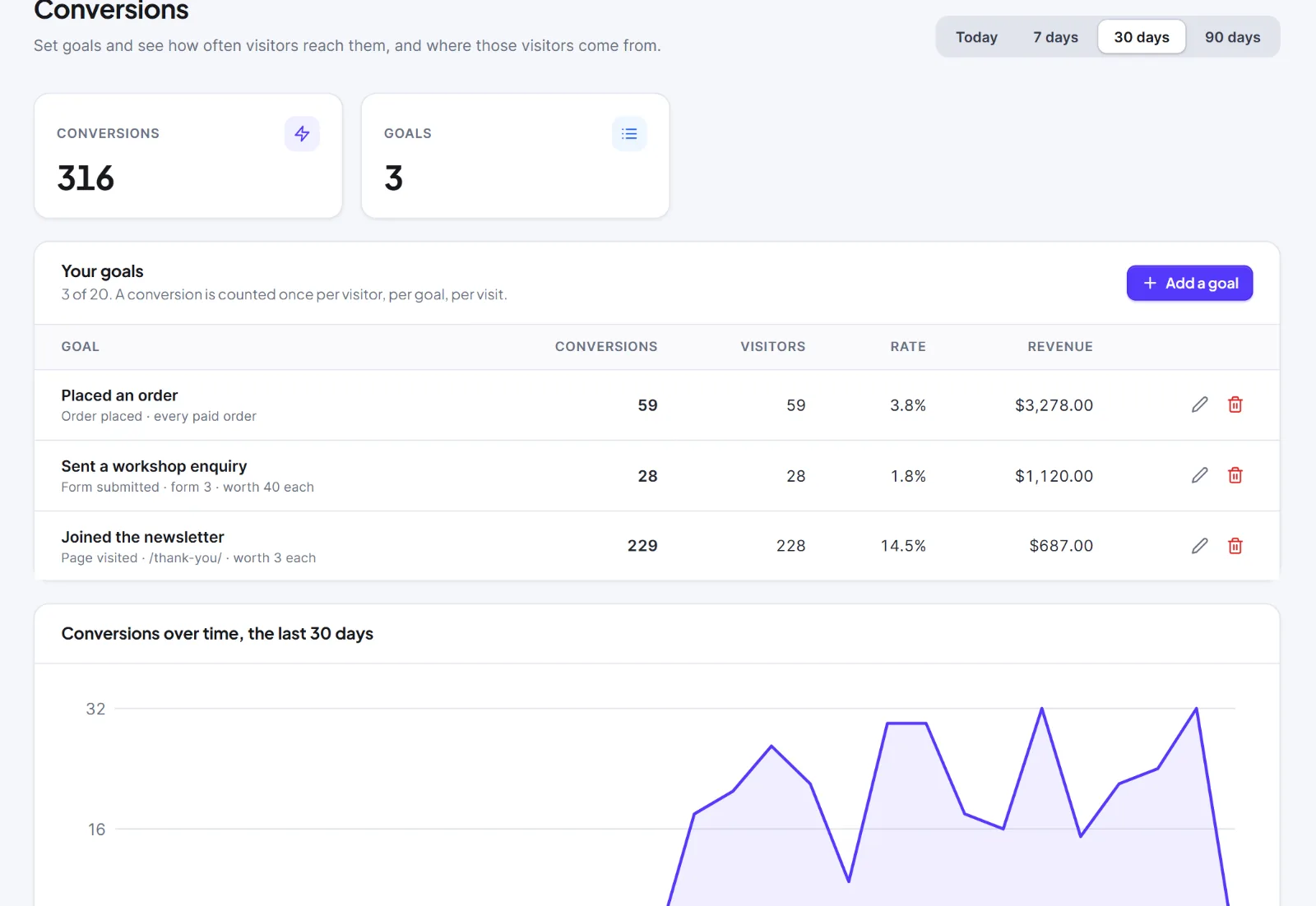
The cards Conversions and Goals, then a table with Goal, Conversions, Visitors, Rate (conversions divided by all visitors) and Revenue, then Conversions over time and Conversions by channel.
How conversions are counted #
- A goal counts once per visitor, per goal, per visit.
- Order goals count only paid orders from people who were tracked; orders from visitors with Do Not Track, no consent, an excluded role or tracking off are not counted.
- Hive Mail's own signup forms are not counted by a form goal.
- Page addresses compare exactly, ignoring case. WordPress addresses usually end in a slash, so
/thank-youdoes not match/thank-you/unless you tick Also count the pages below it (every address that starts with this one) or type the slash. - If you change what a goal matches, Hive Mail recounts from visit details still stored (see Keep visit details for). Changing only the value re-values the past.
Tip: Point a page goal at the page people reach after they succeed, such as a thank-you page.
A goal that shows zero: check the address (slash), that tracking is on and that you test in a private window (Visitor tracking shows nothing).
Next: Live, Pages and Traffic Sources, Reports and revenue.
This is information, not legal advice.


