

Hive Mail > Settings > Sending chooses how email is delivered, how fast it goes out, how bounces come back and whether your site is ready to send. Fill in Default From email and Business address on Settings: General first. The first three cards share one save bar; the others act at once.
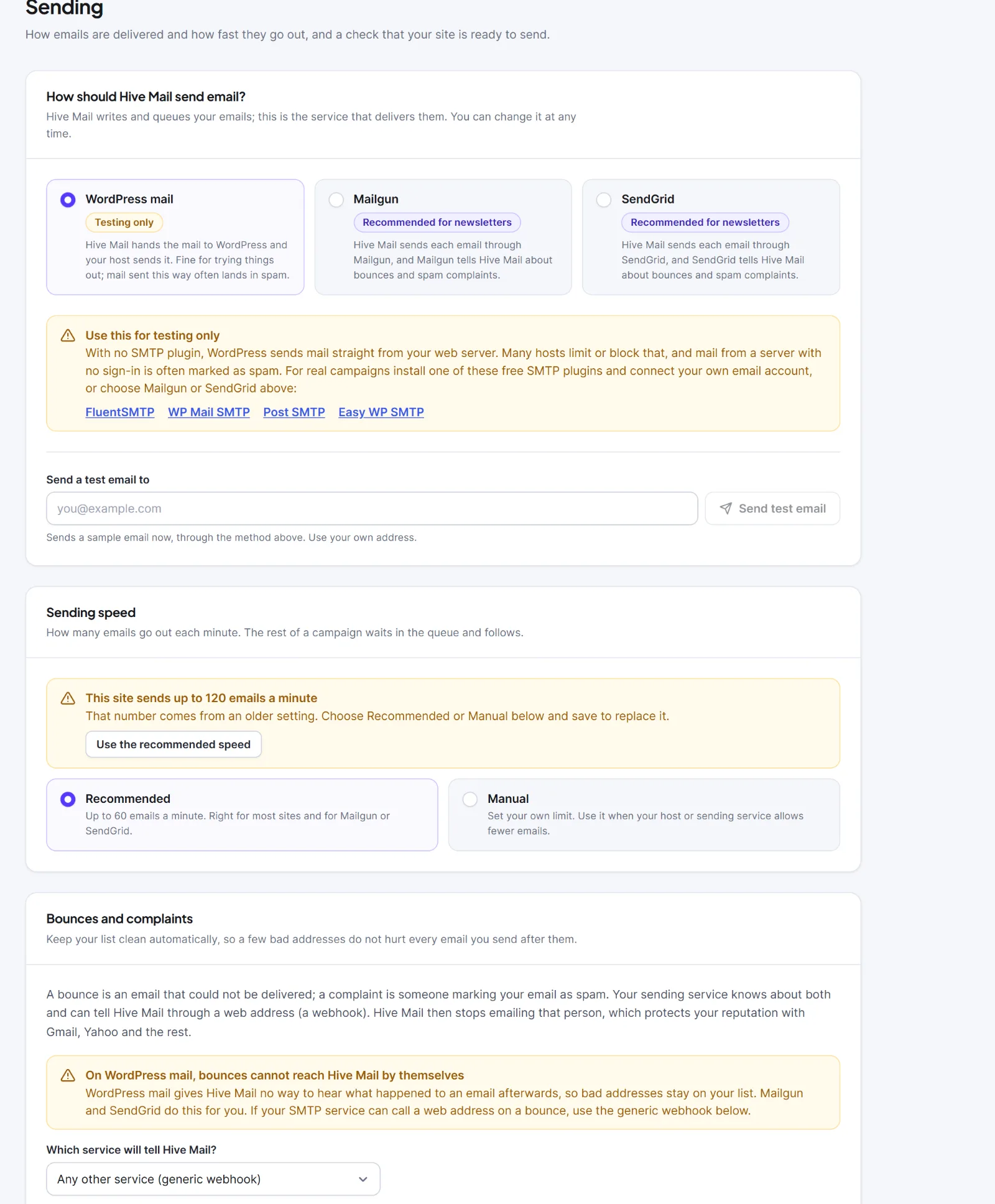
How should Hive Mail send email? #
| Setting | What it does | Default |
|---|---|---|
| Sending method (cards) | WordPress mail (shown as Your SMTP plugin with a green Detected badge when FluentSMTP, WP Mail SMTP, Post SMTP or Easy WP SMTP is found), Mailgun (badge "Recommended for newsletters") or SendGrid. Another plugin can add a card | WordPress mail |
| Mailgun API key | Mailgun, API security, API keys. Stored on this site only | Empty |
| Mailgun sending domain | The domain verified in Mailgun, for example mg.example.com | Empty |
| Mailgun region | United States or Europe (api.eu.mailgun.net) | United States |
| Mailgun webhook signing key | Checks Mailgun's bounce reports; optional | Empty |
| SendGrid API key | SendGrid, Settings, API Keys; Mail Send access is enough | Empty |
| SendGrid webhook verification key | Public key of SendGrid's signed event webhook, shown when you turn on Signature Verification; optional | Empty |
| Send a test email to | Sends a test at once, skipping the queue | Empty |
To send a test: click Save changes first (the button says "Save your changes first, so the test goes through the method you have chosen."), type your address, click Send test email. A green box confirms; a red box, "The test email could not be sent", gives the reason.
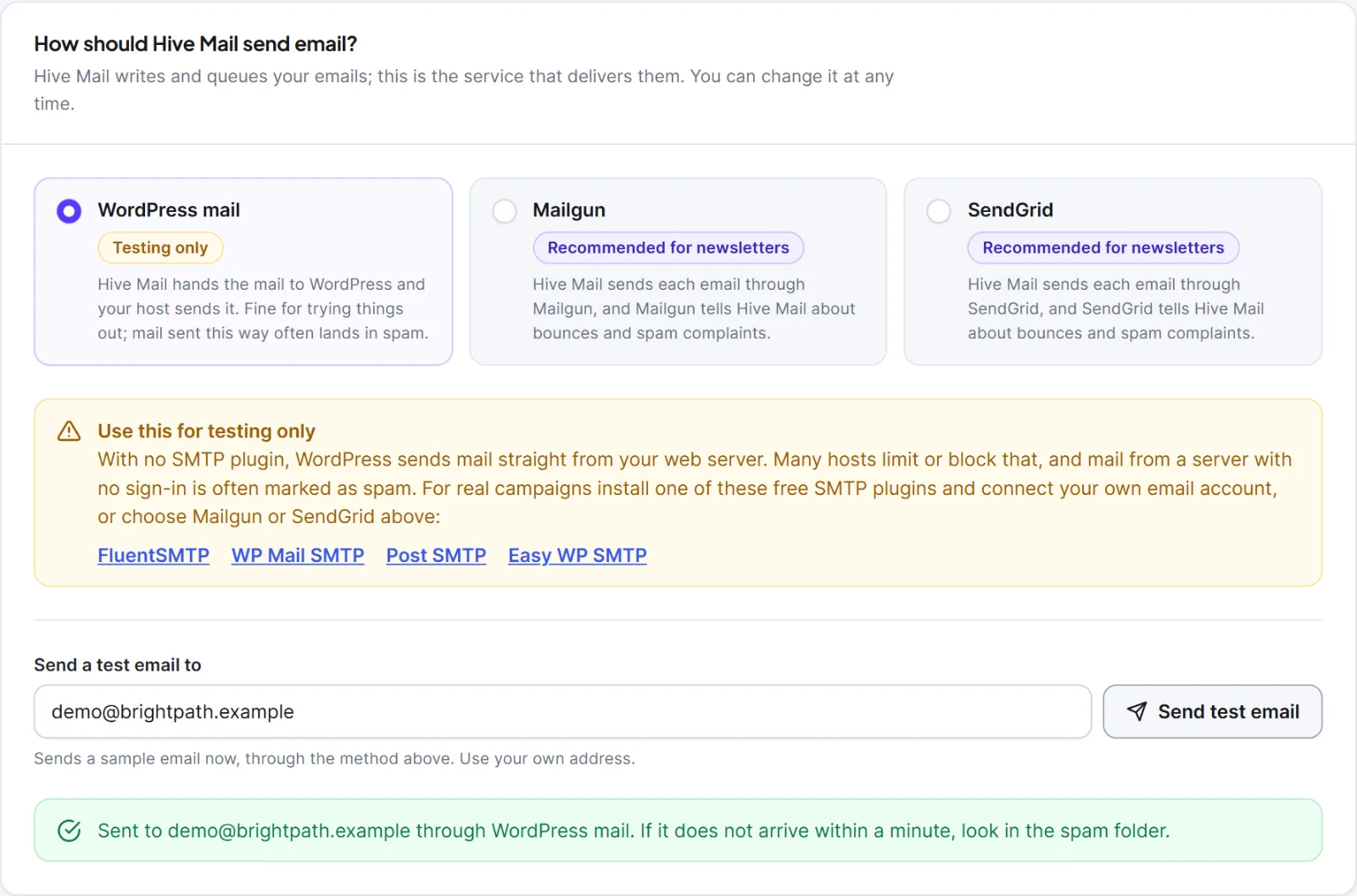
After saving, key fields show dots; type a new value to replace one or empty it to remove it. To keep a key out of the database, define a constant in wp-config.php; it always wins and the field becomes disabled ("Set in wp-config.php"): HIVEMAIL_MAILGUN_API_KEY, HIVEMAIL_MAILGUN_DOMAIN, HIVEMAIL_MAILGUN_REGION (us or eu), HIVEMAIL_MAILGUN_SIGNING_KEY, HIVEMAIL_SENDGRID_API_KEY, HIVEMAIL_SENDGRID_WEBHOOK_KEY.
Warning: Plain WordPress mail without an SMTP plugin is for testing only (amber badge "Testing only"). Many hosts block it and the mail often lands in spam. Hive Mail has no SMTP form of its own on purpose.
Sending speed #
| Setting | What it does | Default |
|---|---|---|
| Sending speed | Recommended is up to 60 emails a minute. Manual sets your own limit | Recommended |
| Send up to (number) emails every (number) minutes | Manual only. Emails 1 to 100,000, minutes 1 to 1,440; rounded up to emails a minute, at most 5,000. Live text shows what it means | 25 emails every 5 minutes |
Match your host's limit; shared hosts often allow only a few hundred an hour. An amber box, "This site sends up to (number) emails a minute", means an older setting is in use; Use the recommended speed replaces it.
Bounces and complaints #
A bounce is an email that could not be delivered; a complaint is a spam report. Your sending service tells Hive Mail through a webhook, and Hive Mail stops emailing that person (Bounces and suppressions).
| Setting | What it does | Default |
|---|---|---|
| Which service will tell Hive Mail? | Any other service (generic webhook), Mailgun or SendGrid | Follows your method |
| Webhook address | Read-only; Copy address. The generic address holds your site's secret key, so keep it private. A service that can send a header may send X-HiveMail-Secret instead |
Filled in |
| Status | "Waiting for the first event", later "Connected: last call (time)…" | Waiting |
| Key field | The same Mailgun or SendGrid key as above | Empty |
Steps under the address: Mailgun add Permanent failure, Temporary failure and Spam complaints under Sending, Webhooks; SendGrid tick Bounced, Dropped and Spam Reports under Event Webhook, turn on Signature Verification and press Test Integration; generic post JSON such as {"type":"bounce","email":"someone@example.com"} (type bounce, soft_bounce or complaint). On plain WordPress mail bounces cannot reach Hive Mail by themselves.

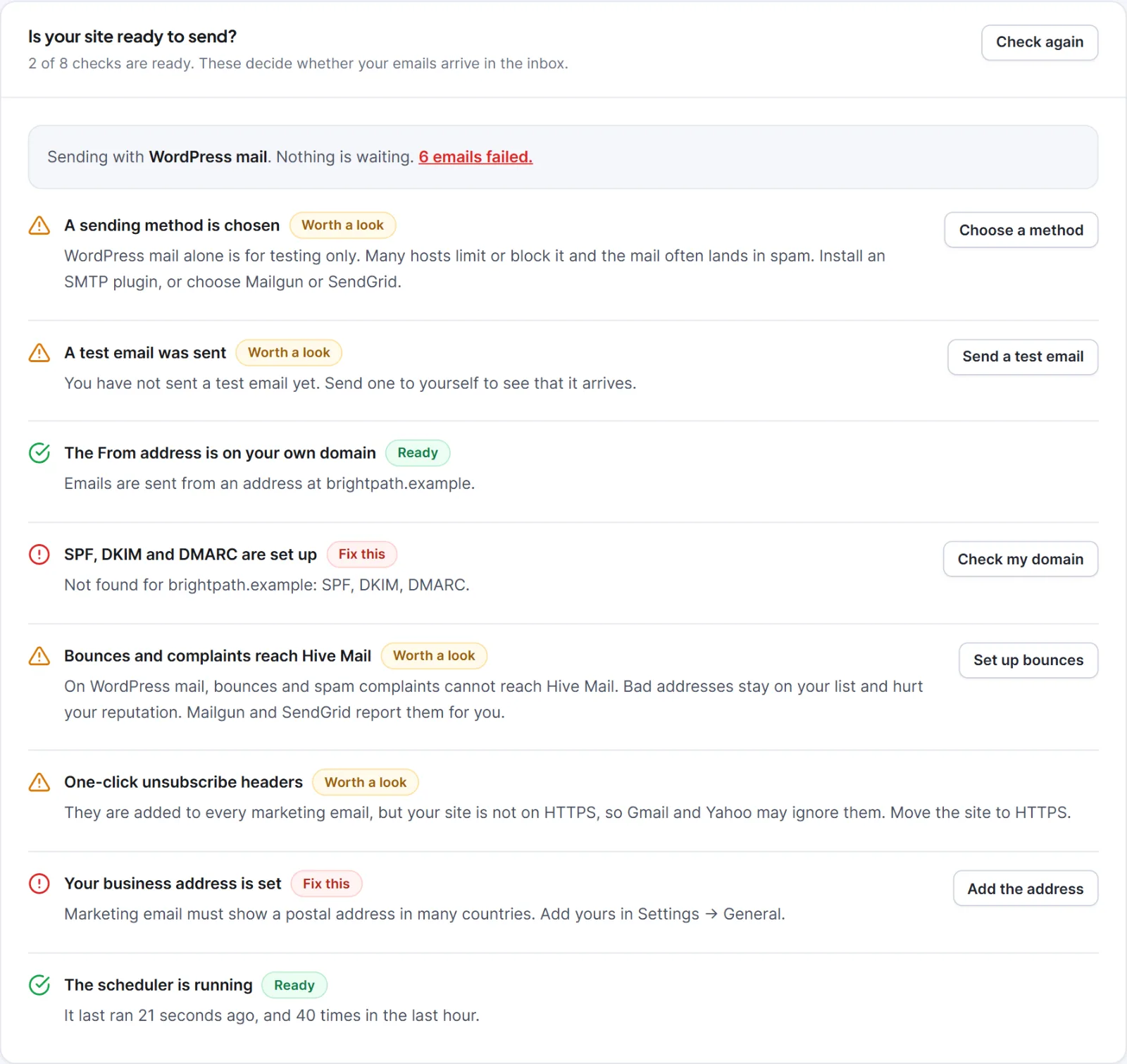
Is your site ready to send? #
The card counts ready checks and has Check again. Each row shows Ready, Worth a look or Fix this.
| Check | Ready when |
|---|---|
| A sending method is chosen | An SMTP plugin, Mailgun or SendGrid is set up |
| A test email was sent | A test went out through the current method |
| The From address is on your own domain | Set, and not @gmail.com or similar |
| SPF, DKIM and DMARC are set up | Check my domain found the records |
| Bounces and complaints reach Hive Mail | The webhook has been called once |
| One-click unsubscribe headers | The site uses https |
| Your business address is set | Business address is filled in |
| The scheduler is running | It ran in the last 5 minutes (Settings: Scheduler) |
Check my domain looks up SPF (TXT v=spf1), DMARC (TXT at _dmarc, v=DMARC1) and DKIM (tries selectors default, google, selector1, selector2, k1, k2, s1, s2, smtp, mail, dkim, krs) and shows Found, Not found or Could not check. A provider with its own selector shows DKIM "Not found". DNS changes can take an hour. A line above the list shows the queue and the failed emails, linking to the Sending log.
Merge tags #
The card lists every merge tag with a Copy button, including your custom fields and (with a shop) order and cart tags. Add a fallback after a pipe: {{first_name|there}}. See merge tags.
How sending behaves #
- Marketing, flow and confirmation emails are queued and sent once a minute at your speed. Test emails and admin alerts skip the queue.
- Temporary failures (timeout, HTTP 408, 429, 5xx) retry up to 3 attempts in total. A refused key (401, 403) fails at once. Retry failed emails in the Sending log.
- At send time Hive Mail skips contacts who unsubscribed, are suppressed, bounced, complained or were deleted.
- Marketing emails carry
List-Unsubscribeand one-click headers. Hive Mail does its own tracking, so Mailgun's and SendGrid's is switched off.


