

Hive Mail has two webhooks, both incoming: an incoming webhook that starts a flow, and bounce webhooks that report a bounced or complained address. API keys let a program call the REST API. There is no outgoing webhook per event; use a PHP hook or the Call a webhook flow step (Steps).
The Webhooks & API screen #
Open Settings > Webhooks & API (needs Manage settings). Every card acts at once; nothing has a Save button.
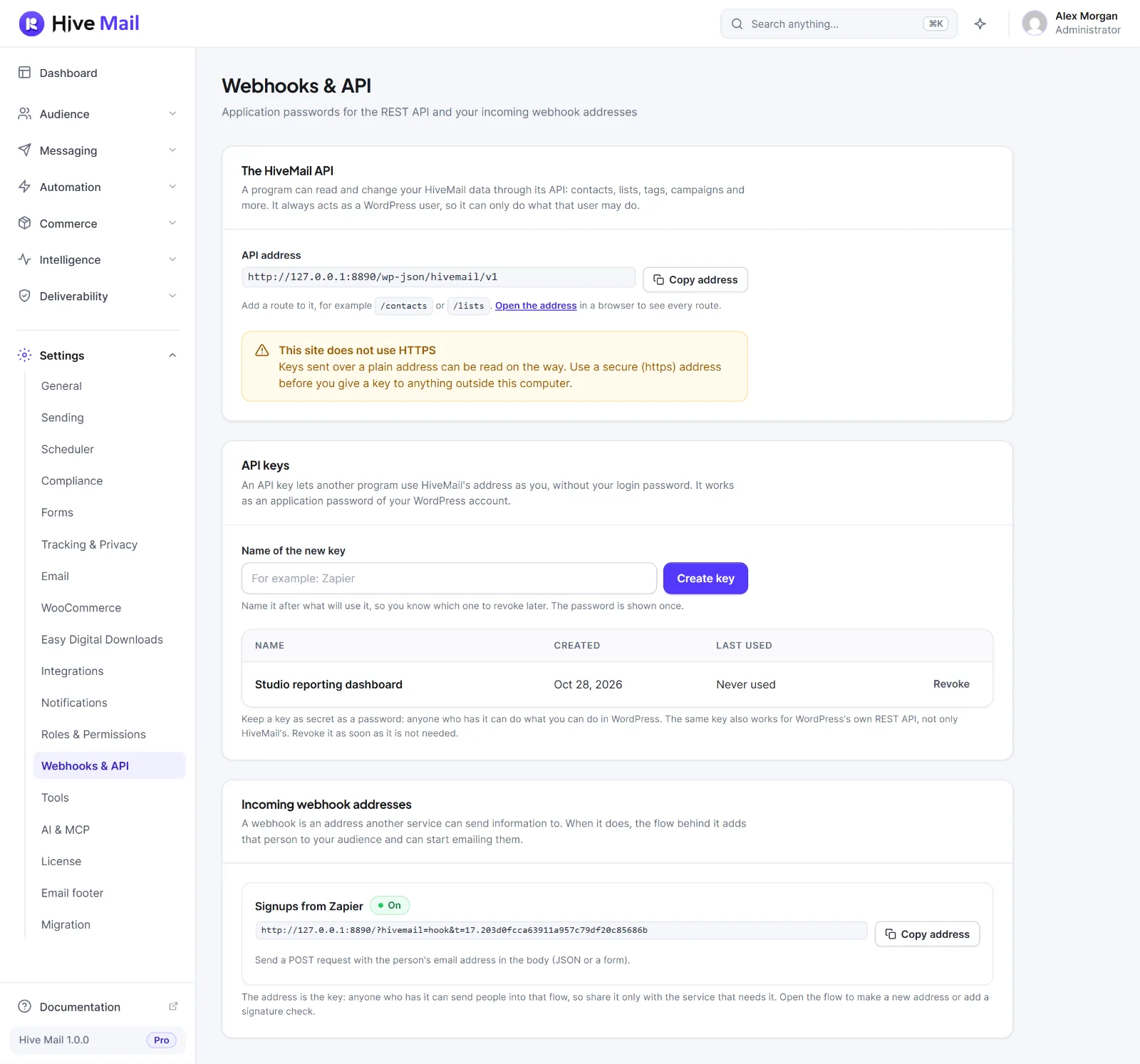
- The HiveMail API. The API address (
https://example.com/wp-json/hivemail/v1) with Copy address, and Open the address, which shows the route list in the browser. On a site without HTTPS a warning, This site does not use HTTPS, sits under it. - API keys. An API key is an application password of the signed-in WordPress user. Type a Name of the new key, click Create key, copy the password with Copy password (shown once), click I have copied it. The list shows Name, Created and Last used. Revoke stops a key at once. A key has no scopes of its own: it can do what its user can, so limit it with a role (Roles & Permissions). Routes:
GET/POST /api-keys,DELETE /api-keys/{uuid},GET /api-keys/info(allhivemail_manage_settings). If the card says Keys cannot be created here, WordPress has application passwords switched off: see authentication. - Incoming webhook addresses. A read-only list of every flow whose trigger is An incoming webhook arrives, with its state, the address and Copy address. It needs Manage automations as well (
GET /api-keys/webhooks).
Start a flow with an incoming webhook #
- In Automation > Flows make a flow. As the trigger choose An incoming webhook arrives (group Webhooks).
- In Address and secret, copy the Address (send a POST here). To sign requests, show and copy the Secret (to sign requests).
- Set the options, add the steps, and switch the flow on. The address answers only while the flow is On.
- Make the other service send a
POSTto the address.
The address is not under /wp-json, and the secret is never part of it. The number before the dot is the flow id:
https://example.com/?hivemail=hook&t=12.0a1b2c3d4e5f60718293a4b5c6d7e8f9| Option on the trigger | What it does |
|---|---|
| Email field | The key in your request that holds the address. Empty finds it automatically. |
| Keep these on the contact | Rows copying a request key to a contact field. First and last name are found by themselves. |
| Permission to email | Subscribe when a consent box is ticked (needs Consent box field; the default, and the flow cannot be switched on without it), The form itself asks for permission: subscribe everyone who sends it, or Do not subscribe anyone: keep them pending. |
| Ask pending contacts to confirm by email (double opt-in) | Sends the confirmation email to people who stay pending. |
| Add them to this list, Give them this tag | Where the person lands. |
| When they are already a contact | Fill in only the details they have not got yet or Update their details with what they just sent. |
| Refuse requests that are not signed | Off by default. |
Warning: Choose "subscribe everyone who sends it" only when the sending service really collected permission. Hive Mail keeps what you tell it as the proof.
The request #
Send a POST with a JSON object or a urlencoded form, at most 65,536 bytes, containing an email address.
curl -X POST -H "Content-Type: application/json" \
  -d '{"email":"jane@example.com","first_name":"Jane"}' \
  "https://example.com/?hivemail=hook&t=12.0a1b2c3d4e5f60718293a4b5c6d7e8f9"
To sign, add X-HiveMail-Signature: sha256= followed by the HMAC-SHA256 of the raw body with the flow's secret as the key (the sha256= prefix is optional). A signature you send must be right; with Refuse requests that are not signed on, a request without one is refused.
<?php
$secret = 'the-flow-secret';
$body   = wp_json_encode( array( 'email' => 'jane@example.com', 'first_name' => 'Jane' ) );
wp_remote_post(
    'https://example.com/?hivemail=hook&t=12.0a1b2c3d4e5f60718293a4b5c6d7e8f9',
    array(
        'headers' => array(
            'Content-Type'         => 'application/json',
            'X-HiveMail-Signature' => 'sha256=' . hash_hmac( 'sha256', $body, $secret ),
        ),
        'body'    => $body,
    )
);
Answers #
JSON { "ok": true|false, "status": "...", "message": "..." }. message is left out of a plain enrolled.
| HTTP | status |
Meaning |
|---|---|---|
| 200 | enrolled |
The person was created or updated and entered the flow |
| 200 | not_enrolled |
The re-entry rule says they cannot enter again |
| 200 | duplicate |
The same body for the same person within the last hour |
| 400 | bad_body |
Not a JSON object or a form |
| 401 | bad_signature |
The signature does not match |
| 404 | not_found |
Wrong or replaced address, or the flow is not a webhook flow |
| 405 | method_not_allowed |
Not a POST |
| 409 | flow_off |
The flow is not switched on |
| 413 | too_large |
Over 65,536 bytes |
| 422 | no_email, no_contact |
No usable address, or none could be made (invalid or suppressed) |
| 429 | rate_limited |
Over 300 requests a minute for this flow; Retry-After: 60 |
To replace the address and secret, click New address and secret, then Make new ones in the trigger panel (or POST /flows/{id}/webhook/rotate). The old ones stop at once.
Tip: The address is a secret. Share it only with the service that needs it, and turn on signing for anything sensitive.
Bounce webhooks #
A bounce is an email that could not be delivered; a complaint is a spam report. Your sending service tells Hive Mail, which then stops emailing that address (Bounces and suppressions). The addresses are on Deliverability > Bounces & Suppressions, card Bounce webhooks, and help repeats in Settings > Sending > Bounces and complaints.
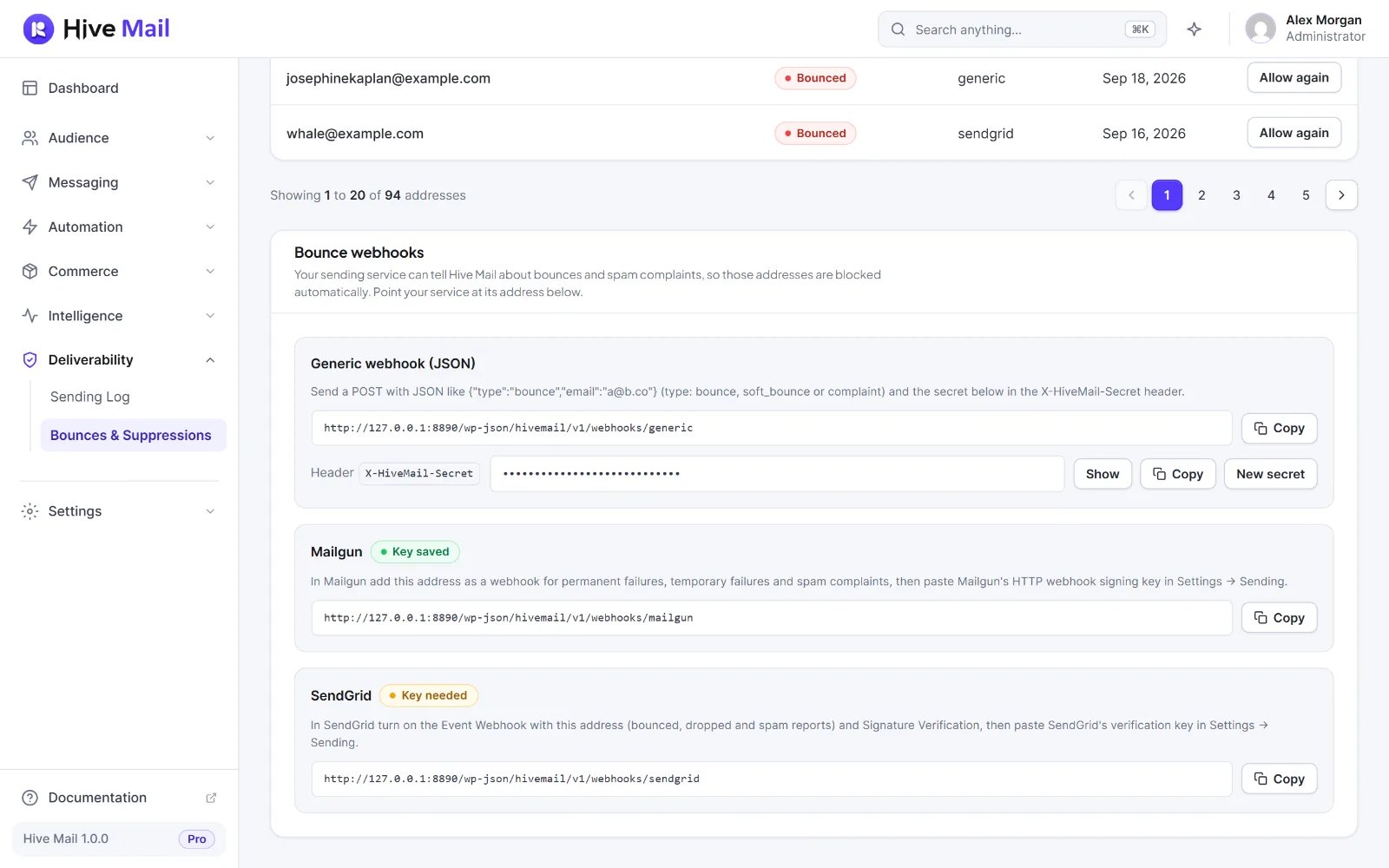
| Service | Address |
|---|---|
| Generic (JSON) | https://example.com/wp-json/hivemail/v1/webhooks/generic |
| Mailgun | https://example.com/wp-json/hivemail/v1/webhooks/mailgun |
| SendGrid | https://example.com/wp-json/hivemail/v1/webhooks/sendgrid |
Each request is checked first. An unknown service, or a missing or wrong secret or signature, is 401 hivemail_webhook_unauthorized. On the card the Mailgun and SendGrid blocks show Key saved or Key needed.
Mailgun. In Mailgun open Sending > Webhooks and add the address for permanent failure, temporary failure and spam complaints. Copy Mailgun's HTTP webhook signing key into Settings > Sending > Mailgun webhook signing key and save. Requests more than a day old are refused. Or set HIVEMAIL_MAILGUN_SIGNING_KEY in wp-config.php.
SendGrid. In SendGrid open Settings > Mail Settings > Event Webhook, enter the address, tick Bounced, Dropped and Spam Reports, turn on Signature Verification and copy the key into Settings > Sending > SendGrid webhook verification key. Without the key every SendGrid request is refused. Constant: HIVEMAIL_SENDGRID_WEBHOOK_KEY.
Any other service, or your code. Post JSON to the generic address with the secret in the header X-HiveMail-Secret (the card shows it under Show; New secret replaces it).
curl -X POST -H "Content-Type: application/json" \
  -H "X-HiveMail-Secret: THE_SECRET_FROM_THE_CARD" \
  -d '{"type":"bounce","email":"someone@example.com","reason":"mailbox does not exist"}' \
  "https://example.com/wp-json/hivemail/v1/webhooks/generic"
# 200 {"suppressed":1,"noted":0,"ignored":0}
type is bounce, soft_bounce or complaint; reason is optional. You can send an array of such objects, or {"events":[...]}. A soft bounce is only noted until it repeats (the limit is on Settings: Compliance). Bodies over 1 MB are 413, invalid JSON 400 (rest_invalid_json), and at most 500 events are handled.
A bounce or complaint puts the address on the suppression list, sets a matching contact to Bounced or Complained, and fires hivemail_bounce_processed.


