

The assistant is a chat inside Hive Mail. It answers email marketing questions, looks at your lists, campaigns and numbers, and can make drafts for you. It uses your own account with an AI company, so an administrator must set it up once in Settings > AI & MCP (Settings: AI assistant).
Open it #
- Click the sparkles icon (tooltip Assistant) in the top bar. The side panel opens on the right; Open full page gives more room.
- Close it with the icon again, Esc or X.
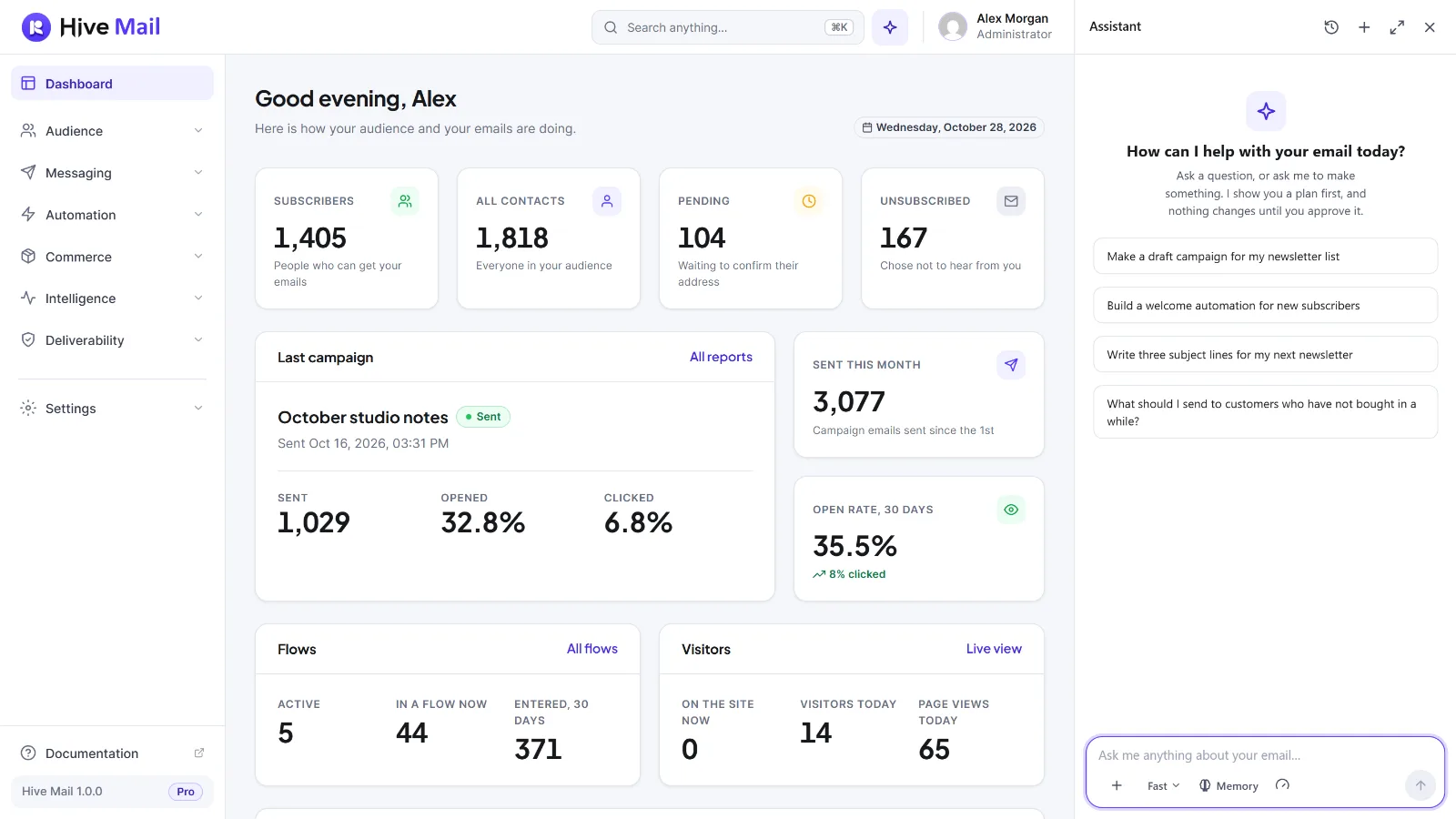
The icon shows for administrators and for roles that have Use the assistant (Roles & Permissions). Type in Ask me anything about your email… (up to 4,000 characters) or click a suggestion; Enter sends. Under an answer, Copy, Good answer and Bad answer work on that answer; feedback stays on your site. The buttons under the box are in Chat history and memory.
What it can do #
An administrator picks how far it may go in Settings > AI & MCP, card What the assistant may do.
| Level | What the assistant can do |
|---|---|
| Look only | Answer questions and read lists, tags, segments, templates, campaigns and their results, automations, and how many people an audience reaches. Changes nothing. |
| Edit and design, after my approval (default) | Also make campaign drafts with a designed email, change a campaign that is still a draft, save templates, make automations as drafts (switched off), and make lists, tags and segments. |
| Everything, including sending, after my approval | Also send or schedule a campaign, pause, resume or cancel one, and switch an automation on or off. |
It only does what your own permissions allow: without Manage campaigns it cannot make a campaign for you.
Plans: nothing happens until you approve #
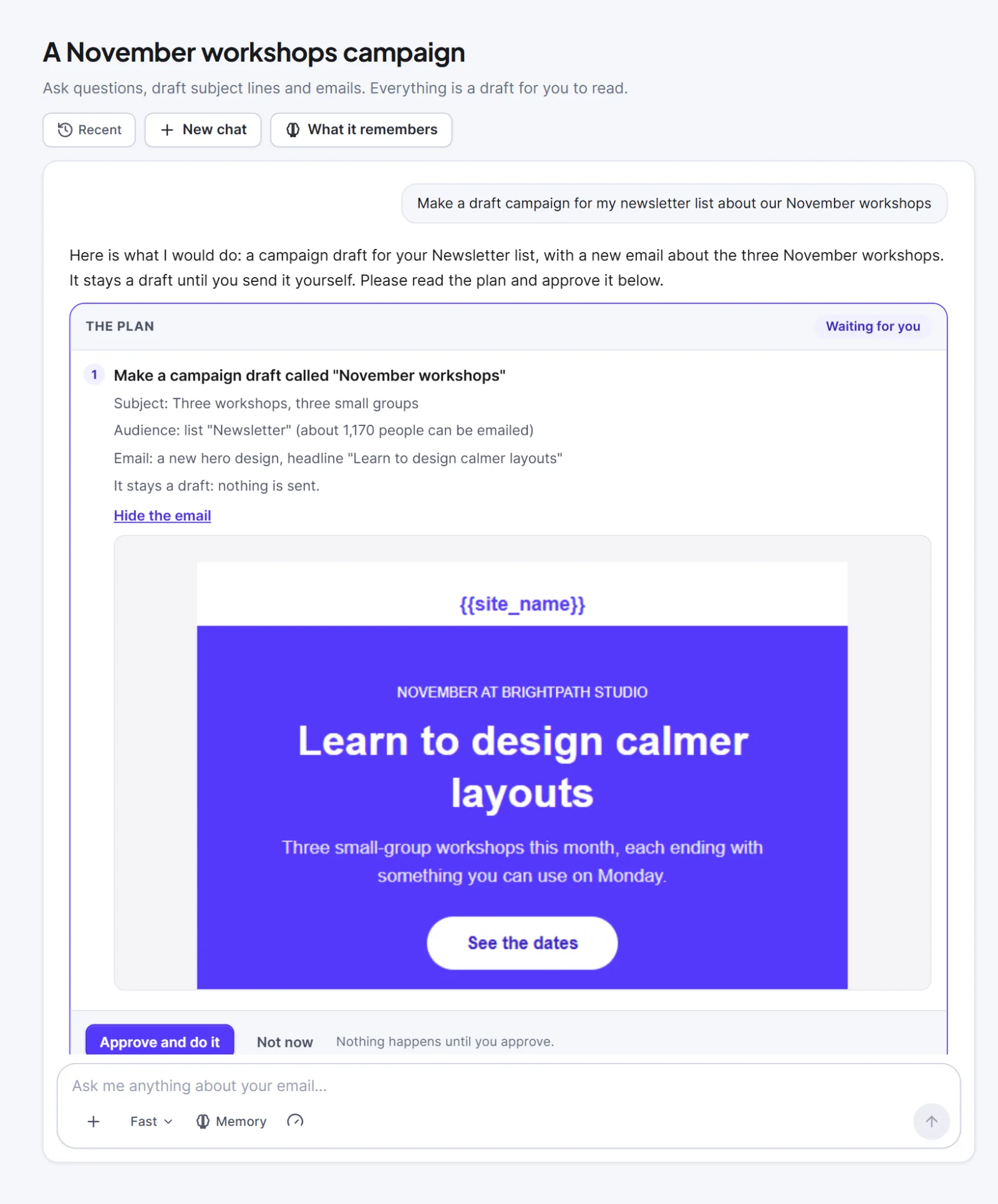
When you ask for a change, the assistant shows a plan under its answer: each step in plain words, such as the name, subject and audience of a campaign draft. Click Approve and do it or Not now. A plan can be used once and is valid for 30 minutes. Each step then shows a result with an Open it link, or why it failed; after a failed step the rest is not done.
For a designed email, click See the email to see it as it will look. The assistant picks a layout and writes the words; Hive Mail builds the design, and you can edit it in the builder.
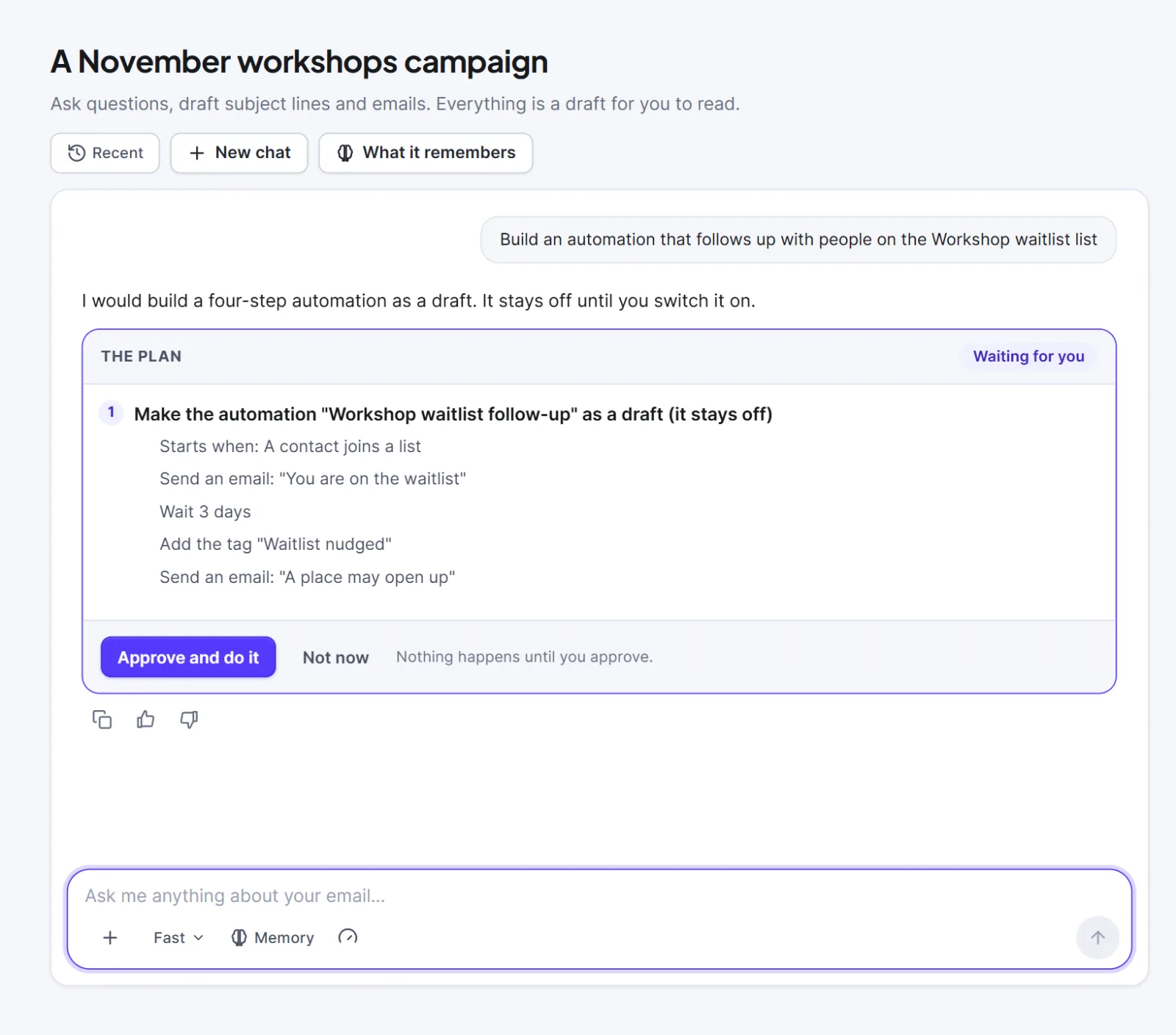
An automation plan lists the trigger and every step, and is saved as a draft that stays off.
Sending has its own confirmation #
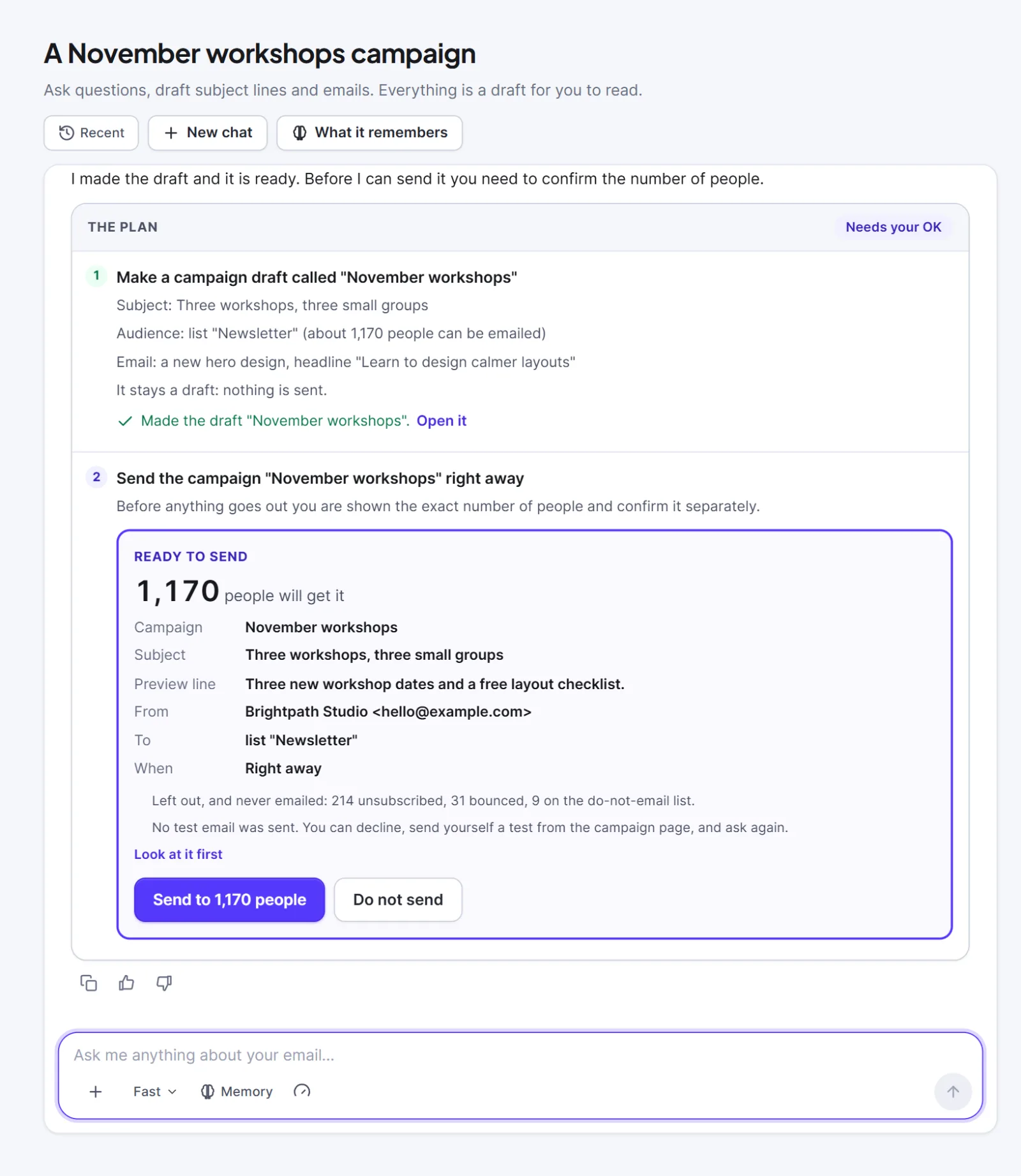
At the third level, approving a plan that sends a campaign or switches an automation on still sends nothing. The plan stops at a second card, Ready to send, with the exact number of people, subject, sender, audience and time. The button names the number, for example Send to 1,170 people; Do not send stops. If the audience changed meanwhile, nothing is sent and the card is redrawn. The campaign checklist must pass first. The card says no test email was sent: to test, decline, send yourself a test from the campaign, and ask again.
What it cannot do #
It can never change anyone's subscription or consent, import, export or delete contacts, delete anything, or touch settings, keys, roles or the license. It does not see contact names or email addresses. It can be wrong: check facts, offers and dates before you send.
What is sent to the AI service #
Your chat goes from your website straight to the AI company whose key the administrator entered, with no Hive Mail or Hive Plugins server in between. One question can make several requests, which carry:
- the key, and fixed instructions with your site name, date, time zone and what the assistant may do;
- your saved notes (unless memory is off) and the recent messages of the chat (up to 20, about 24,000 characters);
- what the assistant looked up: names of lists, tags, segments, templates, campaigns and automations, counts of people, campaign subjects and results, your brand colour and font.
After an answer, a small extra request may send your last six messages and notes to update your memory. Contact names, email addresses and phone numbers are never sent, but anything you type is sent, and so are the names you gave to lists and campaigns. Do not type passwords, card numbers or customers' personal details. The AI company's terms and privacy policy apply. Chats and plans stay on your site; the usage log keeps only times, models, token counts and result codes, never your text or the key.
This is information, not legal advice.


